

Yesterday, a friend called after a messy morning, their new 10‑person crew lacked field force gps tracking and task management, and two reps hit the same address while another got lost. You need simple live location, clear tasks, and proof of visits, not enterprise bloat.
If you just hired your first field crew, field force gps tracking and task management is the shortest path to control and calm. It ties where people are to what they should do. In 2026, you can get this with tools that are cheap, quick to set up, and easy to use on a phone.
For clarity, GPS is the satellite-based system that lets a device know its location with reasonable precision (Global Positioning System). Paired with tasks and visit proofs, it removes guesswork. As a result, you stop wasting fuel, stop missing windows, and start seeing your day in one map and one list.
Moreover, I’ll show you a lean setup you can run this month. Then I’ll point to a few tools worth a look, plus the traps that drain cash and trust. Finally, you’ll leave with three actions to take this week.
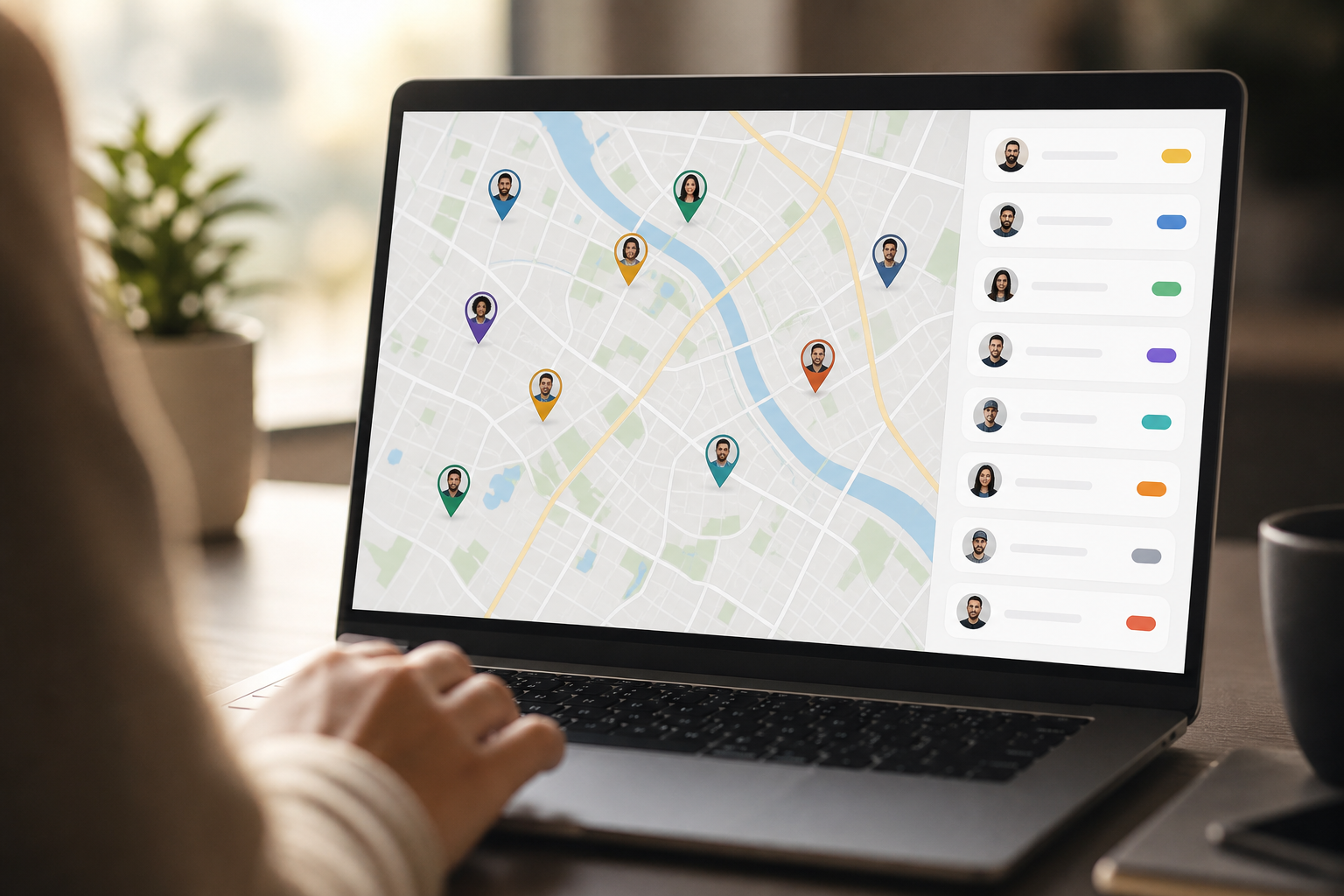 , and small geo-verified check-in badges; subtle 2026 design cues; brand-neutral UI)
What Is Field Force Management and Why Should Small Businesses Care?
Field force management means you plan the day, guide work on the road, and confirm that jobs got done. In plain terms, it’s a map, a list, and proof. The map shows where your people are. The list shows what each person must do. The proof shows they reached the right spot and did the task.
Without that, costs creep in fast. For example, two reps may visit the same client because both think it’s their job. Or a tech may take a long route and add miles that don’t help the day. In addition, a blocked call or a note on paper can hide a missed deadline until a client complains.
A 10-person day gone sideways
Picture a 10-person service team on a Tuesday. One person starts late and no one knows. Two head to the same site.
Another takes a detour to “save time” and hits traffic. Meanwhile, a rush job comes in, but no one sees it in time. By 3 p.m., you have three missed visits and a few tense calls.
However, with a basic setup, you can see all ten pins on a map, drag-and-drop tasks to balance load, and ask for a geo-verified check-in at each stop. Therefore, you replace guesswork with light rules and a live view. That change makes your next plan clear and gives your team fair targets.
As a result, the “real cost” of unmanaged field work, wasted fuel, missed visits, and no accountability, turns into a clear set of numbers you can act on. Even simple location history, distance tracking, and status updates make routing tighter and response times shorter. And because each visit has a place and a time, you can coach with facts, not hunches.
Finally, this isn’t about control for control’s sake. It’s about setting your crew up to win each day, and showing clients you run a tight, honest shop. That confidence is worth more than a fancy feature sheet.
How to Set Up Field Force Tracking for a Small Team: A Step-by-Step Framework
Start simple. Your goal is to see where, who, and what, then improve one metric in 30 days. Keep the plan lean, mobile-first, and fair to your team.
-
Audit current workflow gaps
Write down where time slips today. For example: “We assign jobs by WhatsApp,” “We don’t verify site arrival,” or “We reroute by phone when someone runs late.” Then map one full day from first dispatch to last check-in. As a result, you’ll see handoffs, delays, and double data entry. -
Define must-have vs nice-to-have features
Must-haves for a small crew: live location, a timeline/history view, distance tracking, task assignment with due times, and geo-verified check-ins. Nice-to-haves: custom forms, photo notes, route suggestions, and role-based reports. Specifically, insist on a clean phone app; your team will live in it. -
Set a realistic budget per user
Decide what you can spend per person per month. Some tools offer a free tier and entry plans around $4.66 per user per month for 1–10 users (paid yearly). That price point keeps math simple for a 10-person team. Moreover, confirm what’s in the base plan so you don’t outgrow it in 60 days.
Choose, pilot, and review
-
Choose between standalone vs integrated platforms
Standalone apps nail routing and tasks but may lack HR ties. Integrated suites add attendance, payroll, and HR data in one place. On the other hand, they can feel heavy. Therefore, pick what solves this quarter’s pain without burying you in setup work. If you expect to grow past 25 reps this year, an integrated path can pay off. -
Pilot with 3–5 field reps
Run a 2‑week pilot with your most honest testers. Assign 2–3 stops per day that require a geo-verified check-in and a photo note. Furthermore, shadow the pilot as a dispatcher. Take notes on load balance, battery use, and offline behavior. Then coach once mid-pilot to fix gaps fast. -
Review metrics after 30 days
Track a short list: on-time arrivals, visits per rep per day, rework/returns, and miles per completed job. Compare week 1 vs week 4. Therefore, you can decide to roll out, adjust, or switch tools with data, not gut feel. In 2026, teams that keep this loop tight win hours back every week.
Pro tip: Use a simple task checklist to cut noise. Here’s a primer worth saving: task tracking methods.
Moreover, look for features like live location tracking, timeline review, and distance tracking, plus task status with geo-verified client visits. Those keep your pilot focused on proof, not promises.
**See Small-Team Pricing →
Also Read!
5 Mistakes Small Businesses Make When Choosing Field Force Software
Buying “too big”
Mistake: Paying for enterprise features you won’t use this year.
Fix: Start with a plan you can outgrow, not one you can’t learn.
Ignoring mobile UX
Mistake: A clunky app that burns battery or hides core actions.
Fix: Make three reps use the app for a week before you buy.
Skipping geo-verification
Mistake: Relying on notes or photos without location proof.
Fix: Require geo-verified check-ins for all client visits.
Not checking offline capability
Mistake: Losing tasks or proofs when signal drops.
Fix: Test in a low-signal area during the pilot week.
Forgetting employee buy‑in
Mistake: Rolling out tracking without context or consent.
Fix: Explain the “why,” set clear rules, and share the wins weekly.
In addition, watch for vague claims. Specifically, you want clear language on geo-location tracking for field workers and how data is stored. If you need HR ties now or later, ask whether the system offers customizable HR solutions and role-based access.
Moreover, set privacy norms early. For example, track only during work hours and publish the policy. As a result, trust rises and pushback drops. Finally, assign one owner for change requests so your setup stays lean and consistent.
Affordable Field Force Management Tools Worth Evaluating
Below is a neutral snapshot so you can shortlist two options to trial. Prices and free plans for third-party tools can change by region and year, always confirm on the vendor’s site before you decide. For a deeper dive, bookmark these internal roundups: 2026 guide on GPS and tasks and software picks for HR managers.
| Tool (Neutral) | Entry Pricing Tier | GPS Features | Task Management | Free Plan |
|---|---|---|---|---|
| EmpCloud | Free tier; Bronze $4.66/user/month (1–10 users, yearly) | Live location, timeline, distance tracking | Tasks with status and geo-verified visits | Yes |
| Zoho | Plan-based; varies by module | Real-time tracking in select modules | Tasks and workflows by app | Sometimes |
| Keka | Quoted pricing | Location/attendance in field modules | Task features vary by package | Rare |
| Zimyo | Plan-based | Field tracking options | Tasks/checklists available | Sometimes |
| HROne | Quoted pricing | Field presence options | Workflows and tasks | Unknown |
Pros and cons at a glance:
-
EmpCloud
Pros: Free tier for small pilots; clear field tracking; integrated HR and SOC 2 compliant; trusted by 1500+ businesses; operates in 15+ countries; manages 50,000+ employees.
Cons: Best value at yearly billing; advanced HR modules can feel broad if you only need the basics. -
Zoho
Pros: Broad app ecosystem; flexible add-ons.
Cons: Features spread across modules; setup can feel complex for a 10-person team. -
Keka
Pros: Strong HR focus with performance and payroll options.
Cons: Field features depend on plan; pricing details may require a quote. -
Zimyo
Pros: HR suite with field add-ons; simple UI in many modules.
Cons: Verify offline behavior and mobile UX for your routes before rollout. -
HROne
Pros: Unified HR workflows; role-based controls.
Cons: Confirm GPS and task depth for field teams before you commit.
Moreover, keep your test fair. Therefore, give each tool the same pilot routes, the same task templates, and the same reporting goal. You want apples to apples.

Key Takeaways
- Start lean: live location, a clean task list, and geo-verified proofs beat fancy features you won’t use.
- Pilot with 3–5 reps for 30 days and track on-time arrivals, visits per day, rework, and miles per job.
- Pick a plan you can outgrow; a free tier and entry pricing near $4.66/user/month help small teams test fast.
- Avoid five traps: overbuying, poor mobile UX, no geo-proof, weak offline support, and low buy-in.
- Compare tools with the same routes and KPIs so your choice is based on results, not demos.

What to Do This Week to Get Started
-
Map your current workflow on paper
Sketch Monday’s plan: who assigns work, how jobs are sent, how proof is logged, and how changes happen. Then circle the two biggest slowdowns. -
Trial one free-tier tool with 3 reps
Assign three visits per rep per day with geo-verified check-ins and a photo note. Furthermore, turn on location history and distance tracking so you can review the week. -
Set one measurable KPI
Pick one: client visits per day, on-time arrival rate, or miles per completed job. Then share the target with your team and review it each Friday.
As a result, you’ll have data in seven days and a clear go/no‑go in 30. If you want a simple place to test this with your team, one option is EmpCloud’s field tools, live location, timeline review, distance tracking, and geo-verified tasks are included, with a free tier to start.
Moreover, because EmpCloud is SOC 2 compliant and uses encrypted record storage, you can pair GPS and task data with HR and payroll modules as you grow, without redoing your stack. If you prefer to click around first, you can also try the free tier and upgrade later.
Finally, if budget is tight in 2026, keep your scope tight too. Start with five routes, one KPI, and one weekly review. Then add more only when the data asks for it.
Quick Search Our Blogs
Type in keywords and get instant access to related blog posts.

