

The best software for manufacturing in 2026 blends attendance, GPS, access control, and shift logic into one source of truth you can act on by the end of each shift. It must support employee monitoring and productivity tracking without slowing down the floor or field teams.
Most tools were built for desk workers. Your crews aren’t at keyboards all day. They move between lines, cells, trucks, and plants. As a result, systems that watch mouse clicks and app usage miss the real work. You need timestamp integrity, job site proof, and fast roll call by shift, not a browser report.
Moreover, compliance isn’t optional. You need clean audit trails for safety, security, and payroll. EmpCloud is SOC 2 compliant and trusted by 1,500+ businesses that manage 50,000+ employees across 15+ countries.
Those numbers matter because scale exposes cracks. If time data fails, payroll disputes grow. If access logs break, you lose track of who went where and when.
For a broader primer on monitoring choices, you can skim the Small Business Guide to Choosing Employee Monitoring Software or see a remote-focused take in the Remote Team’s Guide to Choosing Employee Monitoring Software. But this page stays on the factory floor and in the field.
Why Manufacturing Companies Struggle with Employee Monitoring
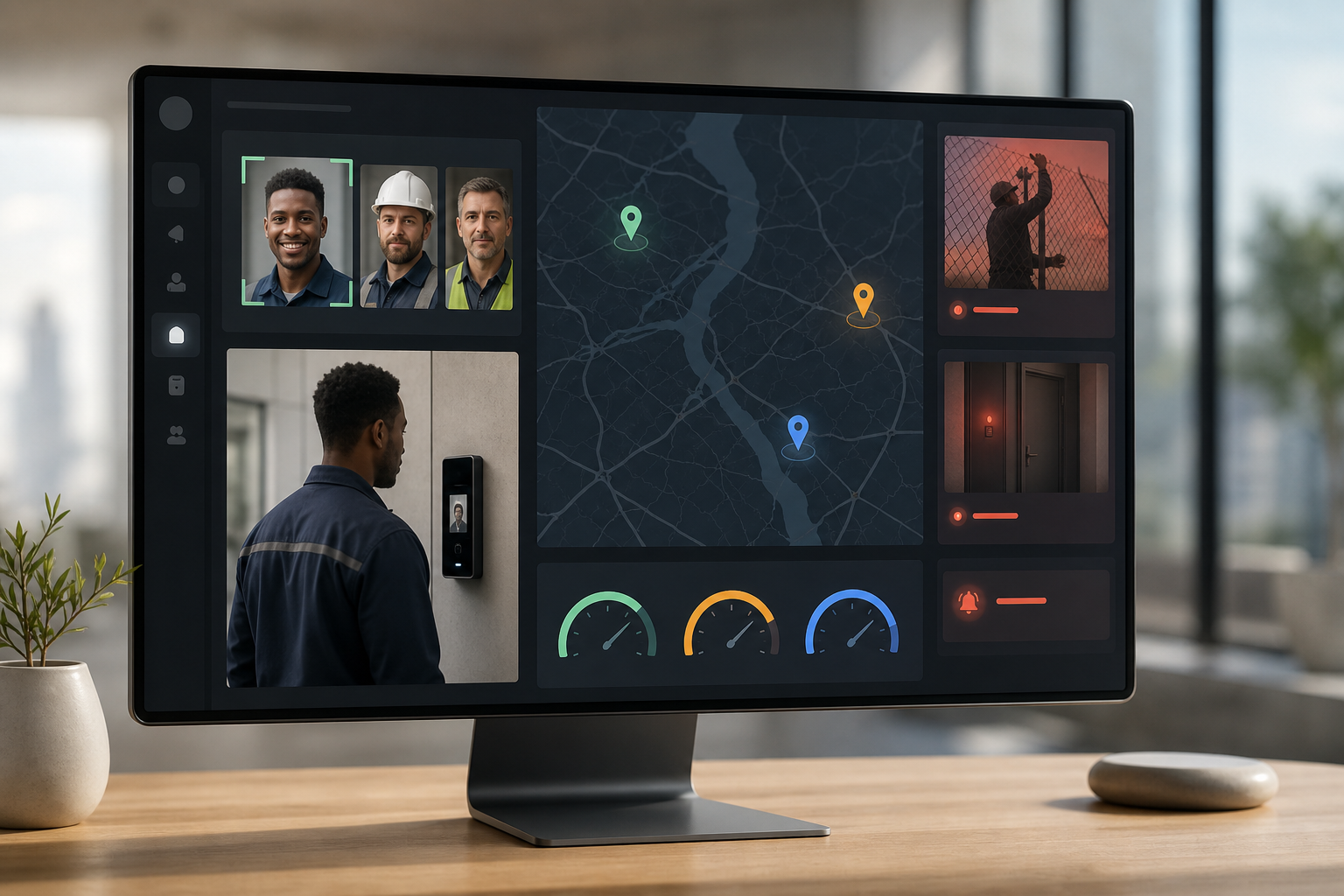
Idle minutes add up. A missed break swipe here or a long hand-off there looks small, but it compounds across lines and shifts. Without accurate time and location data, you pay for gaps you can’t see. In plants with hundreds of workers, a few minutes of untracked idle time per person per day means real cost.
However, most monitoring tools assume a desk. They track apps, URLs, and mouse movement. On the floor, those signals don’t exist. Operators work on CNCs, presses, and test rigs.
Desk vs. floor realities
Field techs bounce between job sites. Office teams sit at computers, but they only represent a slice of the workforce. One size does not fit a mixed environment.
Buddy punching on badge or PIN time clocks remains a real leak. If two teammates share codes, attendance becomes fiction. In addition, shift swaps and overtime rules make payroll complex. Without accurate clock-in proof, grievances rise and morale slips. Biometric proof of presence fixes this, but many HR tools tack it on instead of building it in.
Proof of presence and payroll complexity
Visibility into field service teams is another weak spot. Dispatch needs live locations, distance tracking, and geo-verified visits. Paper logs fail in the rain and in traffic. Apps that need perfect cell coverage fail in rural routes. You need offline capture with sync that still respects the route plan and geofence.
Furthermore, compliance teams need defensible records. Safety brief sign-offs, access to restricted zones, and incident logs must be clear and unbroken. For example, the OSHA recordkeeping requirements expect accurate incident and exposure logs. If your system can’t link people, places, and time with audit trails, you’re exposed during audits.
Field visibility and compliance
High turnover adds pressure. Onboarding and offboarding never stop in many plants. Access needs to be granted fast on day one and revoked the moment someone leaves. Lost badges, missing assets, and late final pay cause real risk. And if your tools can’t scale past 200 workers per site, supervisors drown in manual updates.
Finally, most vendors pitch remote work perks. That pitch lands flat in plants. You need shift scheduling, supervisor dashboards, biometric attendance, geo-fences, and access control, even when devices are offline. You need employee monitoring and productivity tracking that speaks the language of lines, crews, and routes, not just tabs and apps.
Where the real losses hide
- Unverified time on shared badges
- No proof of who entered restricted areas
- Field visits without geo-verified check-ins
- Idle equipment without cause codes or alerts
Also Read!
How to Choose Employee Monitoring Software for Manufacturing Companies
EmpCloud vs Hubstaff for Manufacturing Companies: Which Is Better for Employee Monitoring?
What to Look for in Employee Monitoring Software for Manufacturing
Buying for a plant is different from buying for an office. Start with eight criteria that tie back to real shift needs, then judge vendors against them. Keep the focus on employee monitoring and productivity tracking that works whether someone is on a line, in a truck, or at a desk.
1) Biometric attendance (no buddy punching)
Facial recognition forces the real person to clock in. Unlike badges and PINs, faces can’t be lent. On a busy line change, this keeps time honest and removes disputes. It also helps supervisors start the shift with a clean roster fast.
2) Geo-location for field and multi-site
Live GPS, distance tracking, and geo-fenced check-ins show where work happens. For field techs, this verifies visits and drive time. For plants, it helps multi-site leaders see crew coverage. Offline capture with later sync keeps the data whole on poor networks.
3) Shift scheduling with real-time dashboards
Supervisors need to see who’s on-station now, who’s late, and which line is under target. A real-time board with per-shift productivity and exceptions helps leaders fix issues in minutes, not at end-of-week reviews.
4) Stealth vs. transparent modes for compliance
Some unions and regions want clear disclosure. Others allow silent background tracking on company devices. The ability to pick stealth or transparent modes by team helps you align with labor rules and internal policy.
5) Access control for restricted areas
Role-based entry tied to attendance records tells you who entered a cage, lab, or server room and when. This reduces unauthorized access and supports safety and IP protection. Tying it to biometrics closes the loop.
6) Automated payroll with shift differentials
Night shifts, weekend rates, and overtime tiers are common. Automated rules turn approved time into accurate pay. This reduces edits, speeds payroll runs, and cuts disputes.
7) Scalable pricing for 200+ workers
Manufacturing sites grow and shrink. You need clear pricing that won’t spike at 201 users. Tiered plans and volume discounts should match headcount changes without hidden add-ons.
8) Offboarding automation for high turnover
Departures need instant access revocation, asset return tracking, and final pay that handles benefits and reimbursements. Automated checklists and reminders prevent doors left open, digital or physical.
Tip: Cross-check any vendor’s claims against a live plant pilot. Run it side-by-side with your current clock for two full pay cycles. You’ll see where gaps remain.
For broader context on features by team type, you can scan the Best Employee Monitoring Software for Small Businesses in 2026 as a quick cross-check, even if your headcount is higher.
How EmpCloud Solves Monitoring Challenges for Manufacturing Teams
EmpCloud maps point-for-point to the checklist above and adds the scale you need across plants and field routes. It was designed to handle employee monitoring and productivity tracking without forcing your crews to change how they work.
Biometric attendance and access integrity
EmpCloud’s advanced facial recognition clocks workers in and out with fast, reliable matches. That ends buddy punching at the source. “Emp Biometrics has been a big improvement for us. The facial recognition feature is both secure and reliable, eliminating buddy punching with accurate attendance tracking. It has significantly improved our workforce accountability and operational efficiency. Highly recommended!”.
Moreover, face recognition ties into access control. You can enforce role-based entry to restricted zones while linking the who, where, and when to each shift.
Live geo-tracking for field and multi-site views
For field teams, EmpCloud provides live location tracking, distance tracking, and a timeline review. Geo-verified client visits confirm work happened on site, not from a parking lot. For multi-plant leaders, a single map shows which sites are covered right now.
Supervisor dashboards and productivity views
EmpCloud’s real-time dashboard and productivity calculation help supervisors act by the hour. You see present vs. scheduled headcount, idle vs. active statuses, and exceptions that need approval. “EmpMonitor has been a big improvement for us, providing real-time insights into employee productivity. Coupled with the Project Management tool, we’ve seen a marked improvement in task coordination and project completion rates. This workforce management software has helped us in simplifying our operations and boosted our overall efficiency.”. Karen Martinez, HR Manager At Global Inc.
Shift tools, monitoring modes, and device safeguards
Scheduling supports shift templates, rotations, and overtime rules. Monitoring can run in stealth or transparent mode by team, with offline and idle time approval flows when equipment goes down. Automatic screenshots and keystroke monitoring on assigned devices create audit trails where desktop work occurs. USB detection flags risky device use around sensitive controllers and test rigs.
Payroll, integrations, and modules at scale
Automated payroll handles taxes and accounts with the right rates for nights, weekends, and overtime. With 250+ API endpoints, EmpCloud connects to your ERP, HRMS, and ticketing tools. Under the hood, there are 10 Modules and 41 AI tools across 7 providers to help you query data and act, without waiting for IT to build reports.
Offboarding that closes every loop
High turnover demands clean exits. EmpCloud’s exit and portfolio management automates access revocation via integrations, handles final pay including benefits and reimbursements, tracks asset returns, and generates offboarding reports. All records land in protected, encrypted storage for audits.
Finally, EmpCloud is SOC 2 compliant. That matters for plants with sensitive IP, regulated processes, or tight customer audits where logs and controls must stand up to review.
Also Read!
EmpCloud vs. Keka vs. Zoho: Which Fits Manufacturing Best?
Your team needs a unified system that covers biometrics, field force, shifts, payroll, and exits. Keka brings strong HRMS and payroll, especially for Indian manufacturing mid-market, but it lacks dedicated field force management and biometric facial recognition attendance. It suits office-heavy orgs that don’t need live GPS and face-based access at cages and labs.
Zoho offers a broad ecosystem and a deep marketplace. However, monitoring spreads across several products, like Zoho People and Zoho Cliq. That can fragment data and force patchwork workflows. Manufacturing teams need one platform that floor supervisors and dispatch can trust during a shift, not a set of links between apps.
EmpCloud delivers an integrated suite: monitoring, biometrics, field force management, payroll, performance, and exit management. Live location tracking, timeline review, and distance tracking tie field work to shift plans. Task management with geo-verified visits keeps proof tied to each job.
“EmpCloud’s Employee Monitoring has made tracking our team’s performance so easy. The insights we get have really helped us improve engagement and boost productivity.” — George Williams, Chief HR Officer
“With EmpCloud, managing attendance and access has never been easier. Its lightning-fast face detection and reliable role-based access control ensure smooth and secure operations.” — Chen Wei, Operations Director
Feature comparison at a glance
| Capability | EmpCloud | Keka | Zoho |
|---|---|---|---|
| Biometric attendance | Face recognition built-in | Lacks facial recognition | Spread across multiple products |
| Field force tracking | Live location, timeline, distance, geo-verified visits | No dedicated field force module | Available via separate apps; fragmented |
| Shift scheduling | Integrated with real-time dashboard | Strong HR/payroll focus | Available, but split across tools |
| Unified monitoring dashboard | Single view for floor and field | Office-centric dashboards | Requires stitching multiple apps |
| Offboarding automation | Access revocation, assets, final pay, reports | HR workflows without exit automation depth | Partial; varies by app |
| Pricing tiers | Scales with volume; Gold and Enterprise options | Strong in Indian mid-market | Multiple subscriptions for full coverage |
Trust, Security, and Scale for Manufacturing Operations
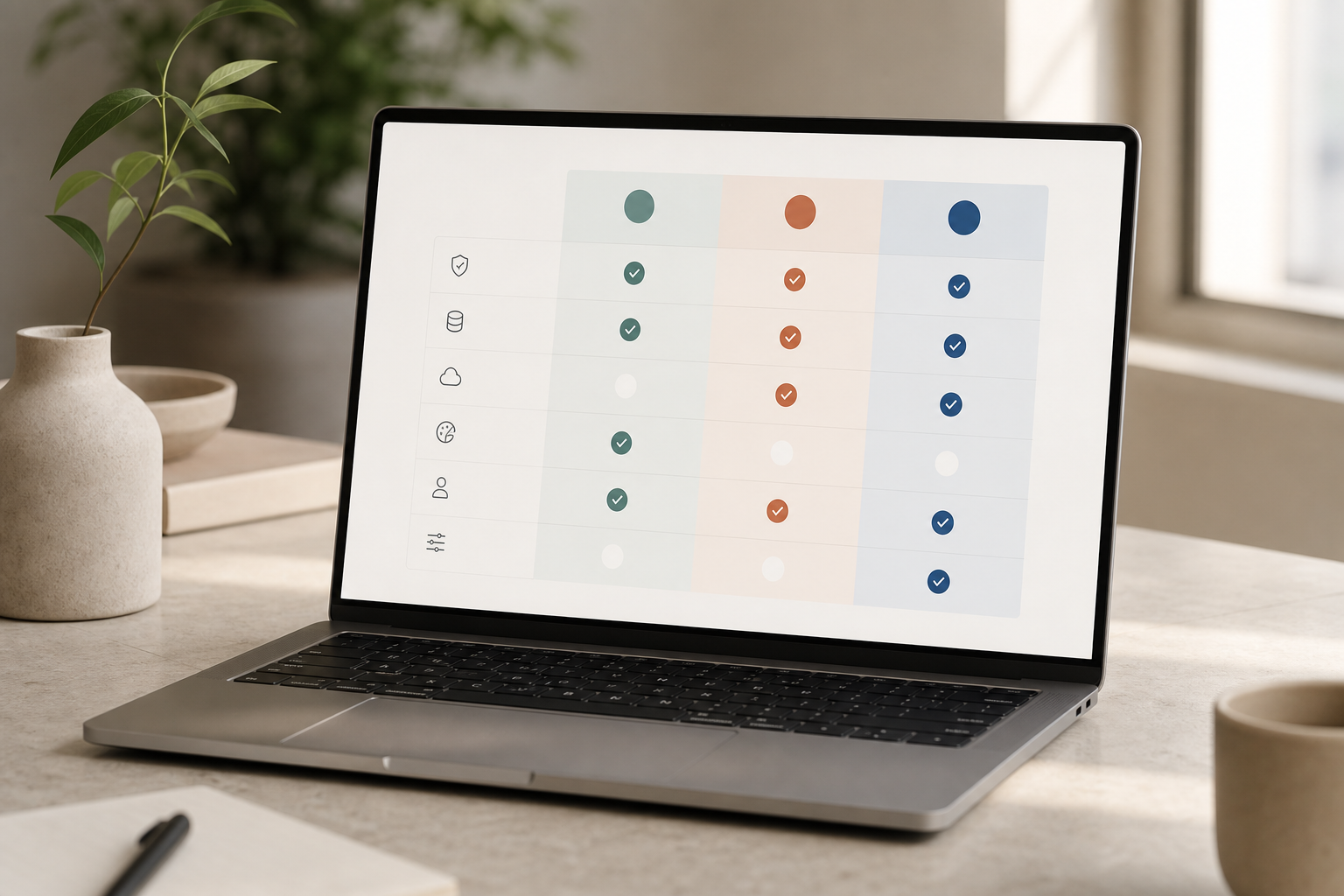
Security should match the sensitivity of your work. EmpCloud is SOC 2 compliant and uses encrypted, centralized document storage to protect records. Multi-tenant isolation ensures each plant or business unit is walled off, so local leaders see only their data.
Moreover, EmpCloud includes an OAuth2/OIDC authorization server with SSO and RBAC. That means you can grant access by role and site, then audit who viewed what. For multi-plant orgs, this reduces cross-site noise and keeps compliance tight.
Scale and localization
Scale matters too. EmpCloud is trusted by 1,500+ businesses, manages 50,000+ employees, operates in 15+ countries, and is partnered with 200+ companies. With 9 language support, diverse crews can use it in their preferred language during onboarding and daily use.
Record integrity underpins audits. Protected record management with centralized storage and encryption keeps approvals, screenshots, access logs, and exit checklists in one place. That helps pass customer and regulator reviews without a scramble.
“Thanks to EmpCloud’s Field Force Management, managing our field team is effortless. Real-time tracking, task assignments, and geo-verified client visits have made everything more efficient.”.
Also Read!
How to Choose an HRMS with Payroll for Your Manufacturing Company
EmpCloud vs Keka for Manufacturing Companies: Which Is Better for HRMS with Payroll?
Getting Started: Deploying EmpCloud in a Manufacturing Environment
Rolling out in a live plant takes clear steps. Here’s a proven sequence that fits most operations and supports employee monitoring and productivity tracking from week one. It also aligns with 2026 compliance needs and modern workforce mix.
Step 1: Audit your workforce segments
List floor workers, field techs, and office/admin staff. Map time, location, and access needs by group. Note union agreements and plant-specific rules for monitoring disclosures.
Step 2: Pilot biometric attendance at one facility
Deploy facial recognition terminals at a single plant entrance. Run a two-shift pilot to prove clock accuracy and speed. Train leads first; floor crews follow with minimal change.
Step 3: Configure shifts and geo-fences
Set shift templates, rotations, and overtime rules. Define geo-fences for field teams and client sites. Enable offline capture for routes with weak coverage.
Step 4: Integrate payroll and ERP
Use EmpCloud’s 250+ API Endpoints to connect time, access, and task data to your payroll and ERP. Start with read-only sync, then move to write-back after two clean cycles.
Step 5: Train supervisors on the live dashboard
Teach front-line leads to review real-time attendance, idle approvals, and task status by the hour. Short daily huddles around the board cut reaction time and rework.
Step 6: Set monitoring mode by policy
Enable stealth or transparent monitoring based on your labor agreements and regional rules. Document your choices. Update onboarding materials so every new hire knows the policy.
Pricing is simple to start: a Free tier is available for testing. Bronze is $4.66/user/month paid yearly for 1-10 users. Silver is $3.83/user/month paid yearly for 11-50 users.
Gold is $3/user/month paid yearly for 51-200 users. Enterprise plans cover more than 200 users with tailored pricing, personalized onboarding, and VIP support. For more context on rollouts, the employee monitoring and productivity tracking 2026 guide 3 offers additional setup tips for blended teams.
Frequently Asked Questions
How much does employee monitoring software cost for a manufacturing company with 200+ workers?
EmpCloud’s Gold tier covers 51-200 users at $3/user/month billed yearly. For 200+ employees, Enterprise pricing is tailored to your needs, including volume discounts. A Free tier lets you test before you commit. Compared to tools like Keka and Zoho that may charge more at scale or require multiple subscriptions, EmpCloud’s integrated suite keeps costs predictable.
Can employee monitoring software track workers who aren’t at desks or computers?
Yes. Look for biometric facial recognition for floor attendance and GPS/geo-location tracking for field workers. EmpCloud offers both, plus geo-verified client visits and distance tracking for field routes. That mix works well for the blended teams common in plants and service fleets.
How does biometric attendance prevent buddy punching in manufacturing shifts?
Facial recognition requires the real person at the terminal, unlike badges or PINs that can be shared. EmpCloud’s biometric system was built for this use in plants. A Precision Manufacturing COO reported it eliminated buddy punching and improved workforce accountability, which reduced attendance disputes.
Is EmpCloud compliant with data privacy regulations for employee monitoring?
EmpCloud is SOC 2 compliant and uses encrypted document storage with centralized record management. It includes RBAC and multi-tenant isolation via OAuth2/OIDC, so plant managers only see authorized data. Always check local labor laws for required disclosure and consent language before enabling any monitoring mode.
How does EmpCloud compare to Zoho for manufacturing employee monitoring?
Zoho has a broad ecosystem, but monitoring features live across several products, which adds setup and subscription steps. EmpCloud provides an integrated suite, monitoring, biometrics, field force management, payroll, and offboarding, under 10 modules. For plants, a single dashboard and one data model reduce shift friction.
Can EmpCloud integrate with our existing ERP or manufacturing systems?
Yes. EmpCloud offers 250+ API endpoints and integrations including Atlassian Connect. That makes it straightforward to link ERP, payroll, and production systems. Enterprise customers get tailored integration help and VIP onboarding to speed go-live.
What monitoring features work best for manufacturing field service teams?
Key features include live location tracking with a timeline, distance tracking between job sites, geo-verified client visits, and automatic time capture tied to tasks. EmpCloud’s Field Force Management module combines these so dispatch and HR see the same source of truth.
Does EmpCloud handle the high employee turnover typical in manufacturing?
Yes. The exit and portfolio management module automates access revocation, final pay calculation (with benefits and reimbursements), asset return tracking, and offboarding checklists. Automated reminders keep steps on track during busy seasons, which reduces risk and rework.
Takeaways for Plant Leaders and HR
- Start with proof of presence. Biometric attendance and geo-verification protect time, access, and audits.
- Give supervisors live data. Real-time dashboards and shift-aware rules cut delays and overtime edits.
- Close the loop at scale. Integrated payroll, access, and offboarding stop gaps that turn into risk.
Quick Search Our Blogs
Type in keywords and get instant access to related blog posts.

