

If you run a plant, you need an hrms with payroll and performance reviews that works on the shop floor. It must pay people right across shifts and link reviews to output and safety.
The short answer: pick a system built for hourly and salaried mixes, three-shift patterns, union and CBA rules, and fast, fraud-proof time capture. Office-first HR tools assume fixed 9-to-5 weeks, a desktop login, and simple pay cycles. Your lines don’t.
Manufacturing turnover sits around 30–40% a year, so your HR stack must hire, badge, and pay new staff fast without errors. In 2026, that means flexible pay calendars, shift differentials, geo-verified or biometric time, and audit-ready reports that finance and compliance can trust. Otherwise, you’re stuck in Friday fire drills fixing overtime disputes and retro pay.
For deeper feature checklists and real-world use cases, see this practical explainer: Best HR Systems For Plant Teams In 2026. It maps how payroll, attendance, and reviews should fit together on a factory floor.
Why Manufacturing Payroll Is Uniquely Complex
Payroll for a plant is not just “run on Friday.” It needs to read clocks from multiple terminals, split hours across departments, and stack premiums without errors.
You also need to respect union rules, handle garnishments, and stay aligned with the Fair Labor Standards Act. If your system can’t see swap chains and split shifts, it will miss overtime or miscode it.
For example, under the FLSA, time-and-one-half is due after 40 hours in a workweek (U.S. Department of Labor).
A typical plant scenario
Consider a 200-person auto-parts maker on three shifts. About 150 are union hourly on the floor; 50 are salaried in engineering, planning, and admin. The plant runs rotating shifts, weekend overtime, and a swing premium.
During peak, 60 temps join for six weeks. HR has two people and a paper trail that never ends.
Generic HR tools fail here because they assume clean 9-to-5 weeks and one pay group. They can’t stack differentials (night + weekend + hazard) or run hourly weekly and salaried semi-monthly in one engine without workarounds.
They rarely support floor-ready time capture. A desktop web clock won’t help a machinist in steel-toe boots at 05:58 trying to clock in before the horn.
A 200-person auto-parts plant: the real rules you must pay
- Rotating, split, and overtime hours in the same week
- Shift premiums
- Union contract clauses for holidays, meal penalties, and retro pay
- Weekly payroll for hourly; semi-monthly for salaried; temps via an agency feed
Why generic platforms stumble
- They can’t auto-calc split-shift differentials or retroactive rate changes.
- They lack shop-floor clock options (biometric, badge, or kiosk).
- They assume one pay calendar and miss union pay edge cases.
To fix this, choose an HRMS built for plants, not cubicles. In plain terms, it must do complex pay math, verify attendance where people work, and keep an audit trail HR and finance can trust. That’s how you cut disputes and speed up close.
Also Read!
EmpCloud vs Keka for Manufacturing Companies: Which Is Better for HRMS with Payroll?
Step-by-Step: How to Evaluate an HRMS with Payroll for Manufacturing
Pick with a process. Here’s a 7-step framework I use with plants that need to pay right and scale fast.
- Audit your workforce structure — Map every worker type: full-time hourly, salaried, contract, temp agency, seasonal. Document every pay rule: shift premiums, hazard pay, piece-rate math, and overtime tiers. Question to ask vendors: “Show me how we configure these exact rules, including piece-rate and stacked differentials, without custom code.
- List your compliance needs — Include OSHA reporting links, state labor law variants, union contract items, and garnishment handling. If you record injuries, your HRMS should hand data to OSHA forms (OSHA recordkeeping). Question to ask vendors: “How do you auto-flag FLSA issues and produce audit trails for CBAs and garnishments?
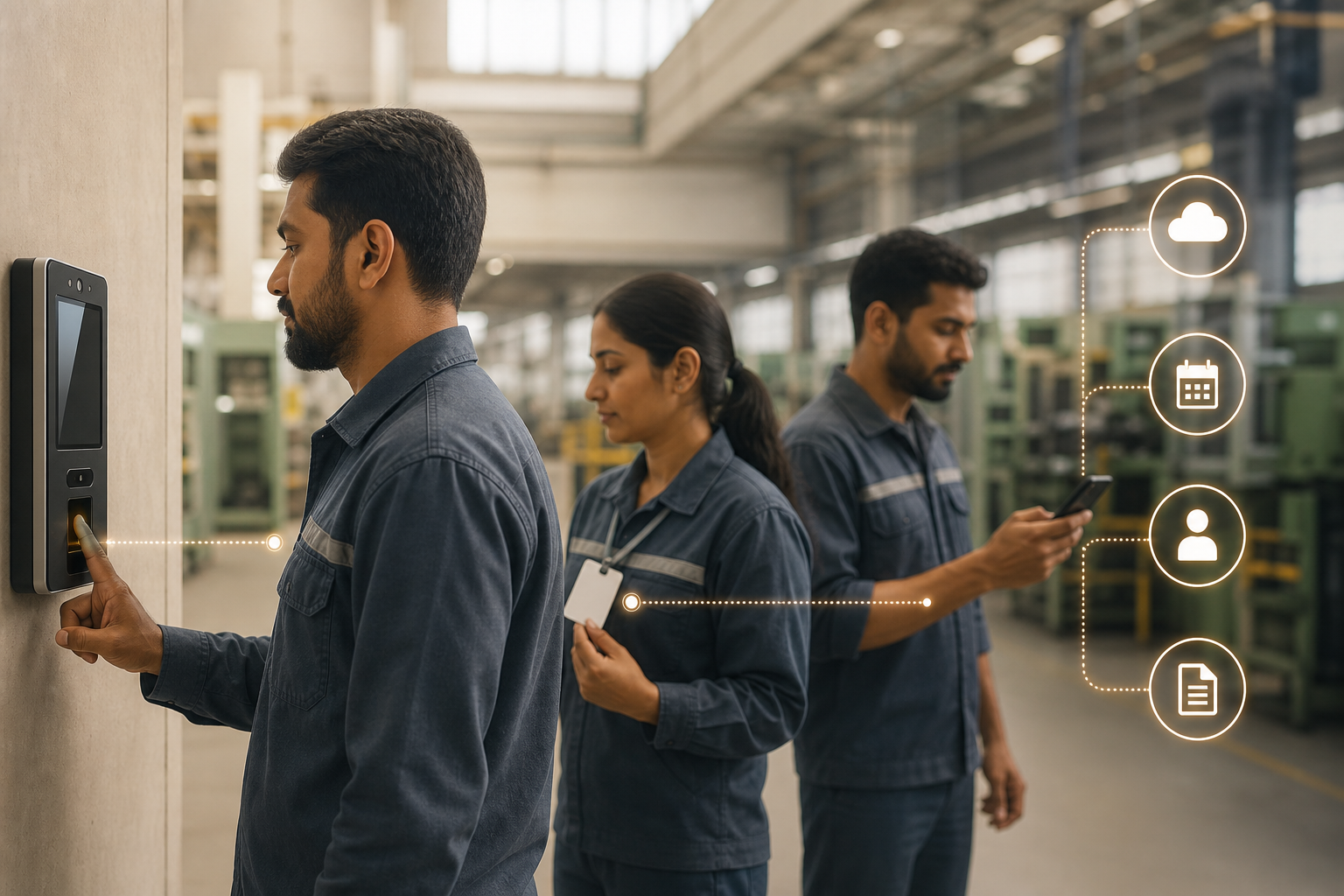
- Evaluate time-capture that works on the floor — Look for biometric terminals, badge swipes, mobile clock-in for yard or warehouse, and GPS-verified attendance for field or multi-site crews. Tools that support an advanced facial-recognition terminal reduce buddy punching and line delays. Question to ask vendors: “Can a worker clock in within 10 seconds on a noisy line, and how do you prevent buddy punching?
- Check payroll engine flexibility — Confirm you can run weekly for hourly and semi-monthly for salaried at the same time. Ensure it can auto-calc split-shift differentials, retro pay, and mid-cycle rate changes. Question to ask vendors: “Walk me through a retro pay back to last month after a CBA change, no spreadsheets.
- Assess integrations — Your HRMS must connect to your ERP (SAP, Oracle, NetSuite), MES, and accounting. The goal is a single source for headcount and labor cost. Question to ask vendors: “Show an export or API that posts labor-cost-per-work-order into our ERP.
- Test reporting for plant leaders — Plant managers need labor cost per unit, OT trend lines, and department-level payroll splits. Custom reports with roles and permissions are key so supervisors see only their area. Question to ask vendors: “Build a labor-cost-per-unit report filtered by line and shift, then schedule it weekly.
- Run a pilot, then scale — Pilot with one shift or one site before a full rollout. Verify clock-in times, pay math, and supervisor sign-off flows. Question to ask vendors: “What does your 30-day pilot look like, and what metrics do you track before go-live?
What strong vendors show you in the demo
- Shift scheduling tied to biometric or badge-based attendance
- Geo-location tracking for field teams and multi-site ops
- Automated payroll with correct taxes and GL posting
- Multiple roles and permissions with custom reports
- A quick path to performance reviews linked to attendance and goals
For a deeper feature map tailored to plant realities, skim this field guide: A Practical 2026 HR Stack For Plant Teams. It shows how performance reviews fit alongside time and pay without slowing the line.
5 Costly Mistakes Manufacturing Companies Make When Choosing HRMS Payroll
Mistake 1: Choosing by the admin dashboard and ignoring the shop floor
If an hourly worker can’t clock in within 10 seconds, you’ll see delays and buddy punching.
What to do instead: Prioritize kiosk speed, offline tolerance, and facial or badge options in a live, noisy-area test.

Mistake 2: Assuming “payroll included” means plant-grade payroll
Basic suites pay salaries but break on retro pay, stacked differentials, or mid-cycle rate changes.
What to do instead: Bring your last three “weirdest” pay runs and watch the vendor reproduce them end-to-end.
Mistake 3: Overlooking compliance automation
Wage-and-hour claims hit plants hard, and manual checks miss edge cases.
What to do instead: Require automatic overtime flags, audit trails, and OSHA/state-report outputs you can export in one click.
Mistake 4: Ignoring seasonal scale
Peak season adds 50+ temps in days, not weeks, and manual onboarding will swamp HR.
What to do instead: Demand templated onboarding, agency data imports, and day-one clock access that lands workers on the line fast.

Mistake 5: Buying an all-in-one suite you won’t use
Some teams overpay for modules like recruiting or LMS and underpay for the payroll depth they need.
What to do instead: Start with HRMS + payroll + time + performance reviews only; add modules after your first two closes run cleanly.
Features that help you avoid these traps
- Face recognition attendance and access control to cut buddy punching
- Complete employee records with attendance, leave, and policy links, so reviews tie to facts
- Final pay calculation that includes benefits and reimbursements to close out cleanly
Also Read!
Small Business Guide to Employee Offboarding Software
Best Employee Offboarding Software for Small Businesses in 2026
HRMS Platforms Worth Evaluating for Manufacturing Payroll
Here’s a plain view of where tools fit, so you don’t waste cycles. This reflects what I’ve seen work on real lines in 2026.
Small manufacturers (under 50 employees)
- Gusto handles straight payroll well, plus contractors. It’s fine if your shifts and premiums are simple. Prioritize ease of setup and weekly runs.
- Zoho People with Zoho Payroll is an affordable pair if you want basic HR plus pay in one place. Check time-tracking add-ons before you commit to shift work.
Mid-size manufacturers (50–500 employees)
- ADP Workforce Now is strong on payroll compliance and union pay rule libraries. It’s a fit if you need depth in tax and garnishment handling.
- Paycor offers manufacturing-oriented templates for shifts and OT. Test your split-shift math in a live demo to be sure.
- Tools like EmpCloud combine HRMS, automated payroll, biometric attendance, field force tools, and shift scheduling in one platform. It’s useful if you need facial-recognition-based clock-in to stop buddy punching and GPS-verified attendance for yard or multi-site crews.
EmpCloud is SOC 2 compliant and is trusted by 1500+ businesses. Evaluate it if you want HR, time, pay, and reviews under one roof without extra plugs.
There’s a free tier, with Bronze at $4.66/user/month (1–10 users), Silver at $3.83/user/month (11–50), Gold at $3/user/month (51–200), and Enterprise for 200+ users.
Large manufacturers (500+ employees)
- UKG Pro (from Kronos roots) offers enterprise workforce management and advanced scheduling. Fit if you need deep WFM across plants.
- SAP SuccessFactors with SAP Payroll is logical if you already run SAP ERP. The edge is native data flow into finance and operations, but budget the integration time.

Tip: For small teams, speed of setup wins. For mid-size, test payroll math and floor time capture.
For large, integration to ERP/MES and role-based reporting decide the fit. If you want a quick litmus test of manufacturing-friendly features, this short read helps: Plant-Floor HR Features That Matter In 2026.
Your HRMS Payroll Evaluation Checklist: What to Do This Week
- Day 1: Pull data — Export the last three months of payroll. List every exception you fixed by hand: shift swaps, retro pay, OT corrections, hazard adds, or piece-rate edge cases. Tag counts next to each one.
- Day 2: Talk to the line and HR — Interview one shift supervisor and one HR admin. Ask what takes the most time and what errors hit morale or pay. Write exact quotes; they’ll guide your demo scripts.
- Day 3: Build a shortlist — Pick three platforms from the tools section that match your size and top three needs. If you need biometric and GPS time plus weekly and semi-monthly runs, sort by those first.
- Day 4: Run focused demos — Send each vendor your pay rules and exception list. Use the 7-step questions from above. Ask them to demo facial-recognition clock-in, GPS-verified attendance, and split-shift premiums in one flow.
- Day 5: Score and decide — Score each vendor 1–5 on: payroll rule flexibility, floor-friendly time capture, compliance automation, integrations, and total cost of ownership. Keep notes on who reproduced your “weird” runs cleanly.
Remember, the best system is the one your floor supervisors and payroll team will use every day, not the one with the longest feature list or flashiest UI.
**Get Pricing For Your Plant →

Key Takeaways
- Manufacturing payroll needs shift-aware time capture, union/CBA logic, and mixed pay cycles—office-first HR tools miss this.
- A solid choice ties attendance to pay and to performance reviews, so coaching and rewards reflect real output and safety.
- Test with your messiest three pay runs and insist on 10-second, fraud-proof clock-ins on the actual shop floor.
- Start with HRMS + payroll + time + reviews; add more only after two clean closes.
- Pilots beat promises: one shift, one month, full audit trail.
What to do this week: Use the 5-day plan above to collect exceptions, script demos, and score vendors. If you want hands-on help, schedule a pilot-focused walk-through and bring your real pay runs.
Quick Search Our Blogs
Type in keywords and get instant access to related blog posts.

