
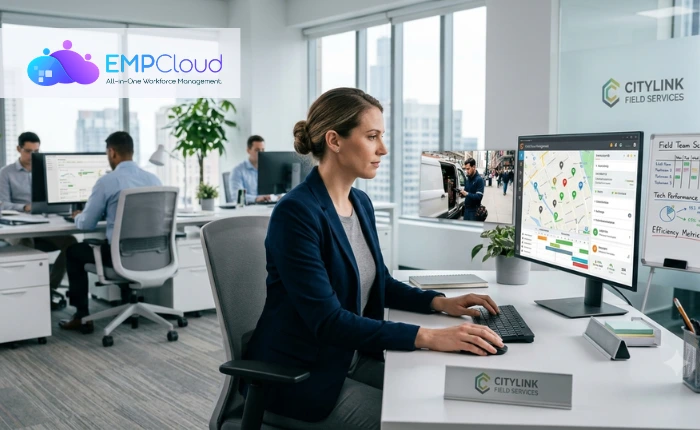
Managing people in the workforce can be hectic sometimes, but managing people at a location is definitely hectic.
A manager has to ensure a good number of productive hours from the employees, but to do so, they have to endure the stress of handling everything from a distance. Managing employees in the office is different from managing them at on-site locations. Due to limited visibility, poor communication facilities, and difficulties in attendance tracking, the execution of on-site tasks keeps getting delayed.
While managers can easily examine their team at the office, when the team members have to move out for location-based tasks, ensuring the completion of tasks becomes difficult. Field teams are a vital part of the workforce in any industry, and managing employees working outside the office can be challenging without the right tools.
A field force management system is the ultimate software that helps businesses manage and optimize fieldwork, resulting in higher productivity and better ground operations.
Listen to the blog.
What Is Field Force Management Software?
Field force management systems are software that monitors employees who are working in the field remotely or on-site. It provides real-time locations, tasks assigned and completed, routes, and performance through a common centralized dashboard.
In this digital era, keeping handwritten register records is not just outdated but also laborious. Instead of relying on manual reports that can be lost or manipulated, managers can assign tasks on a virtual platform and track their performance using scheduling and assignment of tasks. This software helps track the efficiency of employees promptly by facilitating daily communication with the coordinators and tracking the completion of daily tasks.
What Is The Need For FFMS?

Businesses that manage employees working outside the office, such as sales representatives, delivery personnel, technicians, healthcare workers, and service teams, have to track their employees’ daily activities to monitor their performance.
Managing employees from different locations comes with its own challenges, such as fragmented visibility, difficulty tracking them, poor task coordination, routing inefficiencies, and delayed reporting, which create complete chaos.
To skip these unwanted clusters and increase work efficiency, managers use FFMS (field force management software) to simplify the management of remote teams by automating routine tasks, improving communication, and providing real-time visibility into field operations.
10 Ways To Boost Productivity Using FFMS.
1. Tracking employees in real time
Using FFMS, managers can monitor the live location of employees and ensure timely visits. The employee’s location is being tracked continuously, ensuring timely updates about their assigned tasks and also helping in monitoring their regular activities.
2. Automating task assignment
By assigning daily jobs instantly based on employee location, availability, and workload, the software can automate task assignment. This results in faster completion and steady progress of the project.
3. Simplifying attendance tracking
Field force management software simplifies marking attendance by using GPS or geofencing to automate attendance and eliminate manual errors.
4. Optimizing travel routes
By planning the shortest and most efficient routes to reduce travel time and fuel expenses, the FFMS provides premium features to optimize and simplify the distance and time taken for travelling.
5. Improving team communication
While it is difficult to track location, so is communicating with one another at different locations. Thus, employees can share updates, task changes, and important information instantly through a centralized platform provided by the field force management system.
6. Digitizing field reporting
Manual field reporting is not just time-consuming but also laborious. By allowing employees to submit reports, photos, and client signatures directly from their mobile devices, they can instantly report their daily tasks, and the manager can examine them from the comfort of their room.
7. Monitoring employee performance
By tracking KPIs such as completed tasks, response time, and productivity through real-time dashboards, an overall indication of the employee’s performance can be analysed.
8. Enhance customer service
There are always chances of customer dissatisfaction due to inefficient on-site deliveries. With the help of FFMS, enabling quicker response times and on-time service leads to higher customer satisfaction and improved sales.
9. Making data-driven decisions
Results of productivity have to be measured via real-time data. When we use analytics and performance reports, they optimize resources and improve overall efficiency.

Benefits Of Using FFMS
- Improved Productivity – It automates routine tasks and helps employees complete more work in less time.
- Real-Time Visibility – It also helps track field employees’ locations and task progress instantly.
- Better Task Management – An FFMS enables quick task assignment, updates, and monitoring.
- Accurate Attendance Tracking – They use GPS or geofencing to eliminate manual attendance errors.
- Reduced Operational Costs – It optimizes travel routes, saving time and fuel expenses.
- Enhanced Communication – They keep managers and field employees connected through instant updates.
- Greater Accountability – It helps in verifying client visits and ensures timely task completion
Also read :
How To Select The Best FFMS For Our Workplace?
While an FFMS is a must-have for on-site workforce management, choosing the right one remains a crucial choice. A good FFMS must give you real-time results, improved productivity, and overall company growth.
What is EmpCloud?
EmpCloud is one of the most efficient workforce management tools that organizations can use to automate the management of employees’ entire work lifecycle. From recruitment and onboarding to attendance and tracking daily tasks. It is specifically designed for every scale of business and offers a common platform for HR and workforce management.
Why EmpCloud?
Here are some amazing features of EmpCloud that make it the best choice for an FFMS:
- Attendance management—it tracks employees’ attendance with automated reports and reminders.
- Leave management—employees can apply for leave and monitor balances, and managers can approve requests digitally.
- Payroll management – Automates payroll processing and allows employees to access and download payslips.
- Employee Self-service (ESS) – Employees can manage attendance, leave, documents, and payslips through web and mobile apps
- Document and policy management – Securely stores company policies and employee documents for easy access.
- Recruitment and onboarding—help streamline hiring, interview scheduling, and onboarding workflows.
- Performance management supports employee performance tracking and evaluation.
- Field force management provides live location tracking, geofencing, task management, attendance, client visit verification, and performance reports for remote teams.
- Rewards and recognition – Enables employee reward programs and engagement initiatives.
- Exit Management – Simplifies resignation, clearance, and onboarding processes.
Conclusion
Productive hours are the initial signs of success that indicate the rising curve of the company’s success graph. The total hours of productive hours become an important metric for the company’s success. Thus, it is extremely necessary to track employees’ hours by monitoring their productive and unproductive hours. By doing so, we can identify loopholes that act as a barrier. While controlling teams working onsite can be difficult, there exist advanced technologies that help simplify it. With the help of the field force management systems, assigning tasks, managing people’s activities, and evaluating performance become easier.
EmpCloud is the exact software that perfectly functions for field workforce management and also provides additional advantages like leave management, payroll clearance, and smooth exit proceedings, making it an obvious choice.
Frequently Asked Questions
- What is Field Force Management Software (FFMS)?
Field Force Management Software is a digital solution that helps businesses manage employees working at customer locations or in the field. It streamlines task assignments, attendance, GPS tracking, reporting, communication, and performance monitoring from a single platform.
- How does FFMS improve employee productivity?
FFMS automates routine administrative tasks, optimizes schedules, provides real-time updates, and reduces manual paperwork. This allows field employees to spend more time completing actual work instead of handling administrative tasks.
- Which industries benefit the most from FFMS?
Field force management software is widely used in the following:
- Sales and distribution
- Healthcare
- Logistics and transportation
- Facility management
- Telecom services
- Maintenance and repair services
- FMCG companies
- Pest control businesses
- Can FFMS track employees in real time?
Yes. Most FFMS solutions include GPS tracking, allowing managers to view employee locations, monitor routes, verify visits, and respond quickly to emergencies or schedule changes.
- How does FFMS reduce paperwork?
Employees can digitally submit attendance, reports, customer feedback, invoices, and service updates through a mobile app. This eliminates paper forms and reduces manual data entry.
- Does FFMS help managers assign tasks more efficiently?
Absolutely. Managers can assign jobs based on employee location, availability, workload, and skill set. This ensures faster task completion while minimizing travel time.
Quick Search Our Blogs
Type in keywords and get instant access to related blog posts.

