
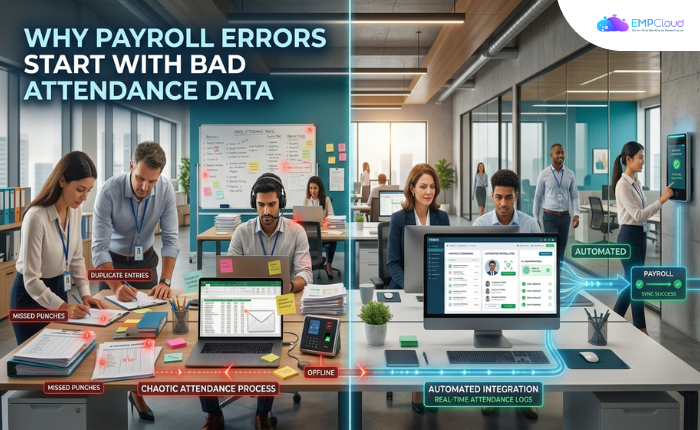
Most companies fix the wrong thing. Payroll teams spend significant time correcting errors that originate well before the payroll engine ever runs — in the attendance data feeding it. When errors surface, HR calls the payroll vendor. They reconfigure tax tables. They retrain payroll staff. What they rarely do is look one step upstream, at the attendance records that arrive before a single calculation begins.
That’s the actual problem. Garbage in, garbage out — payroll is no different. And the garbage almost always originates in attendance data, not in the payroll calculation itself.
In a hurry? Listen to the blog instead!
The Real Error Chain
Payroll software does math. It multiplies hours by rate, applies deductions, and wires money. That math is almost always correct. The inputs almost always aren’t.
Think about what “attendance data” means in most mid-size companies: a mix of manual punch cards, supervisor-approved timesheets, spreadsheets emailed to HR on the 25th, and the occasional sticky note. By the time any of that reaches the payroll run, it has passed through three or four human touchpoints — each one a chance for a typo, a missed half-day, or an unapproved overtime entry that slipped through.
The payroll engine processes whatever it receives. Faithfully and instantly. The error is already baked in before the calculation begins.
This is why fixing payroll accuracy is fundamentally an attendance data quality problem — not a payroll configuration problem.
What Accurate Attendance Capture Actually Requires
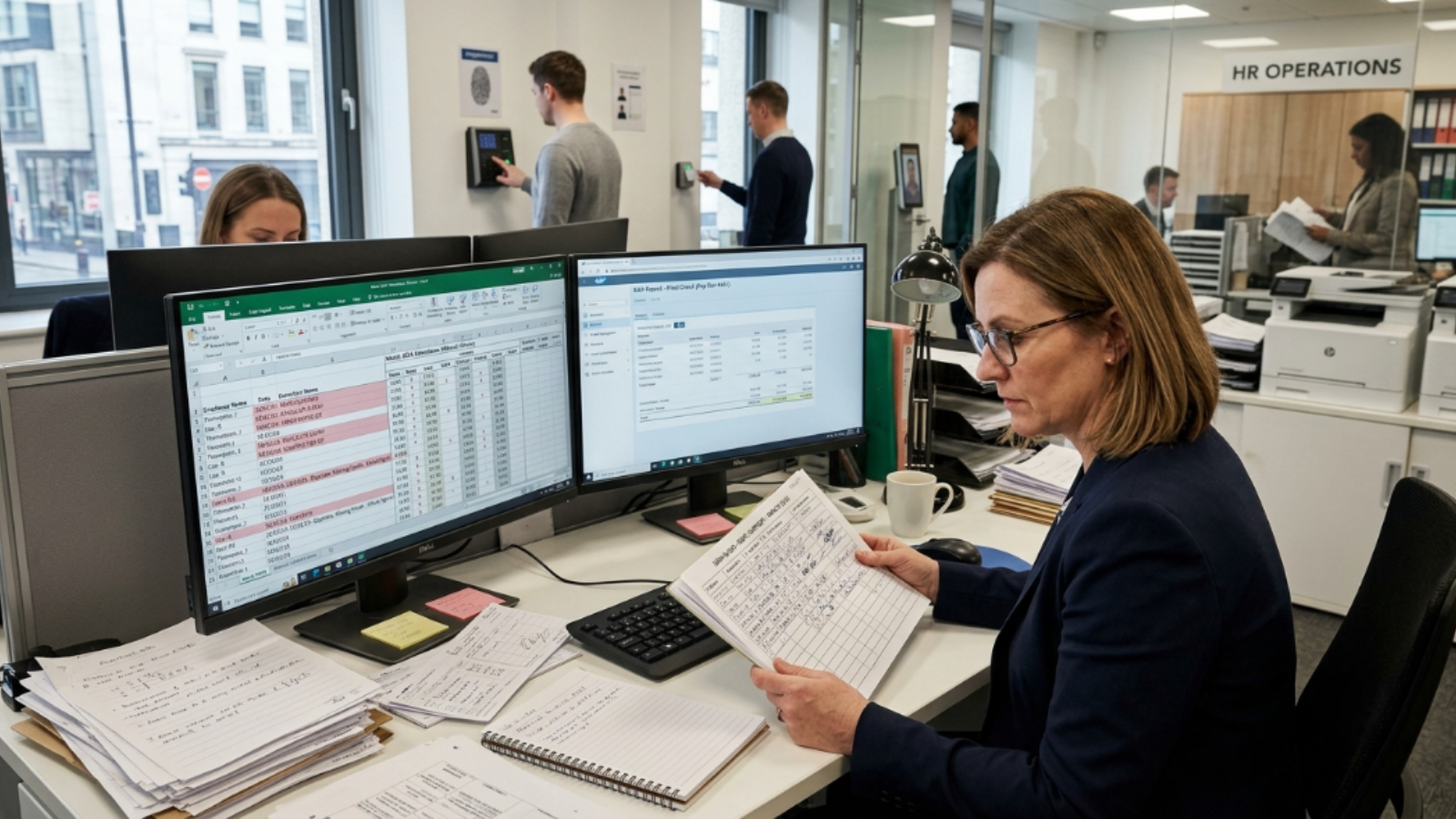
There are three properties attendance data needs before it can reliably feed payroll. Most systems deliver one. Few deliver all three.
1. Identity Certainty
The system must confirm that the person logging hours is actually the person who worked them. Buddy punching — one employee clocking in for another — is old news, but it still distorts data. PINs don’t solve it. Swipe cards don’t either; cards get borrowed.
Face recognition biometric attendance, built into EmpCloud‘s attendance module, ties each clock event to a confirmed identity at the hardware level. No proxy logins. No borrowed credentials. The record either belongs to the employee or it doesn’t exist. That single property eliminates an entire class of input errors before they reach payroll. For a deeper look at how face-recognition clocking works at the policy and hardware layer, this guide to face recognition attendance and access control covers the mechanics in detail.
2. Location Integrity for Field Workers
Office attendance is relatively easy to verify. Field workforces are not. A technician who logs eight hours from a client site 80 kilometres away — or from their couch — looks identical in a spreadsheet. The hours are there. The location is not.
Geo-location tracking for field workforce solves this at the data layer. Each check-in carries coordinates. Payroll then processes hours that are both identity-verified and location-verified, not just self-reported. That’s a meaningfully different input.
3. Zero-Gap Data Flow
Verified attendance data that still travels through an email attachment or a manual export has broken the chain. Any manual step is a gap where data can be altered, delayed, or lost entirely.
The fix is architectural: attendance data should flow directly into the payroll calculation without a human relay. That means the same HRMS platform handles both — or a verified API-level integration with no one in the middle. When those two systems share a data model, a shift logged at 17:02 is already in payroll by 17:03. Nothing to transcribe. Nothing to approve twice.
The AI Layer That Catches What Slips Through
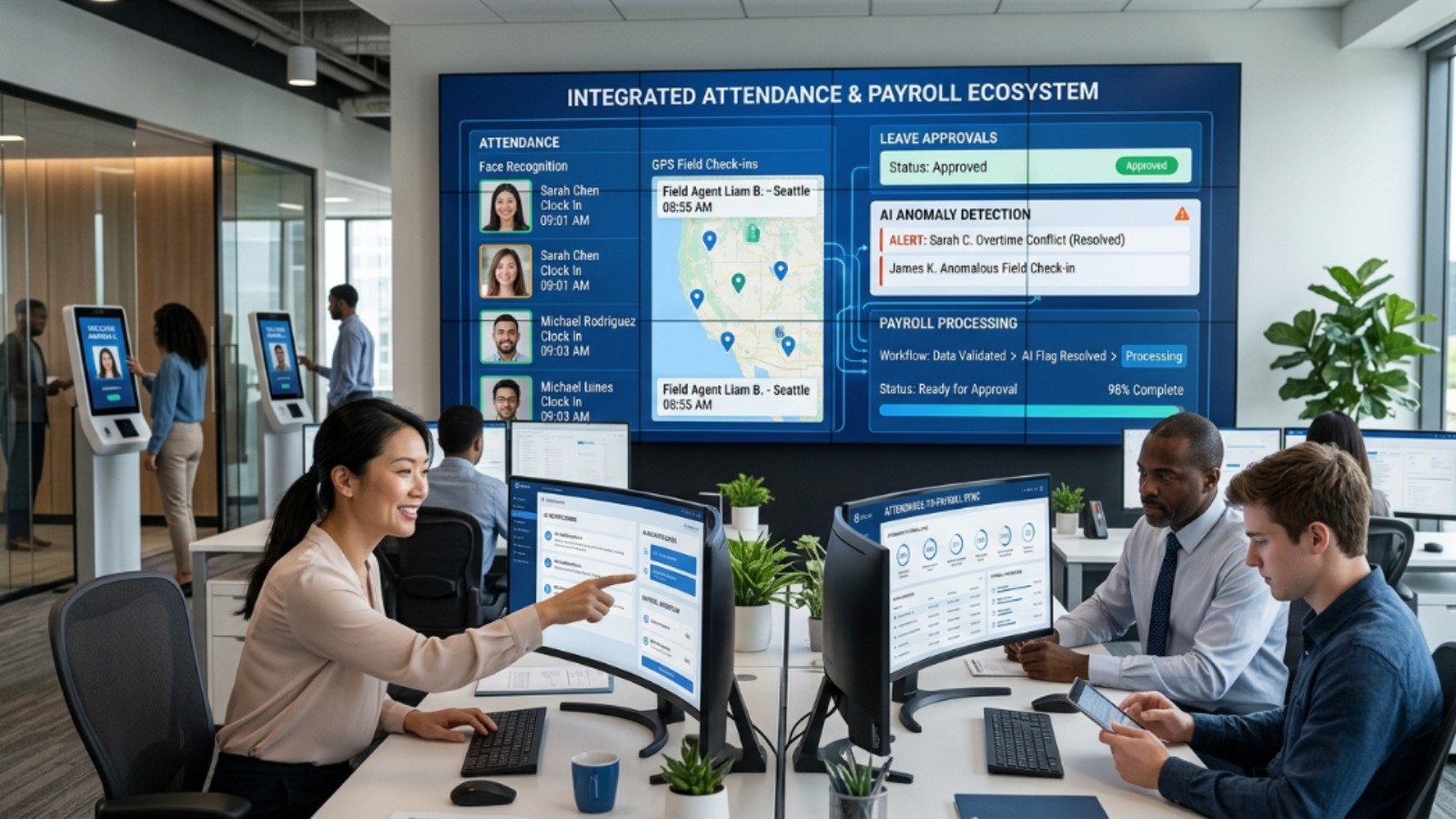
Even with biometric capture and direct data flow, anomalies happen. An employee forgets to clock out. A geo-fence has an edge case. A leave record and an attendance record contradict each other.
This is where AI starts earning its place in HR ops. AI adoption in HR nearly doubled in a single year — from 26% of organisations in 2024 to 43% in 2025 — driven largely by its ability to catch data conflicts before they reach payroll calculations, not because it does the math differently.
EmpCloud’s 41 AI tools, spanning HR modules across 7 providers, include a Smart SQL natural-language analytics tool. An HR manager can type “show me employees with attendance gaps in the last pay period who were not on approved leave.” Results span attendance, leave, and payroll data in a single conversation — no SQL knowledge, no IT ticket, no waiting until after the run closes. That question used to surface as a payroll correction on payday. Now it becomes a pre-run catch on day 28. The shift from reactive fix to proactive audit is what the AI layer actually delivers in a unified HRMS.
That kind of ad-hoc cross-module querying is what surfaces the attendance-to-payroll discrepancies that live invisibly in most setups. You have to be able to see the gap before you can close it.
A Practical Audit Framework
To diagnose your own attendance-to-payroll error rate before buying or reconfiguring anything, run this four-step audit. It takes less than a day.
- Export three months of attendance data and three months of processed payroll. Match them row by row at the employee level. Flag every discrepancy where hours-worked in attendance differs from hours-paid in payroll by more than 15 minutes.
- Trace each discrepancy to its origin. Manual entry? Supervisor override? Missing clock-out? Categorise them. Most errors cluster around two or three root causes — usually manual touchpoints.
- Count how many employees have zero biometric or verified entries. These employees are entirely on the honour system. Every hour they report is unverified. Prioritise this group for any technology upgrade.
- Measure the cost. Take your average hourly all-in cost per employee, multiply by total disputed hours across the three months, and divide by three. That monthly figure is your payroll exposure from attendance data alone — before you count reprocessing time or compliance risk. In most organisations that number exceeds the payroll software licence fee. Manual timekeeping errors alone can skew payroll costs by up to 20%, with each inaccuracy costing an average of $381 to correct.
This audit tends to change the conversation. It’s harder to argue against biometric capture once the spreadsheet shows what unverified attendance is actually costing.
What Most Vendors Won’t Tell You
Biometric attendance systems cost more upfront than manual timekeeping. That’s not the right frame. The real question is what payroll errors cost downstream: corrections, reprocessing, compliance exposure, and the employee trust that quietly erodes every time someone receives an incorrect pay cheque.
More importantly, vendors selling standalone biometric hardware won’t tell you that the terminal solves only one of the three gaps. A biometric terminal that exports to a CSV that gets emailed to payroll re-introduces the data handoff problem the terminal was supposed to eliminate.
Here’s how the three approaches actually compare:
| Dimension | Manual Timesheet | Biometric Terminal Only | EmpCloud (Integrated HRMS)
|
|---|---|---|---|
| Identity Certainty | None — PIN or paper, easily proxied | High — face or fingerprint at hardware level | High — biometric capture tied directly to employee record |
| Data Handoffs to Payroll | Multiple — email, spreadsheet, manual re-entry | At least one — CSV export or manual import step | Zero — attendance and payroll share one data layer |
| Payroll Exposure | High — errors accumulate at every handoff | Reduced but not eliminated — the export gap remains | Minimised — discrepancies surfaced before the run closes |
Platform consolidation — attendance, leave, payroll, and analytics in one HRMS — is the only architecture that closes all three gaps simultaneously. EmpCloud manages 50,000+ employees across 200+ companies in 15+ countries, precisely because the modules share a single data layer rather than syncing across separate tools. For organisations evaluating how to structure an attendance policy that feeds cleanly into payroll, a well-designed attendance policy is the governance layer that makes the technology work.
The One Question Worth Asking Before Your Next Payroll Run
Not “did the payroll calculation run correctly?” It almost certainly did.
Ask: “Where did the hours in this payroll run come from, and how many human hands touched that data between the employee working the shift and the payroll engine processing it?”
Count the hands. Each one is a potential error. The goal is zero.
If you’re evaluating whether your current setup has too many hands in the chain, EmpCloud’s trial is a useful baseline — 15 days, no commitment, attendance and payroll modules both live from day one. Start your free EmpCloud trial and run an attendance-to-payroll data audit on your own numbers.
FAQ: –
1. Why do payroll errors often start with attendance data?
Payroll calculations are usually accurate, but they rely on the quality of attendance data they receive. Manual time entries, missed punches, and approval errors can create inaccurate inputs that lead to payroll mistakes.
2. How does biometric attendance improve payroll accuracy?
Biometric attendance verifies employee identity at the time of clock-in and clock-out, reducing buddy punching, proxy attendance, and manual entry errors before they reach payroll.
3. Why isn’t a standalone biometric terminal enough?
A biometric terminal verifies identity, but if attendance records are still exported manually through spreadsheets or CSV files, data handoffs can introduce new errors before payroll is processed.
4. What role does an HRMS play in reducing payroll errors?
An integrated HRMS connects attendance, leave, and payroll on a single data layer, eliminating manual transfers and helping ensure payroll is calculated from accurate, verified attendance records.
5. How can organizations identify attendance-related payroll issues?
A practical approach is to compare attendance records with processed payroll data, investigate discrepancies, identify recurring causes such as manual edits or missed punches, and measure the financial impact before making system improvements.
Quick Search Our Blogs
Type in keywords and get instant access to related blog posts.

