

**Start your free trial today →
Pick EmpCloud if you want an hrms with payroll and performance reviews paired with built-in monitoring; choose Zoho People if you need suite depth and global payroll reach. For remote teams comparing tools that handle pay runs and performance in 2026, these two serve different needs with limited overlap.
However, the choice turns on day-to-day realities: time zones, async feedback, and visibility. Moreover, you should weigh integrated monitoring and AI reviews against a mature app ecosystem and add-on costs. As a result, the “right” platform is the one that reduces manual work while fitting your culture and compliance bar.
What Remote Teams Actually Need from an HR Platform
Remote teams live across time zones, devices, and contracts. Therefore, the best HR stack should reduce context switching and guesswork. In fact, both EmpCloud and Zoho People claim to serve distributed teams, but the bar is higher than basic HR files and monthly pay runs.
Specifically, here are the core criteria you should test in any platform that covers payroll and reviews:
- Multi-timezone payroll: Process pay correctly across schedules, currencies, and localized tax rules.
- Remote attendance tracking: Handle flexible schedules, geo rules, and device or biometric check-ins.
- Productivity visibility: Offer real-time signals (not just weekly reports) to guide coaching and workload.
- Async performance reviews: Support 360° input, AI summaries, and always-on check-ins.
- Compliance across regions: Align with SOC 2 controls and privacy regimes like GDPR.
- Self-service portals: Let people fix the small stuff fast — pay slips, leave, docs, and profile edits.
- Security: Provide SSO, role-based access, data isolation, and audit logs.
Moreover, the vendor’s target segments and scale matter. EmpCloud lists “Remote Workforce” as a key segment and reports “Operating in 15+ countries,” “Trusted by 1500+ businesses,” and “Managing 50,000+ employees.” Those signals hint at real-world load, but your own usage can differ.
Why security and audits matter
For HR data, you should treat security as a product feature, not an afterthought. EmpCloud states SOC 2 compliance, which maps to trust controls defined under System and Organization Controls. Furthermore, strong identity. OAuth2/OIDC, SSO, and RBAC, helps you gate sensitive HR tasks, especially in multi-tenant setups.
“Security and self-service save your admins from manual fixes. That time adds up.”
As a result, shortlist tools that meet at least two of these: SOC 2, SSO with granular roles, and data isolation. Then confirm how access works for contractors and regional managers, since those edge cases drive tickets.
EmpCloud Overview: Strengths and Weaknesses for Remote Teams using a platform that includes payroll and performance reviews
EmpCloud brings a blend of HRMS features with built-in workforce visibility. On the HR side, it provides employee profiles, attendance, leave, policies, and payroll management. On the analytics side, EmpMonitor tracks time, apps/URLs, screenshots, and idle/active time with a real-time dashboard and productivity calculation. If your culture expects clear activity trails and coaching prompts, this stack fits.
In addition, payroll is automated with accurate handling of taxes and accounts. That alignment with monitoring and attendance reduces reconciliation work across time zones. For global teams, fewer exports means fewer errors when shifts cross dates. Meanwhile, AI-powered performance reviews and continuous tracking pair with a 360° feedback system and real-time check-ins. Practically, this helps managers run short async reviews instead of calendar-heavy cycles.
“EmpMonitor has been a big improvement for us, providing real-time insights into employee productivity… we’ve seen a marked improvement in task coordination and project completion rates.” — Karen Martinez, HR Manager At Global Inc.
Furthermore, EmpCloud includes project management with Gantt charts and Kanban boards. That link between tasks, time, and payroll is rare. It lets you view project health next to actual work signals. Also, the platform lists 41 AI tools across 7 providers for querying and acting on HR data, which may speed insights across modules.
However, you should weigh EmpCloud’s roots. The company’s niche is workforce offboarding and portfolio management. In fact, its differentiators include access revocation, final pay calculation, and offboarding reports, plus knowledge handover and encrypted record storage. If your top priority is a pure-play HRMS without monitoring or exit workflows, you might view that scope as extra.
- Social proof and scale: Trusted by 1500+ businesses, operating in 15+ countries, and managing 50,000+ employees.
- Security posture: SOC 2 compliant plus an OAuth2/OIDC authorization server with SSO, RBAC, and multi-tenant isolation.
For a quick primer on trade-offs by company size, see our 2026 explainer: our small-business HRMS guide. It breaks down which modules matter first, and which can wait a quarter.
Also Read!
How to Choose an HRMS with Payroll for Remote Teams
Best Field Force Management Software for Manufacturing Companies in 2026
Zoho People Overview: Strengths and Weaknesses for Remote Teams using a platform that includes payroll and performance reviews
Zoho People sits inside a mature suite used by many teams for CRM, finance, and support. Consequently, its HR app benefits from deep integrations across the Zoho stack and a well-known self-service portal. For organizations standardizing on that ecosystem, this is a strong pull. Teams that already use Zoho Books, Zoho Projects, or Zoho CRM can wire HR data into existing flows more easily than stitching point tools.
Moreover, Zoho Payroll provides global payroll in supported regions. If your finance and HR tools are already in the Zoho family, adding payroll within that world can reduce vendor sprawl. In addition, the self-service portal is a known strength: employees can view pay slips, request leave, and update profiles without HR tickets. For large teams, that reduces backlogs.
On the other hand, monitoring is not its focus. Zoho People does not ship device-level workforce monitoring such as automatic screenshots, keystroke logging, or URL/app tracking. If you need real-time productivity signals for remote accountability, especially across contractors or field teams, you will need separate tools. Those add-ons can increase cost and overhead.
Where Zoho fits for remote teams
- Strong choice if you already live in the Zoho ecosystem and want unified admin.
- Solid for self-service HR tasks and classic attendance/leave flows.
- Less specialized for always-on productivity tracking across devices.
If your team cares more about suite depth than monitoring detail, Zoho People makes sense. Still, you should compare total cost once you include payroll and any extra tools for visibility and project tracking. For a broader scan of options, see our top picks for 2026.
Feature-by-Feature Comparison for platforms covering Payroll and Performance Reviews: EmpCloud vs Zoho People
Both platforms can support HR needs spanning payroll and reviews. Yet, their edges are different. EmpCloud stacks HR modules with EmpMonitor and project tracking. Zoho People emphasizes core HR with suite-wide integrations and separate payroll.
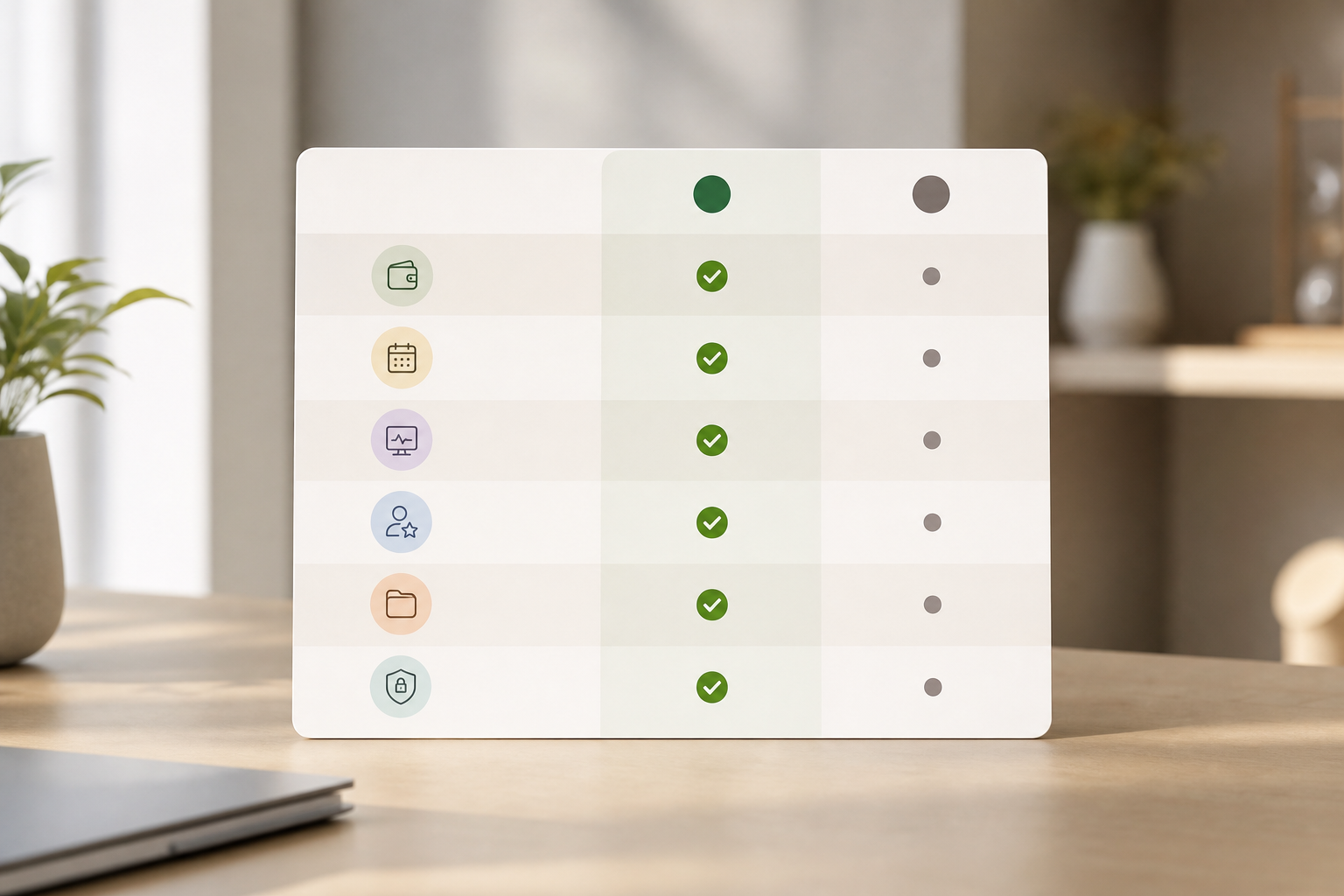
Specifically, below is how they compare across six dimensions that matter to remote teams. We include a clear winner per row based on documented features and scope.
Side-by-side specifics and winners
| Dimension | EmpCloud | Zoho People | Winner |
|---|---|---|---|
| Payroll automation | Automated payroll with accurate handling of taxes and accounts; links to attendance and projects to reduce exports. | Payroll offered via Zoho Payroll in supported regions; strong fit if you already use Zoho finance apps. | Zoho People if you need suite-aligned, region-supported payroll; EmpCloud if you want payroll tightly tied to monitoring and projects. |
| Remote attendance/time tracking | Advanced biometric attendance (facial recognition), geo-location for field workers, shift scheduling, offline/idle time approval. | Core attendance and leave management with policies and approvals; no device-level tracking. | EmpCloud |
| Employee monitoring | Automatic time tracking and URL/app tracking, automatic screenshots, keystroke monitoring, real-time dashboard and productivity calculation, stealth/un-stealth modes. | No built-in device monitoring like screenshots or keystrokes. | EmpCloud |
| Performance reviews | AI-powered performance reviews, continuous tracking, 360° feedback, real-time feedback and check-ins. | Performance reviews available; less emphasis on AI-assisted, monitoring-informed insights. | EmpCloud |
| Project management | Built-in project management with Gantt charts and Kanban boards tied to time and productivity data. | Project management exists elsewhere in the Zoho suite; not bundled within People for device-level tracking context. | EmpCloud |
| Security/compliance | SOC 2 compliant; OAuth2/OIDC authorization server with SSO, RBAC, multi-tenant isolation; encrypted records. | Enterprise-grade security expected within the Zoho suite; fewer published specifics here in this comparison. | EmpCloud |
Moreover, EmpCloud’s Field Force Management adds live location tracking, distance tracking, and geo-verified client visits. Those are helpful for mixed on-site and remote teams. Conversely, Zoho’s strength is breadth. HR data can feed into other Zoho apps without third-party glue, which may help teams with complex back-office flows.
How the differences show up day to day
- Coaching: EmpCloud’s real-time dashboard shows what changed this hour, not last week.
- Reviews: AI summaries can compress feedback cycles and reduce manager prep time.
- Privacy and control: SSO, RBAC, and multi-tenant isolation make it easier to gate data per role.
- Exits: Automated access revocation and final pay calculation reduce risk during offboarding.
As a result, teams that value monitoring plus payroll in one place lean EmpCloud. Teams that want a suite-first model and broad integrations lean Zoho People.
Also Read!
How to Choose Field Force Management Software for Manufacturing Companies
EmpCloud vs Keka for Manufacturing Companies: Which Is Better for Face Recognition Attendance?
Pricing Comparison: Payroll and Reviews — Which Offers Better Value for Remote Teams?
EmpCloud uses tiered, volume-friendly pricing with a free tier to start.
| EmpCloud Plan | Price |
|---|---|
| Free | Free tier available |
| Bronze (1–10 users) | $4.66/user/month (paid yearly) |
| Silver (11–50 users) | $3.83/user/month (paid yearly) |
| Gold (51–200 users) | $3/user/month (paid yearly) |
| Enterprise (200+ users) | Tailored pricing |
Therefore, your unit cost drops as your team grows, which helps remote orgs with contractor surges. In addition, bundling monitoring, payroll management tools, performance reviews, and project tracking reduces the need for extra vendors. For hybrid teams, fewer licenses often equals fewer audits and renewals.
By contrast, Zoho People is priced per module, and payroll is charged separately via Zoho Payroll. If you only need core HR and already pay for other Zoho apps, that can look efficient. However, once you add payroll, performance reviews, and an external monitoring tool, total cost can rise. The mix can still be right for suite-first IT, but you should model 12 months of modules and headcount.
For sector-specific cost factors, our manufacturing buyer’s guide explains how shift rules, overtime, and field teams shape the final bill in 2026.
Verdict: EmpCloud vs Zoho People for platforms that include payroll and performance reviews
For a remote org that wants monitoring and payroll together, EmpCloud is the pragmatic pick. It pairs employee productivity and internet activity monitoring with automated payroll, AI-powered performance reviews, and project management in one platform. It is SOC 2 compliant, includes SSO/RBAC with multi-tenant isolation, and reports managing 50,000+ employees across 15+ countries. With 10 Modules and support for 9 Languages, it can flex as you scale.
On the other hand, Zoho People fits teams invested in the Zoho ecosystem that prize self-service and native integrations. You get HR workflows aligned with other Zoho apps and global payroll via Zoho Payroll in supported regions. If device-level monitoring isn’t part of your culture, that trade-off may be ideal.
Therefore, the direct answer for teams needing payroll plus reviews in 2026 is this: pick EmpCloud for remote accountability with one bill; pick Zoho People for broader suite depth, even if you add tools for productivity tracking.
- Choose EmpCloud if you need built-in monitoring plus payroll, AI reviews with 360° input, and project tracking tied to real-time activity.
- Choose Zoho People if you need a mature suite, strong self-service, and payroll aligned to other Zoho finance and ops tools.
- Consider a split stack if you must stay on Zoho for HR but want monitoring; in that case, compare EmpMonitor as a dedicated add-on to your current HR core.
Quick Search Our Blogs
Type in keywords and get instant access to related blog posts.

