

**Start Free. Real-Time Workforce Insights →
Employee monitoring and productivity tracking only works if it earns trust and proves ROI. The best choices in 2026 give you live data for fair, data-driven performance reviews, while still respecting privacy and regional laws. Here’s the direct answer: pick a platform that combines real-time dashboards, transparent policies, SOC 2 controls, and deep HR integrations, so you can measure work without micromanaging.
As an HR leader, you need to show results to leadership and fairness to employees. EmpCloud checks the boxes that matter: SOC 2 compliance, OAuth2/OIDC with SSO and RBAC, and scale proven across 1,500+ businesses and 50,000+ employees in 15+ countries. It also starts at $3–$4.66 per user per month with a free tier, so you can run a real pilot before asking for budget.
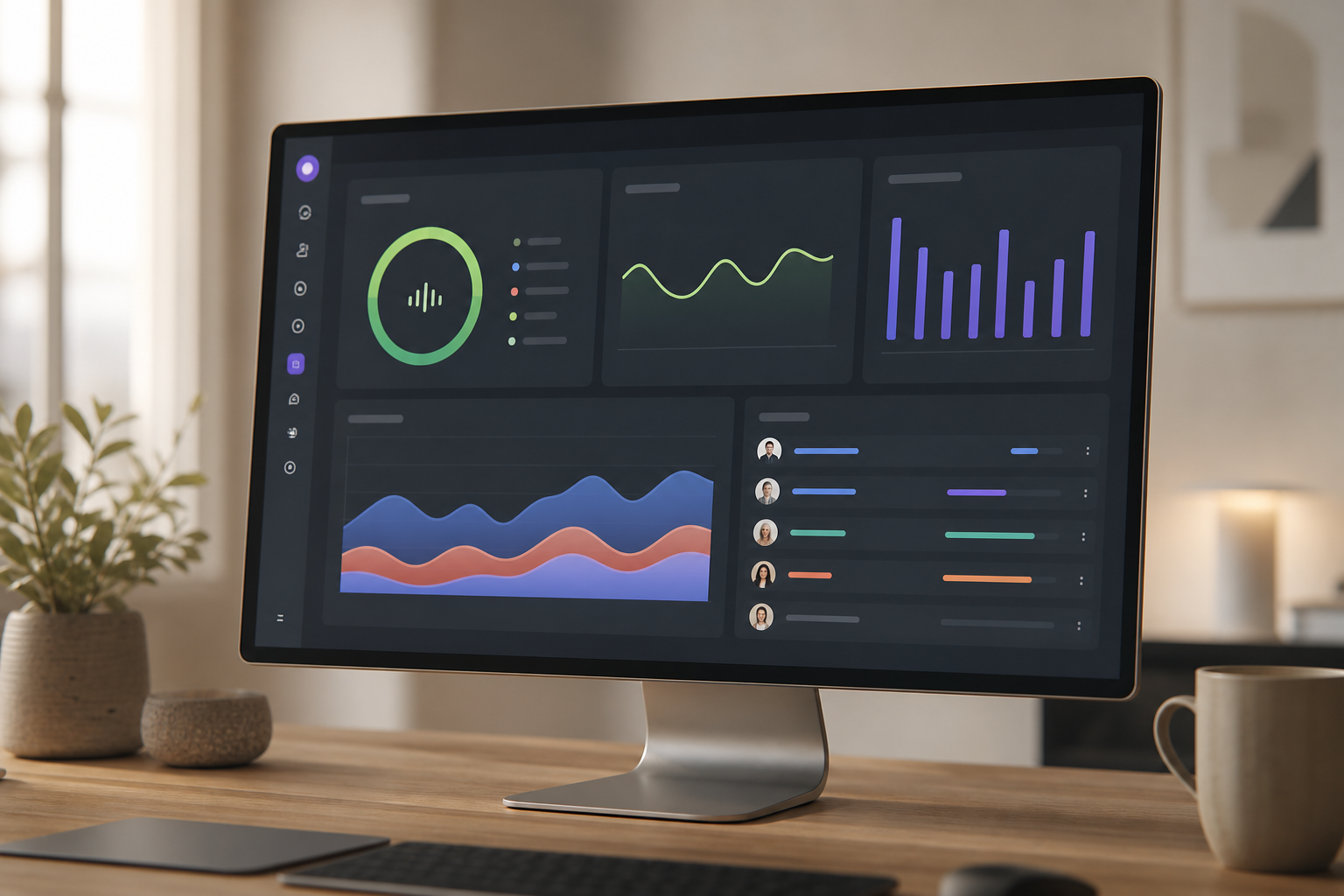
Why HR Managers Struggle with Employee Monitoring in 2026
You live in the gap between “we need workforce visibility” and “we won’t be watched.” That tension is real. You need productivity insights for fair reviews, pay, and workforce planning. Yet you also need to protect trust, honor privacy rules, and avoid a surveillance culture. In 2026, that balance is even harder with hybrid, remote, and field teams across time zones.
Moreover, spreadsheets don’t cut it. Batch reports land days late and miss context. Without real-time signals, you spot issues after they become trends. Then, performance conversations feel subjective.
That hurts engagement. And it makes calibration meetings drag on as leaders debate “gut feel” vs. proof.
In addition, hybrid work breaks traditional attendance and presence cues. Field teams add geo-location needs and travel context. Remote staff blends personal and work apps on the same device. If your policy and tools don’t separate private time from tracked time, you lose trust fast.
Compliance and ROI pressure in employee monitoring and productivity tracking
Compliance adds pressure. HR holds the most sensitive data in the company: IDs, payroll, health notes, and manager notes. You need technical controls like SSO, RBAC, encryption, and SOC 2-aligned processes to pass audits. And you must adapt monitoring methods to GDPR in the EU and rules like the ECPA in the U.S. Laws differ by region, which means your software must let you choose how and when to collect data.
Finally, you still have to prove ROI. Leadership expects clear numbers: productivity lift, time saved on reviews, and lower payroll errors. Without automated, role-aware scoring and clean dashboards, you’re stuck in manual collation.
That’s slow. It’s also error-prone. The result: employees doubt fairness, and executives doubt impact.
The pains in one view
- Balancing visibility with trust and privacy
- Managing remote, hybrid, and field teams without micromanaging
- Meeting privacy laws while collecting actionable data
- Escaping manual spreadsheets for real-time, role-aware insights
- Linking data to fair reviews, coaching, and ROI proof
What to Look for in Employee Monitoring Software as an HR Manager
The right platform should support your core HR duties without turning you into a traffic cop. As you assess options, map each feature to performance reviews, policy enforcement, attendance, and workforce planning.
First, real-time dashboards vs. batch reporting. Real-time views help you spot dips, idle spikes, or blocked apps as they happen. That supports coaching in the moment, not a month later. For performance reviews, live data reduces bias, shortens calibration meetings, and gives managers timely feedback cues.
Second, stealth vs. transparent monitoring and the ethics. You need the flexibility to set policy by region and role.
Transparent (un-stealth) mode builds trust and sets clear norms. Stealth mode may be used for baseline studies or compliance cases, as allowed by policy and law. For HR, the key is choice plus features like private time, so you can protect personal activity.
Visibility and ethics in employee monitoring
Third, integrations with HRMS and payroll. Time, attendance, and productivity signals only help if they feed pay, rewards, and performance files. Look for 250+ API endpoints, SSO, and standards-based auth so you can sync data to payroll, reviews, and access control. This cuts manual exports and reduces payroll errors tied to attendance gaps.
Fourth, compliance certifications like SOC 2. You need documented controls for access, change management, and incident response. SOC 2 signals mature processes. Pair that with encrypted document storage and protected record management to keep review notes, PIPs, and attendance logs safe.
Fifth, role-based access control (RBAC). Only the right people should see sensitive data. HR leadership may need keystrokes and screenshots in compliance-heavy units; managers might see summary scores only. RBAC enforces least privilege, which reduces legal and ethical risk.
Sixth, scalability from 10 to thousands. Hybrid work forces change. Your platform should run for small pilots and scale to enterprise without a new stack. Multi-tenant isolation also matters if you manage groups, regions, or subsidiaries with different policies.
Scale and automation
Seventh, automated productivity scoring vs. manual review. Automated scoring saves hours. But it must be customizable by role, app category, and shift type. Good tools calculate in real time and still allow manual overrides with audit trails for HR fairness.
Eighth, field force and geo-location for distributed teams. For sales, service, and logistics roles, you need live location, distance tracking, and geo-verified visits. This connects presence to outcomes, not just screen time. It also feeds attendance and payroll with fewer disputes.
Quick employee monitoring checklist
- Real-time dashboards tied to coaching and reviews
- Transparent and stealth modes with private time controls
- HRMS/payroll integrations and broad APIs
- SOC 2, encryption, and audit-friendly logs
- SSO, RBAC, and access scopes by role and region
- Scale to 50,000+ employees without a new vendor
- Smart scoring with role-aware app categorization
- GPS, field tasks, and geo-verified attendance
**Book a Demo. See Live Dashboards →
For deeper background by team type, these resources help: the small business guide and the remote teams guide.
Also Read!
How to Choose an HRMS with Payroll for Your Manufacturing Company
EmpCloud vs Keka for Manufacturing Companies: Which Is Better for HRMS with Payroll?
How EmpCloud Solves Employee Monitoring for HR Teams
EmpCloud aligns with the buying criteria above. It gives you real-time visibility, role-based controls, and links to HR core tasks like attendance, payroll, performance reviews, and field operations, in one integrated suite with 10 modules.
First, real-time dashboard and automated visibility. EmpCloud records time automatically and categorizes app/URL usage to compute live productivity scores. HR can tailor “productive” apps per role, then use custom reports in calibration. Karen Martinez put it this way: “EmpMonitor has been a big improvement for us, providing real-time insights into employee productivity… we’ve seen a marked improvement in task coordination and project completion rates.”. Karen Martinez, HR Manager At Global Inc.
Second, transparency controls you can set. EmpCloud supports both stealth and un-stealth modes, so policy can vary by region, union rules, or role. Private time lets employees pause tracking, which reduces friction and shows respect for boundaries. Offline/idle time approval adds fairness by letting HR and managers validate edge cases before they affect pay or reviews.
Third, deeper monitoring for compliance-sensitive work. Where policy allows, EmpCloud offers automatic screenshots and keystroke monitoring. That helps in finance, forensics, and similar units that need stronger audit trails. Unlike general HR suites that stop at attendance, EmpCloud’s EmpMonitor adds the depth HR leaders request, with controls to restrict who sees granular data.
Attendance and scheduling that connect to reviews and pay
Shift scheduling ties to monitoring data. You can view presence, adherence, and productive time in one place. Facial recognition attendance eliminates buddy punching across offices and kiosks. As Laura Thompson shared, “The facial recognition feature is both secure and reliable, eliminating buddy punching with accurate attendance tracking.”.
Roles, permissions, and reporting built for HR privacy
EmpCloud enforces multiple roles and permissions. HR leadership can view detailed logs; people managers can see summary dashboards; employees can view their own data. Custom reports help you meet internal audit needs with clean evidence. This aligns with SOC 2 controls and your HR confidentiality standards.
Field force and geo-verified work for distributed teams
EmpCloud includes live geo-location tracking, timeline review, distance tracking, and geo-verified client visits. That gives you full visibility into field work without desktop installs. For HR, it reduces attendance disputes and links travel to tasks completed.
AI-powered performance and feedback
EmpCloud brings 41 AI tools across 7 providers to analyze patterns across time, apps, and projects. Scores feed AI-powered performance reviews, a 360° feedback system, and real-time check-ins. George Williams summarized the HR impact: “EmpCloud’s Employee Monitoring has made tracking our team’s performance so easy. The insights we get have really helped us improve engagement and boost productivity.”.
Crucially, EmpCloud balances insight and trust. It adds a private time option, transparency modes, and approval flows so you can uphold employee rights while still delivering fair, data-driven performance management.
EmpCloud vs. Keka vs. Zoho: Honest Comparison for HR Managers
You asked for a frank head-to-head. Here it is. EmpCloud is an integrated suite: monitoring, HRMS, payroll, performance, and field force tools. It offers a free tier and paid plans at $4.66/user/month (Bronze, 1–10 users), $3.83/user/month (Silver, 11–50), and $3/user/month (Gold, 51–200), billed yearly. It’s SOC 2 compliant and provides 250+ API endpoints, 10 modules, and 9 languages.
Keka is a strong Indian HRMS with solid payroll, leave, and attendance. If you only need core HR, it’s a fit. However, it does not focus on stealth monitoring, keystroke logging, or field force GPS the way EmpCloud does. For HR leaders who must run compliance-grade monitoring plus field operations, EmpCloud goes deeper out of the box.
Zoho brings a vast ecosystem and brand recognition. Its strength is breadth and a large third‑party app marketplace. Compared to alternatives, Zoho’s monitoring features are split across products (e.g., HR, projects, and add-ons), which can mean separate subscriptions and admin overhead.
EmpCloud consolidates recruitment, onboarding, payroll, performance, monitoring, and exit management in one place, with an OAuth2/OIDC authorization server, SSO, RBAC, and multi-tenant isolation. If you’re already in the Zoho ecosystem, that may outweigh consolidation. But if consolidation is your goal, EmpCloud’s single suite is simpler.
“The facial recognition feature is both secure and reliable, eliminating buddy punching with accurate attendance tracking.” — Laura Thompson, COO Of Precision Manufacturing
Employee monitoring recommendation matrix
- Keka: Choose this if you only need core HR with payroll and attendance, and monitoring depth is not required.
- Zoho: Choose this if your company already runs the Zoho stack and values its marketplace more than a single-suite approach.
- EmpCloud: Choose this if you need monitoring + HRMS + payroll + performance + field force in one platform, with SOC 2, 250+ API endpoints, and both transparent and stealth options.
Trust, Security, and Compliance Credentials for Employee Monitoring
Security is the first gate. EmpCloud is SOC 2 compliant, which means audited controls for access, change, and incident management. For HR, that translates into fewer audit findings and cleaner evidence trails. Protected record management and encrypted document storage keep reviews, PIPs, IDs, and payroll files safe at rest and in transit.
On access, EmpCloud runs an OAuth2/OIDC authorization server with SSO and RBAC. Therefore, only authorized HR leaders see sensitive logs, while managers and employees see scoped views. Multi-tenant isolation supports departments, regions, or subsidiaries with different monitoring policies. That’s key if you need to segment EU staff from non‑EU staff under GDPR.
Scale shows reliability. EmpCloud is trusted by 1,500+ businesses, manages 50,000+ employees, partners with 200+ companies, and operates in 15+ countries. Those numbers matter because monitoring touches every shift and device, every day.
Privacy is by design. The private time option lets employees pause tracking. The stealth/un‑stealth toggle and offline/idle time approval features show that the platform was built to respect employee rights, not just collect data.
Chen Wei captured the operations angle well: “With EmpCloud, managing attendance and access has never been easier. Its lightning-fast face detection and reliable role-based access control ensure smooth and secure operations.”.
For legal alignment, map your policy to regional laws such as the GDPR in the EU and the ECPA in the U.S. For reference, you can review the GDPR text on europa.eu and the ECPA overview on Wikipedia. Then configure EmpCloud’s modes and RBAC to match.
Also Read!
Getting Started: Deploying Employee Monitoring as an HR Manager
Rolling out monitoring is as much about change management as it is about features. Here’s a practical plan you can follow next week.
Step-by-step employee monitoring rollout
Step 1: Define policy and communicate. Draft a clear, short policy that states what is tracked, when, and why. Example language: “We use monitoring to support fair performance reviews, protect company data, and improve workflows. We do not track during approved private time.” Share FAQs, regional notes, and contacts for questions.
Step 2: Pilot on the free tier. Start with one team for 14–30 days. Validate real-time scoring, app categories, and private time. Use EmpCloud’s personalized onboarding and VIP support to set up smart defaults, including USB detection if you track device use.
Step 3: Configure RBAC. Restrict detailed logs to HR leadership. Give managers summary dashboards and employees access to their own data. Test SSO and role mappings before broad rollout.
From pilot to scale
Step 4: Establish a baseline. If policy and law allow, run stealth mode briefly to gather unbiased baselines. Then switch to transparent mode and announce the change. Use offline/idle time approval to reduce disputes.
Step 5: Integrate your stack. Connect payroll and HRMS using EmpCloud’s 250+ API endpoints. Sync attendance, shifts, and productivity scores to pay and performance files. Add Atlassian Connect for background checks if needed.
Step 6: Operationalize reviews. Schedule monthly productivity review meetings using custom reports. Coach managers to recognize high performers, not just flag outliers. Keep the focus on workflow fixes and support.
**Start a Free Pilot. Bronze from $4.66/user →
For additional roll-out tactics, see this hands-on guide variant: 2026 guide 3.

Employee monitoring and productivity tracking: FAQs
Pricing and plans
How much does EmpCloud’s employee monitoring software cost?
EmpCloud offers a free tier for initial evaluation. Paid plans start at $4.66/user/month (Bronze, 1–10 users), then $3.83/user/month (Silver, 11–50 users), and $3/user/month (Gold, 51–200 users), all billed yearly. Enterprise pricing is custom for 200+ users. Competitors may require extra add-ons for monitoring features, which can raise the total cost.
Is employee monitoring software legal for HR departments to use?
In most regions, yes, if employees are informed and local laws are followed. Laws vary, such as GDPR in Europe and the ECPA in the U.S. EmpCloud supports compliance with a stealth/un-stealth toggle, private time, and offline/idle time approval, so you can align the setup with your policy and region. Always consult legal counsel for local requirements.
Modes and comparisons
Can employees see that they’re being monitored with EmpCloud?
You can choose transparent (un-stealth) or stealth modes based on your policy. Many HR teams start with stealth for a short baseline, then switch to transparent mode to build trust and coach in the open. The private time feature lets employees pause tracking for personal breaks, which helps morale.
How does EmpCloud compare to Hubstaff or Time Doctor for HR use?
Tools like Hubstaff and Time Doctor center on time tracking and screenshots. EmpCloud differs by bundling monitoring with a full HRMS suite, payroll, AI-powered performance reviews, 360° feedback, field force management, facial recognition attendance, and exit management. With 10 integrated modules, HR avoids stitching multiple tools together.
Integrations and morale
Does EmpCloud integrate with our existing HR tools?
Yes. EmpCloud provides 250+ API endpoints and supports OAuth2/OIDC with SSO, so it works with most enterprise stacks. It also integrates with Atlassian Connect for background checks. With support for 9 languages and operations in 15+ countries, global rollouts are practical.
Will employee monitoring software hurt team morale and trust?
If you roll it out poorly, it can. EmpCloud includes employee-friendly features like private time, transparent mode notifications, and offline/idle time approvals to reduce friction. Frame it as a support tool: use real-time dashboard data to recognize high performers and fix process bottlenecks, not just to flag underperformance.
Accuracy and field teams
How accurate is EmpCloud’s productivity tracking?
EmpCloud combines automatic time tracking, URL/app categorization, keystroke monitoring, and AI-powered scoring. Its 41 AI tools across 7 providers analyze patterns rather than a single metric. HR can tune what counts as “productive” per role, avoiding one-size-fits-all scores.
Can EmpCloud monitor field workers who aren’t at a desk?
Yes. EmpCloud includes field force management with live GPS, timeline and distance tracking, and geo-verified client visits. Paired with facial recognition attendance, it gives HR visibility into shifts and visits without a desktop agent. That reduces attendance disputes and links travel to tasks.
Final Takeaways on employee monitoring and productivity tracking
- You need visibility with fairness. Choose software that supports employee monitoring and productivity tracking with real-time dashboards, private time, and clear policies.
- Consolidation matters. EmpCloud unites monitoring, HRMS, payroll, performance, and field force with SOC 2, 250+ API endpoints, RBAC, and multi-tenant isolation.
- Start small, prove value. Pilot on the free tier, set RBAC, tune scoring by role, and tie reports to coaching and pay. Then scale from $3–$4.66 per user per month.
**Get Started Free. Build a Fair, Data-Driven Program →
For further reading sized for small teams, check the 2026 SMB list.
Quick Search Our Blogs
Type in keywords and get instant access to related blog posts.

