
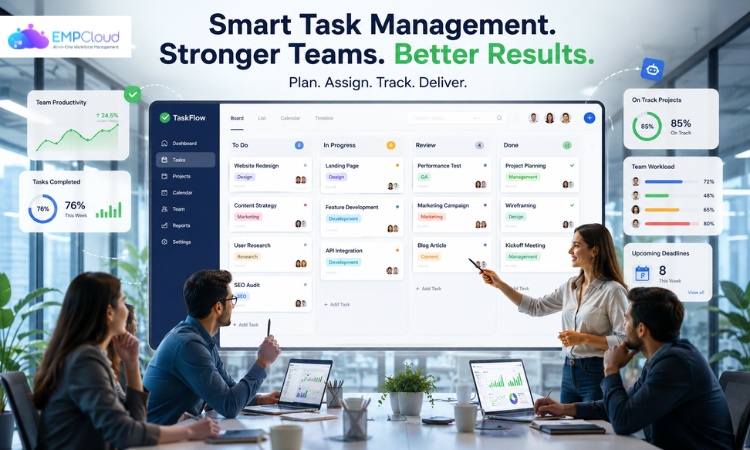
Teams today are juggling more work than ever across time zones, tools, and shifting priorities. Deadlines get missed. Responsibilities blur. Important updates slip through chat threads. The result? Frustrated teams, slower output, and goals that keep getting pushed back.
The solution is not working harder. It is working smarter, and that starts with task management.
Effective management gives teams a structured way to plan, assign, prioritize, and track work. When done right, it removes the chaos from day-to-day operations and replaces it with clarity, focus, and consistent output.
Read Aloud!
What Is Task Management?
Task management is the process of organizing, prioritizing, assigning, and tracking work to improve productivity, collaboration, and workflow efficiency.
It covers the full lifecycle of a task from the moment an idea or requirement is captured, all the way through execution and completion. This includes:
- Breaking projects into actionable steps
- Assigning ownership to the right people
- Setting realistic deadlines
- Tracking progress in real time
- Following up and closing the loop
In a personal context, management might mean a to-do list or a simple calendar. But for teams, the stakes are higher. You need everyone aligned on what needs to happen, who is responsible, and when it is due.
That is where management systems come in. Modern digital platforms replace scattered sticky notes, email threads, and shared spreadsheets with a single source of truth, giving teams the structure they need to execute consistently.
Why Teams Struggle Without Proper Task Management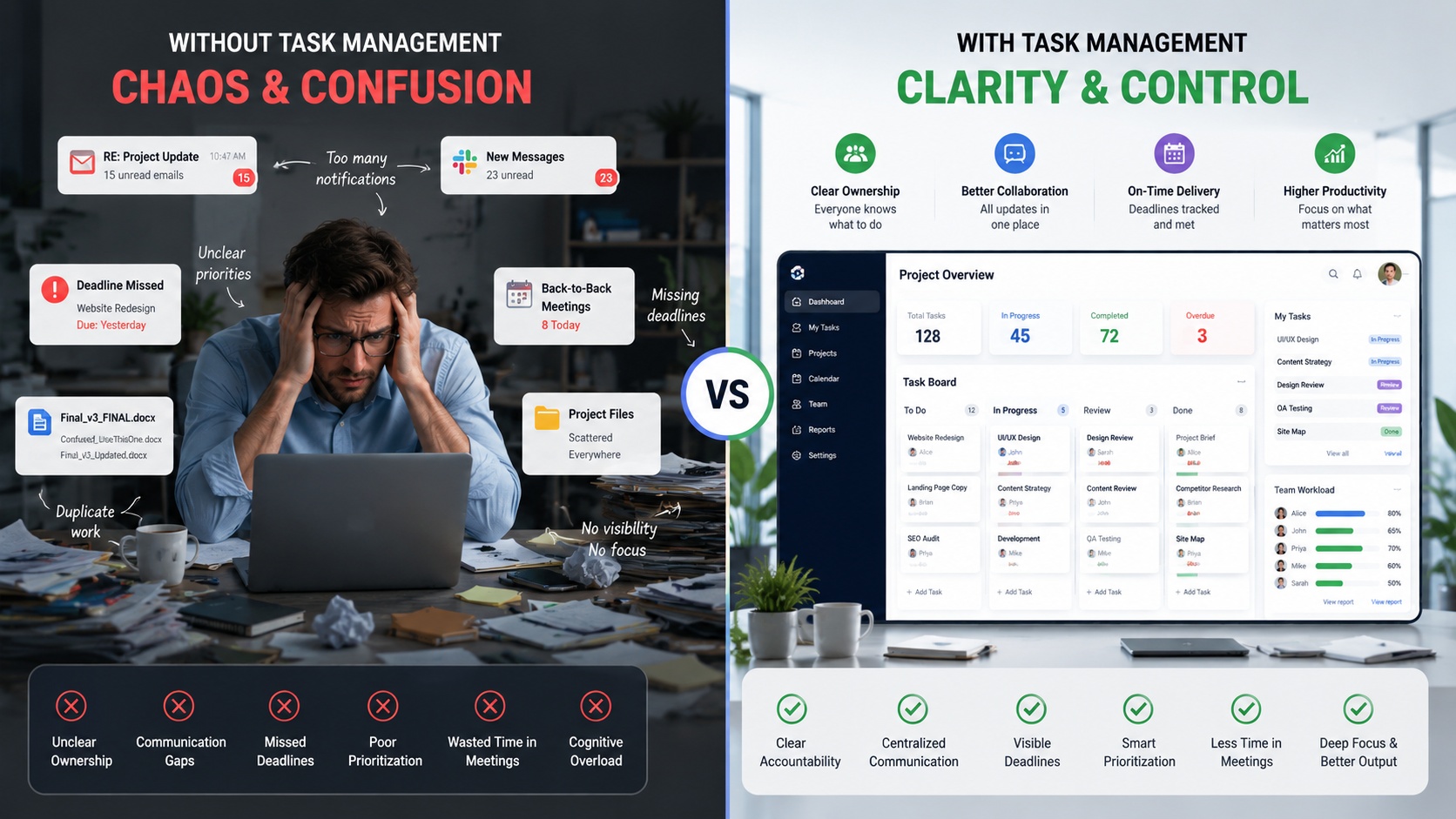
Most productivity problems are not caused by lazy employees or poor work ethic. They are caused by broken systems. Without a clear structure in place, even capable teams run into the same recurring issues:
Unclear ownership. When nobody knows who is responsible for a task, either everyone assumes someone else will do it, or two people duplicate the effort.
Communication gaps. Important context gets buried in email chains, Slack threads, and meeting notes that nobody can find later.
Missed deadlines. Without visible timelines and reminders, tasks quietly fall through the cracks until a client or manager follows up.
Poor prioritization. Teams spend time on urgent but low-impact tasks while high-value work keeps getting pushed back.
Meeting overload. Without a shared system to check progress, teams default to meetings, which eat into the time needed to actually do the work.
Cognitive overload. Constantly switching between tasks, tracking progress mentally, and keeping up with changing priorities drains focus and increases the chance of errors.
These are not unique problems; they are universal symptoms of teams operating without a solid task management foundation.
How Task Management Improves Team Productivity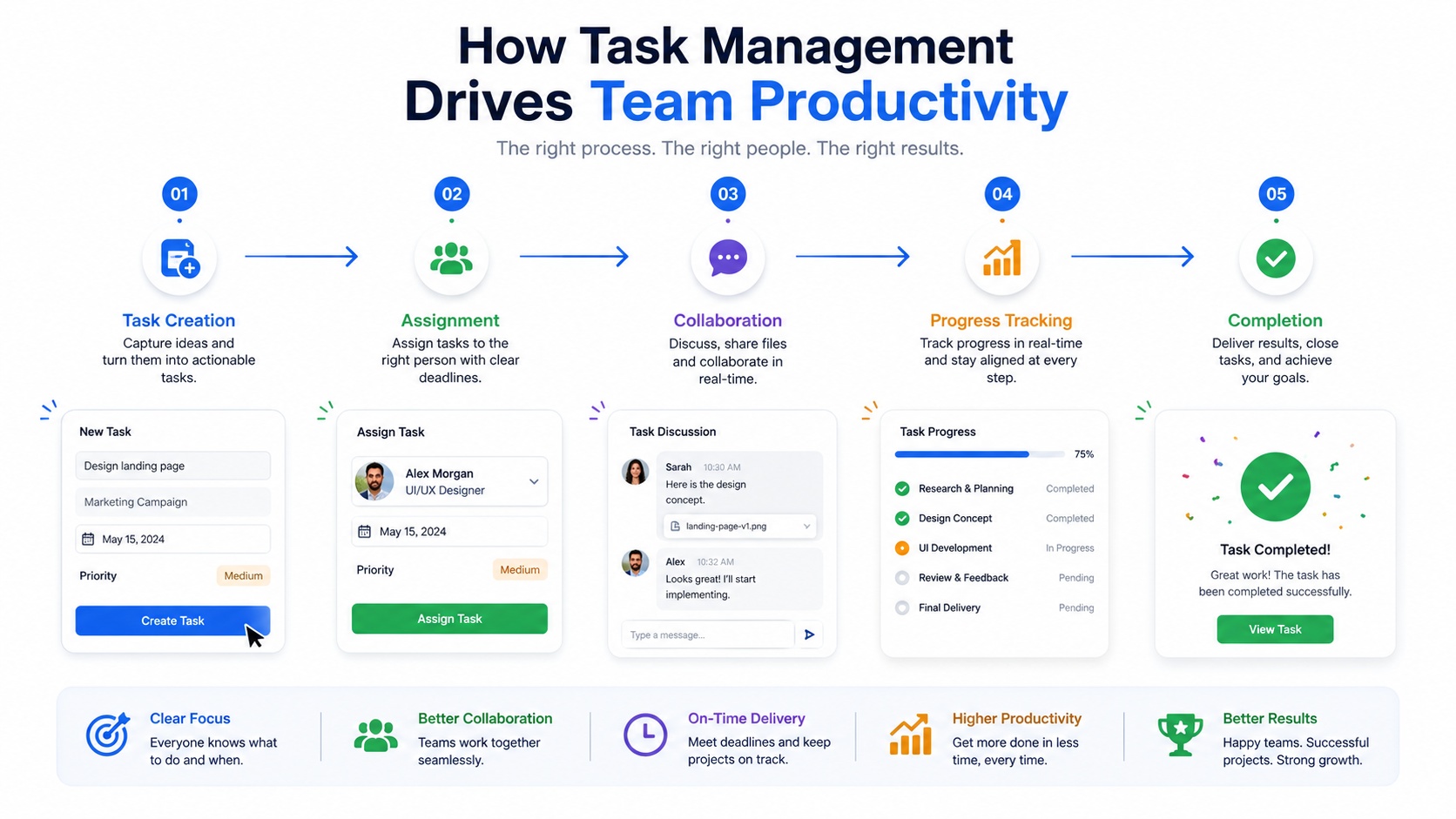
Creates Clear Accountability
When tasks are assigned with specific owners and due dates, there is no room for ambiguity. Everyone knows what they are responsible for, and managers can see at a glance whether things are on track. This level of clarity removes the need for constant check-ins and creates a culture of ownership.
Improves Prioritization
Not all tasks are created equal. Effective management helps teams separate urgent work from important work and avoid spending the day putting out fires while strategic work sits untouched. Frameworks like the Eisenhower Matrix or simple priority labels help teams tackle high-impact work first.
Enhances Team Collaboration
When work is centralized in one place, shared boards, real-time updates, and threaded comments, teams collaborate more efficiently. There is no need to chase status updates via email. Everyone has visibility into what is happening and can contribute without interruption.
Reduces Time Wasted on Coordination
How much time does your team spend following up on tasks, asking for status updates, or waiting for approvals? Task management systems automate reminders, streamline approvals, and keep everyone informed without the back-and-forth, freeing up time for actual work.
Helps Teams Focus on Deep Work
Context switching is one of the biggest productivity killers. Every time someone has to stop, check a message, and reorient themselves, they lose momentum. Structured task management reduces interruptions by giving people a clear queue of what to work on next and keeps distractions from derailing focused work.
Effective management reduces operational friction, not just workload.
How Task Management Improves Workflow Efficiency
Productivity is about how much you get done. Efficiency is about how smoothly you get there. Task management improves both.
Standardized Workflows
When teams use repeatable processes, the same steps for onboarding, the same approval chain for content, and the same sprint structure for development work, moves faster. Standardization eliminates guesswork and reduces errors.
Workflow Automation
Modern task management tools let you automate routine work: sending reminders when deadlines approach, moving tasks through stages when conditions are met, assigning follow-up tasks automatically. This reduces manual coordination and keeps processes running even when people are busy.
Faster Decision-Making
When data is centralized and visible, decisions get made faster. Managers can see workloads, identify bottlenecks, and reassign tasks in minutes instead of spending hours gathering information.
Better Resource Allocation
Visibility into who is working on what prevents burnout on one end and underutilization on the other. Teams can balance workloads intelligently based on real data, not guesswork.
Real-Time Progress Tracking
Rather than waiting for a weekly status meeting to learn that a project is behind schedule, managers get live updates. This allows teams to course-correct quickly and keep projects on track.
Essential Features of Modern Task Management Systems
Not all project task management software is built the same. The best platforms combine the following features:
- Kanban boards for visual workflow tracking
- Gantt charts for timeline and dependency management
- Workload dashboards to balance team capacity
- Automations for recurring tasks and reminders
- Integrations with tools your team already uses (Slack, Google Drive, email)
- Analytics and reporting to measure productivity and identify gaps
- Collaboration tools, including comments, mentions, and file sharing
Best Task Management Strategies for Teams
The right strategy depends on your team’s workflow and goals. Here are the most effective approaches:
Kanban Workflow Management — Visualize work as cards moving through stages (To Do → In Progress → Done). Ideal for teams managing ongoing workflows like marketing or support.
Agile Management — Break work into short sprints with defined goals. Best for software teams or any team shipping iterative deliverables.
Time Blocking — Assign specific time slots to categories of work. Reduces context switching and protects deep work time.
SMART Goal Planning — Define tasks that are Specific, Measurable, Achievable, Relevant, and Time-bound. Keeps work grounded in real outcomes.
Eisenhower Matrix — Sort tasks by urgency and importance to eliminate low-value work and focus on what actually moves the needle.
Batch Processing — Group similar tasks together (email, approvals, reviews) to reduce mental switching costs.
Practical examples:
- Marketing teams use Kanban to manage campaign stages from brief to launch
- HR teams use standardized checklists to streamline employee onboarding
- Development teams use Agile sprints to deliver features on schedule
- Content teams use approval workflows to manage review cycles efficiently
Read More!
How To Improve Employee Task Tracking For Better Results?
Work Tracking Software: The Complete Guide to Boosting Productivity in 2026
Best Task Management Apps and Software for Businesses
Choosing the right best task management app for your team can significantly impact how well your processes run. Here is a quick breakdown of the most popular options:
ClickUp — Best for all-in-one productivity management. Highly customizable with views, automations, and integrations for teams of all sizes.
Asana — Best for collaborative workflow tracking. Clean interface with strong project visibility and team-level reporting.
Trello — Best for visual Kanban workflows. Simple drag-and-drop boards, ideal for small teams or straightforward projects.
Monday.com — Best for workflow customization. Flexible boards and automations designed for diverse business use cases.
Notion — Best for combining documentation with task collaboration. Great for teams that want a unified workspace for notes and work tracking.
Todoist — Best for lightweight personal productivity. Clean, distraction-free design for individuals managing their own workload.
How EmpCloud Helps Businesses Improve Task Management and Productivity

For businesses that need more than just task lists, teams that need to manage workforce performance, project visibility, and team accountability in one place, EmpCloud offers a purpose-built solution.
EmpCloud is a workforce and productivity management platform that brings together task management, employee productivity tracking, workflow visibility, and team collaboration under one roof.
According to EmpCloud’s Project Management Software, the platform is built around the features growing teams actually need:
- Task delegation and ownership assignment
- Subtask tracking for complex projects
- Kanban boards for visual workflow management
- Timeline management to track project progress
- Workflow reporting to measure team output
- Team organization tools designed to improve execution at every level
Centralized Task Tracking
EmpCloud gives managers and team leads a single dashboard to assign tasks, monitor progress, manage deadlines, and oversee multiple projects simultaneously. With customizable workflows and real-time reporting, teams always know where things stand – without requiring constant status meetings.
Improved Workforce Visibility
EmpCloud’s EmpMonitor feature goes beyond task tracking to offer real-time activity monitoring and productivity insights. For hybrid and remote teams, this means managers can understand how work time is being spent, identify gaps, and make data-backed decisions to improve team performance all while maintaining a respectful and balanced approach to oversight.
Better Collaboration for Remote and Hybrid Teams
Distributed teams face unique challenges around accountability and communication. EmpCloud addresses this with centralized task visibility, transparent workflows, and progress tracking features that keep remote employees connected and aligned without micromanagement. Teams gain the structure they need to work independently while still operating as a coordinated unit.
Workflow Optimization Through Data Insights
EmpCloud does not just help teams execute work; it helps them improve over time. By analyzing productivity data, managers can identify workflow bottlenecks, rebalance workloads, and optimize resource allocation across projects. These insights help teams plan better sprints, reduce inefficiencies, and continuously improve how they work.
Common Task Management Challenges and How to Solve Them
Even with the right tools in place, teams run into implementation challenges. Here is how to address the most common ones:
How AI Is Transforming Task Management
Artificial intelligence is making task management smarter and less manual. The latest generation of project task management software uses AI to:
- Automatically prioritize tasks based on deadlines and dependencies
- Send smart reminders when work is at risk of falling behind
- Predict project timelines based on historical performance
- Generate automated reports without manual data entry
- Recommend workflow improvements based on team patterns
The result is less time spent on coordination overhead and more time spent on actual work. AI does not replace good processes. It amplifies it.
Final Thoughts
Task management is not just about checking off to-do lists. It is about building the systems that allow teams to work with clarity, focus, and confidence every single day.
The right approach to task management reduces workflow friction, increases accountability, improves visibility, and helps every person on the team spend their time where it matters most. Whether you are running a five-person startup or a distributed enterprise team, the principles are the same: structure creates freedom, and clarity drives performance.
When you combine smart strategy, reliable task management systems, workflow automation, and the right software, you do not just improve productivity; you build an operation that can scale.
Frequently Asked Questions
What is task management?
It is the process of planning, assigning, prioritizing, and tracking work to help individuals and teams complete goals efficiently. It covers everything from capturing tasks to monitoring their completion.
How does task management improve productivity?
By creating clear ownership, reducing coordination overhead, improving prioritization, and giving teams real-time visibility into progress, management eliminates the friction that slows work down.
What are the best task management tools?
Top options include ClickUp, Asana, Trello, Monday.com, Notion, and Todoist. The best choice depends on your team size, workflow complexity, and collaboration needs.
Which is the best task management app for teams?
For teams that need deep collaboration and workflow automation, ClickUp and Asana are both strong options. For workforce-level visibility and productivity tracking, EmpCloud offers a more How does EmpCloud improve workforce productivity?
EmpCloud combines task delegation, Kanban boards, timeline management, workflow reporting, and real-time productivity monitoring through EmpMonitor. This gives businesses a complete view of team performance and helps managers improve planning, execution, and resource allocation.
Quick Search Our Blogs
Type in keywords and get instant access to related blog posts.

