
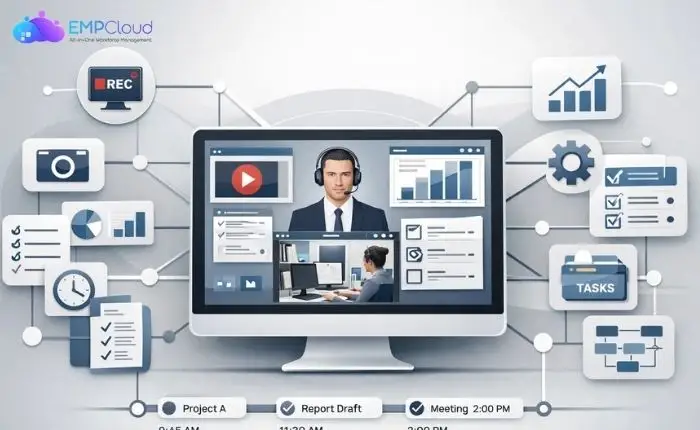
Managing a remote or hybrid workforce comes with unique challenges. Businesses need reliable ways to monitor productivity, protect sensitive data, and ensure compliance with company policies. Screen recording provides a powerful solution by capturing employee activity in real-time, offering insights into workflows while safeguarding critical information.
From tracking daily tasks to supporting digital forensics investigations, employee screen recording has become an essential part of modern employee monitoring software. Solutions like EmpCloud simplify the process, allowing organizations to use employee screen capture to maintain transparency, accountability, and efficiency.
This guide will cover everything you need to know about screen recording for employee monitoring—its benefits, key features, best practices, and legal considerations—so you can make informed decisions for your business and workforce.
You can Listen to this Blog here.
What is Screen Recording?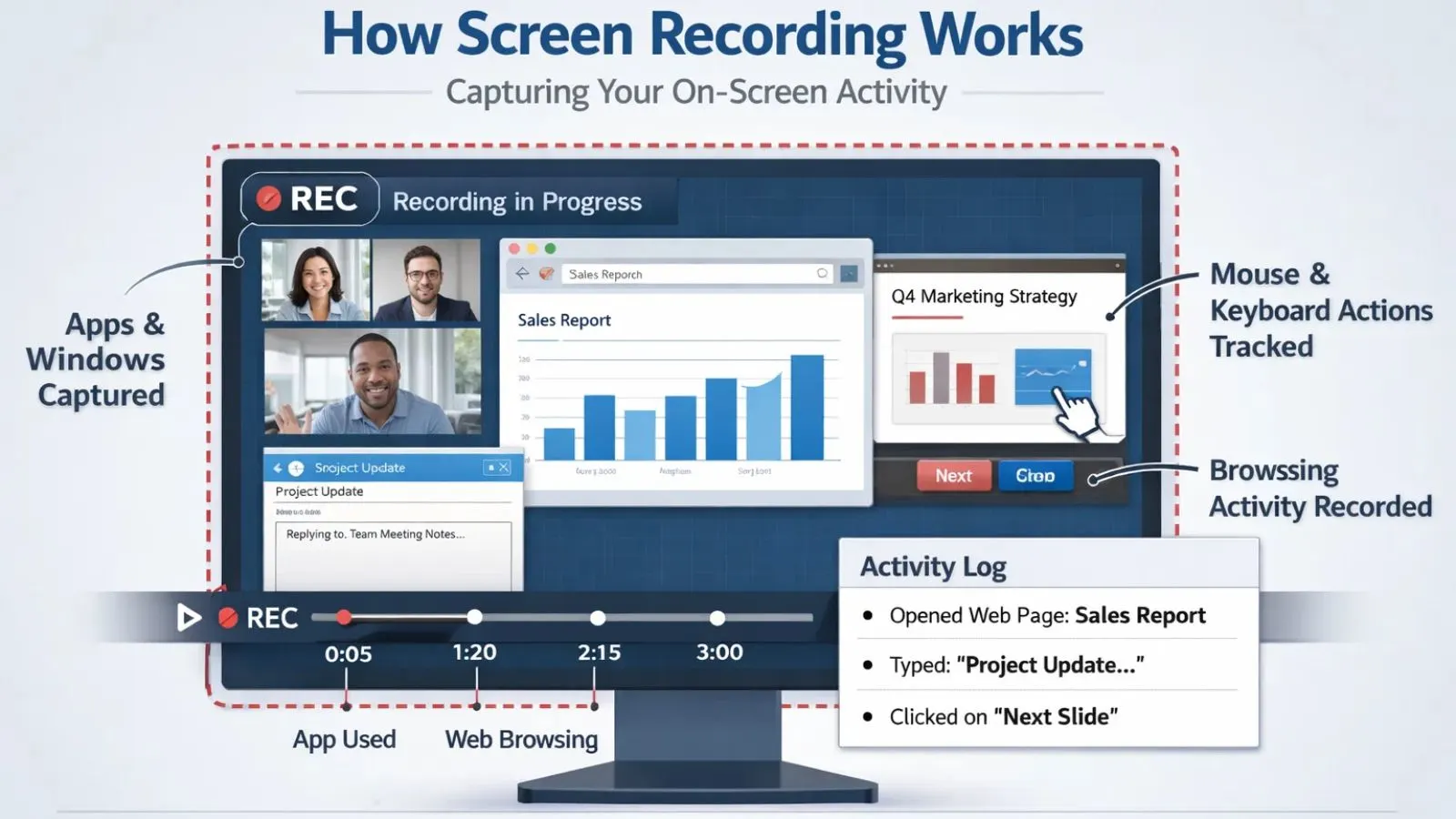
Screen recording is the process of capturing everything happening on a computer or device screen, including applications, browser activity, and user interactions. In a business context, it goes beyond simple video capture—it provides a clear record of how employees perform their tasks, helping managers understand & improve workflows, productivity, and potential issues.
Unlike standard screen recordings used for tutorials or software demos, employee screen recording focuses specifically on monitoring work-related activities. This type of recording can track the applications employees use, websites they visit, and even their keystrokes, depending on the software features. Such detailed monitoring supports digital forensics investigations, audits, and compliance efforts, making it an essential component of modern employee monitoring software.
Why Businesses Need Employee Screen Recording?
Businesses of all sizes are recognizing the value of screen recording as part of their employee monitoring strategy. It’s not just about overseeing employees—it’s about improving productivity, protecting sensitive information, and ensuring compliance.
- Boost Productivity and Accountability
With employee screen recording, managers can see how employees spend their work hours, identify bottlenecks, and recognize high-performing team members. This transparency encourages accountability while providing actionable insights for optimizing workflows. - Protect Sensitive Company Data
Data breaches and accidental leaks can be costly. Screen recording allows companies to monitor activity on devices handling confidential information. Employee screen capture helps detect unauthorized sharing of data and prevent potential security risks. - Support Digital Forensics and Compliance
In case of disputes, policy violations, or cyber incidents, screen recordings serve as a reliable record. They are invaluable for digital forensics, helping organizations investigate incidents accurately and meet regulatory requirements. - Manage Remote and Hybrid Workforces Effectively
As remote work becomes the norm, maintaining oversight is crucial. Employee monitoring software with screen recording features ensures that remote teams stay productive without intrusive supervision, allowing managers to focus on results rather than micromanaging.
Key Features of Employee Screen Recording Software
Modern employee screen recording tools offer a range of features designed to help businesses monitor productivity, ensure security, and support compliance. Understanding these features can help companies choose the right solution for their workforce.
- Real-Time Screen Capture
This feature allows managers to view employee activity as it happens, providing instant insights into workflows and task completion. Real-time monitoring helps identify potential issues before they escalate. - Activity Tracking and Logs
Comprehensive logs record application usage, website visits, and task durations. These detailed records make it easy to analyze productivity patterns and identify areas for improvement. - Alerts and Notifications
Some software can trigger alerts for suspicious behavior, policy violations, or prolonged inactivity. These notifications help managers act quickly to prevent errors or security risks. - Reporting and Analytics
Advanced reporting tools provide visual dashboards and detailed analytics. Businesses can track performance trends, generate productivity reports, and make data-driven decisions. - Integration with Employee Monitoring Tools
Many screen recording solutions integrate seamlessly with broader employee monitoring software, allowing organizations to centralize data and streamline oversight. - Secure Storage and Privacy Controls
Reliable software ensures that screen recordings are stored securely, with access controls to protect sensitive information while maintaining privacy compliance.
When selecting employee screen recording software, it’s important to look beyond basic activity tracking. The right solution should support productivity, strengthen compliance, and improve security, without compromising employee privacy. A well-designed screen monitoring tool focuses on transparency, role-based access, and clear usage policies, ensuring that organizations maintain accountability while still respecting the personal boundaries of their workforce.
Employee Screen Recording and Digital Forensics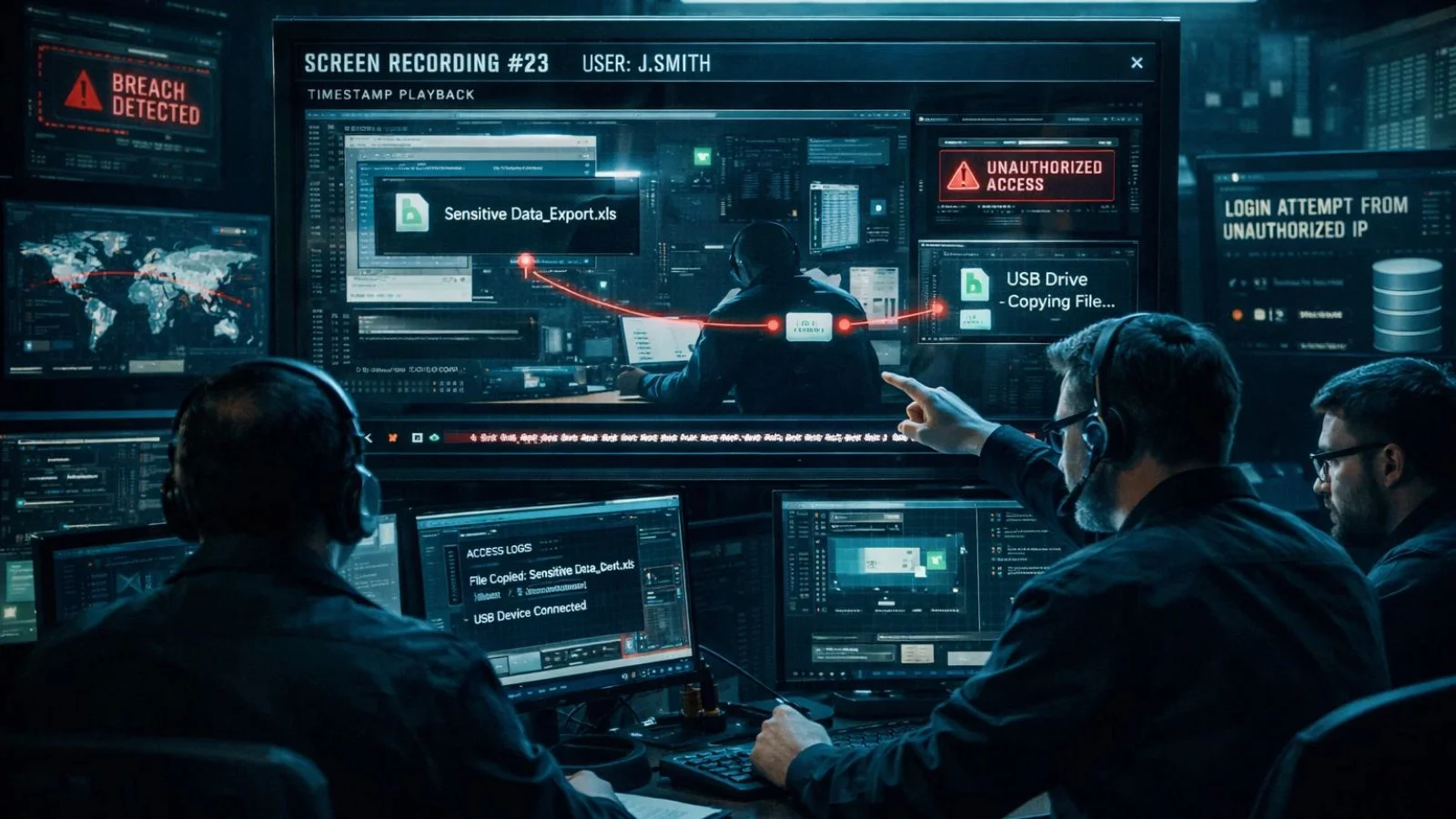
Employee screen recording plays a critical role in digital forensics by providing accurate and verifiable records of workplace activity. When incidents such as data breaches, policy violations, or suspicious behavior occur, screen recordings serve as evidence that can be analyzed to determine the cause and prevent future occurrences.
- Investigating Security Incidents
Screen recordings allow IT and security teams to trace unauthorized access, data leaks, or suspicious actions. By reviewing captured activity, organizations can identify the root of the problem quickly and take corrective measures. - Compliance and Audit Support
Regulated industries often require strict documentation of employee activity for compliance purposes. Screen recordings provide a transparent record that supports audits, internal reviews, and regulatory investigations. - Dispute Resolution
In cases of internal disputes, conflicts, or employee misconduct, screen recordings offer a factual account of events. This helps HR teams and management resolve issues fairly and efficiently. - Strengthening Workplace Security Policies
By analyzing patterns from employee screen capture, organizations can identify potential vulnerabilities or risky behaviors, allowing them to implement stronger policies and training programs.
Leveraging screen recording for digital forensics not only protects businesses from internal and external threats but also ensures accountability, transparency, and compliance across the organization.
Benefits of Using Employee Screen Capture
Implementing employee screen capture can bring significant advantages to businesses, from boosting productivity to enhancing security. Here’s why it has become an essential part of modern employee monitoring software.
- Improved Productivity and Accountability
Screen capture allows managers to monitor workflow, track task completion, and identify productivity gaps. Employees are more accountable when their work is visible, which often leads to higher efficiency. - Enhanced Data Security
By recording screen activity, companies can detect unauthorized access or sharing of sensitive information. Employee screen capture provides a safeguard against data breaches and helps maintain corporate security. - Simplified Performance Reviews
Screen recordings offer tangible evidence of employee work patterns and achievements. Managers can use this information to conduct more objective performance evaluations and provide targeted feedback. - Support for Remote Workforce Management
For remote teams, employee screen capture provides visibility into daily tasks without intrusive supervision. This ensures that employees remain productive while maintaining a sense of trust and autonomy. - Assistance in Digital Forensics
Screen recordings serve as a reliable source for investigations and compliance checks. They can help resolve disputes, track policy violations, and support digital forensics processes when necessary. - Training and Process Improvement
Recorded sessions can be repurposed for training new employees or refining existing workflows, helping teams learn from real-world examples and improve efficiency.
By integrating employee screen capture into monitoring practices, businesses can achieve a balance of accountability, security, and productivity that strengthens overall operations.
Choosing the Right Employee Monitoring Software
Selecting the right employee monitoring software is crucial for effectively implementing screen recording without disrupting workflows or compromising trust. The ideal solution should balance functionality, security, and ease of use.
- Key Features to Look For
When evaluating software, consider features like real-time employee screen recording, activity tracking, alerts for suspicious behavior, and reporting dashboards. Integration with existing tools can streamline monitoring and reduce complexity. - Security and Data Privacy
Ensure the software offers secure storage for screen recordings, encrypted data transfer, and customizable access controls. Protecting employee data while monitoring activity is essential for compliance and trust. - Ease of Use
User-friendly software ensures that both managers and employees can navigate the system without technical hurdles. Intuitive dashboards and clear reporting help teams quickly understand insights from screen recordings. - Scalability
Choose a solution that grows with your business. Whether you have a small team or a large organization, the software should accommodate increasing users and storage needs without performance issues. - Support for Compliance
If your industry has regulatory requirements, ensure the software supports compliance by maintaining accurate logs and enabling secure access to recordings for audits or digital forensics purposes.
By carefully evaluating these factors, businesses can select employee monitoring software that effectively leverages screen recording to enhance productivity, security, and accountability.
Best Practices for Screen Recording in the Workplace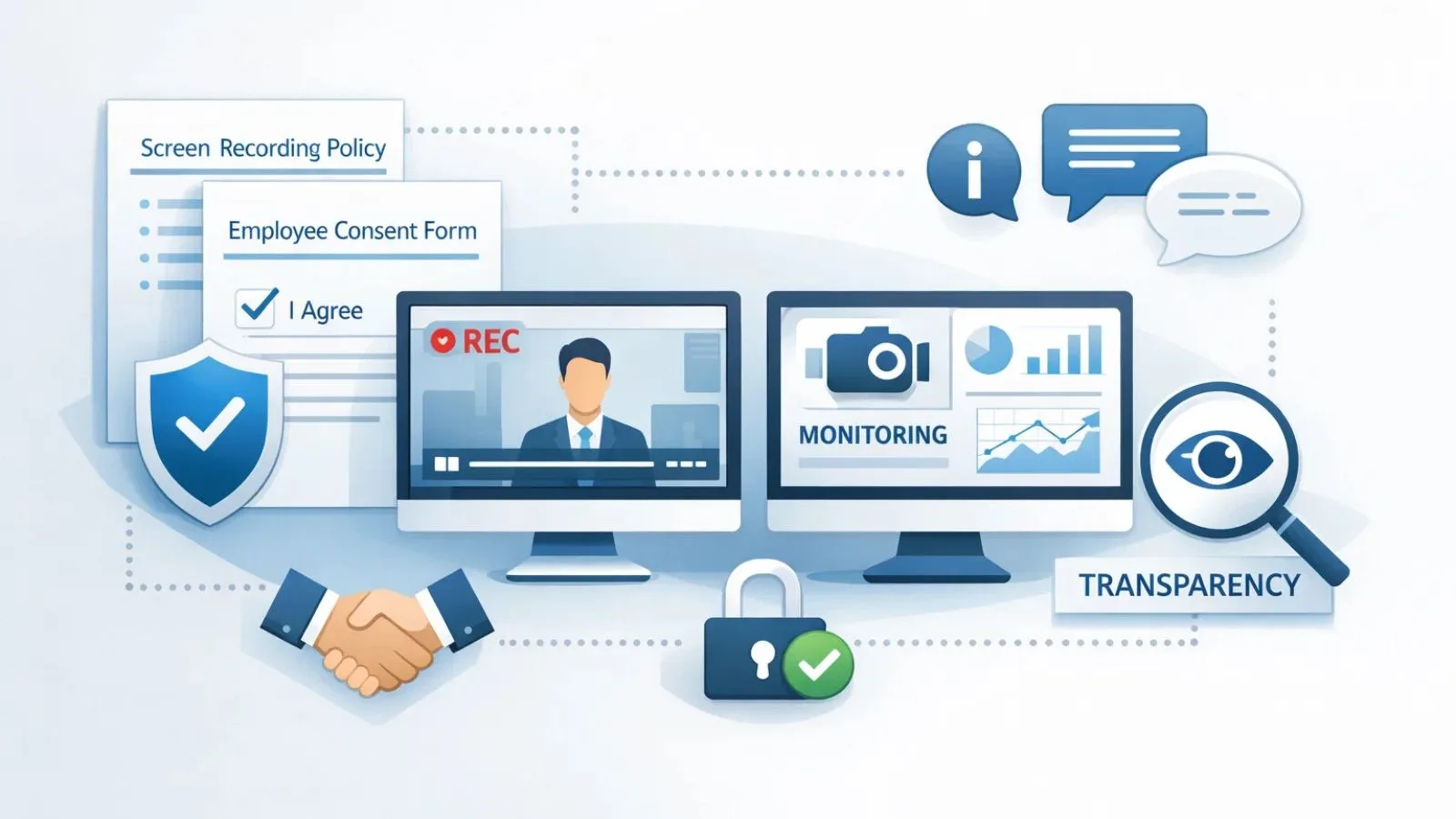
Implementing screen recording effectively requires balancing monitoring with employee trust and privacy. Following best practices ensures that organizations get the benefits of employee screen recording without creating a negative work environment.
- Be Transparent with Employees
Inform employees about the use of screen recording and its purpose. Transparency fosters trust and reduces concerns about privacy invasion. Clearly outline what is monitored and why. - Define Clear Policies
Establish comprehensive guidelines on screen recording usage, including when and how recordings will occur, what activities are monitored, and how the data will be used. Document these policies in your employee handbook. - Focus on Productivity, Not Micromanagement
Screen recording should help improve workflows and identify bottlenecks—not punish employees. Use recordings to provide constructive feedback, training, and support rather than for constant oversight. - Protect Privacy
Limit access to screen recordings to authorized personnel only. Ensure that data is stored securely and in compliance with relevant regulations. Respect personal spaces on devices whenever possible. - Use Recordings for Improvement
Leverage screen recordings to identify process improvements, optimize workflows, and train new employees. When used constructively, recordings benefit both the company and its workforce. - Regularly Review and Update Practices
As your organization evolves, periodically assess screen recording policies, technology, and practices to ensure they remain effective and aligned with company values and legal requirements.
Common Challenges and How to Overcome Them
While screen recording offers numerous benefits, businesses may face challenges when implementing employee monitoring software. Understanding these challenges and addressing them proactively ensures a smooth adoption process.
- Employee Privacy Concerns
Many employees may feel uneasy about being recorded. To overcome this, maintain transparency by communicating the purpose, scope, and limits of employee screen recording. Clear policies and open discussions help build trust. - Resistance to Monitoring Tools
Some employees may perceive monitoring as micromanagement. Focus on using screen recording for productivity improvement, training, and security rather than constant oversight. Highlight the benefits to both employees and the organization. - Data Storage and Security Issues
Storing large volumes of screen recordings securely can be challenging. Ensure the software provides encrypted storage, secure access controls, and compliance with data protection regulations. - Integration with Existing Systems
Screen recording software must work seamlessly with other tools and systems. Evaluate integration capabilities beforehand to avoid workflow disruptions and technical difficulties. - Managing Remote or Hybrid Teams
Monitoring remote employees can be complex without the right tools. Using employee screen recording within comprehensive monitoring software allows managers to oversee workflows effectively while maintaining trust and autonomy.
By addressing these challenges with clear policies, proper technology, and employee engagement, businesses can maximize the benefits of screen recording while minimizing concerns.
EmpCloud: A Complete Solution for Employee Screen Recording
EmpCloud provides a suite of workforce management tools along with employee monitoring software- EmpMonitor, designed to simplify screen recording while supporting productivity, security, and compliance. It provides businesses with a reliable platform to capture and analyze employee activity without disrupting workflows.
Key Features of EmpCloud:
- Real-Time Employee Screen Recording
EmpCloud allows managers to monitor activities as they happen, providing instant insights into workflows and task progress. - Detailed Activity Logs
The software records application usage, websites visited, and active work time, offering a complete picture of employee performance and productivity. - Alerts and Notifications
EmpCloud can automatically notify managers about suspicious behavior or policy violations, helping prevent security risks before they escalate. - Secure Storage and Access Control
All screen recordings are securely stored with encrypted access, ensuring sensitive data remains protected and compliant with privacy regulations. - Reporting and Analytics
EmpCloud provides visual dashboards and comprehensive reports to help managers track performance trends, optimize workflows, and make data-driven decisions. - Seamless Integration
EmpCloud integrates smoothly with other monitoring tools and IT systems, making it easy to incorporate into existing workplace infrastructure.
While you know, EmpCloud’s powerful screen recording and employee monitoring capabilities, it’s important to understand that EmpCloud is more than just a monitoring tool. It’s a complete workforce management suite designed to simplify and strengthen every stage of the employee lifecycle.
EmpCloud covers everything from onboarding and attendance management to HR administration, performance and career development, rewards and recognition, payroll processing, and seamless offboarding.
This all-in-one platform not only helps you monitor activities for productivity insights—but also supports compliance, enhances security, and fosters accountability—all while maintaining respect for employee privacy through transparent policies and secure access controls. No matter whether you’re streamlining HR operations, nurturing talent, or managing payroll, EmpCloud empowers your organization to operate more efficiently and confidently.
Also Read,
How To Do List Ideas Can Improve Workflows?
Conclusion
Screen recording has become an essential tool for businesses aiming to enhance productivity, ensure security, and maintain compliance. By capturing employee activity through employee screen recording and employee screen capture, organizations gain valuable insights into workflows, detect potential risks, and support digital forensics when needed.
When implemented thoughtfully, screen recording fosters transparency and accountability without undermining trust. Coupled with robust employee monitoring software, it allows managers to optimize performance, protect sensitive information, and effectively manage remote or hybrid teams.
Investing in the right solution ensures that businesses can leverage the full benefits of screen recording—from productivity tracking to compliance support—while maintaining ethical and secure monitoring practices.
FAQ’s
1. Is employee monitoring legal?
Yes, employee monitoring is legal in most regions if it is conducted transparently and in accordance with local labor laws. Businesses should inform employees about monitoring practices and the purpose behind them.
2. Can screen recording be used for digital forensics?
Absolutely. Screen recordings provide a verifiable record of employee activity, which can be used in investigations, audits, or resolving disputes. This makes them a valuable tool for digital forensics.
3. How does employee screen capture improve productivity?
By tracking workflows and task completion, screen capture helps managers identify inefficiencies, recognize high-performing employees, and provide targeted feedback, ultimately boosting overall productivity.
Quick Search Our Blogs
Type in keywords and get instant access to related blog posts.

