

Forty percent. That’s the share of small businesses fined for payroll mistakes in any given year. Most HR leads assume their payroll is fine right up until the penalty notice lands. The failure rarely starts in payroll itself. It starts three steps earlier — in attendance data. Fix the data pipeline and you fix payroll. Leave it broken and no payroll engine in the world saves you.
The typical small HR team runs attendance tracking in one place, leave approvals in another, and payroll calculations in a third. By the time a number moves from a biometric punch to salary disbursement, people have manually touched it at least twice. Each hand-off creates an opportunity to drop hours, miscategorize overtime, or miss a late-approved leave request in the pay run.
That’s not a payroll problem. That’s a data pipeline problem wearing a payroll penalty.
In a hurry? Listen to the blog instead!
The Fragmentation Tax
IRS data cited by NAWBO confirms that 40% of small and medium-sized businesses are fined for failing to deposit withholdings, miscalculating taxes, or submitting incorrect filings. The leading causes are not deliberate errors. They are process gaps — the kind created by fragmented systems and manual reconciliation under deadline pressure.
Consider what a small HR team actually does on payroll cut-off day. Someone pulls an attendance export. Someone else reconciles approved leaves. A third person checks overtime logs. Then someone manually enters the reconciled totals into the payroll tool. Each step captures a snapshot from a different moment in time. If an employee submitted a late leave request, or a field worker’s geo-log didn’t sync, nobody catches it until an employee complains or an audit surfaces the discrepancy.
Meanwhile, outdated methods and manual processes remain the primary driver of small business payroll failures — not complexity in tax law, not payroll engine bugs. The inputs going into the engine are dirty. That’s the problem worth solving.
The Three Mistakes That Create the Gap

payroll-errors
1. Treating Attendance and Payroll as Separate Domains
Most small HR teams inherited this structure: attendance is an operations problem, payroll is a finance problem. So they sit in different tools, managed by different people, synced on a schedule that is almost always too slow.
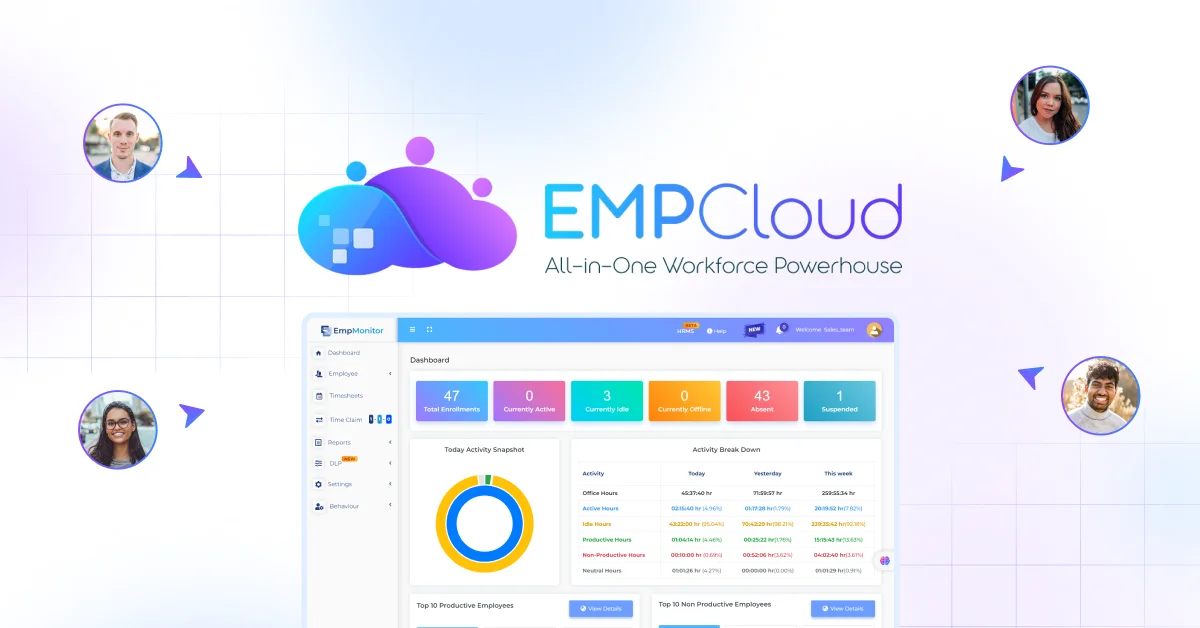
The fix is architectural, not procedural. When EMPCloud‘s face recognition biometric attendance and payroll module share the same data layer, there is no export, no manual entry, no reconciliation step. A clock-in is a payroll input. An approved leave is immediately reflected in the period’s net hours. The pipeline is live, not batched.
That matters most for field teams. Geo-location tracking data — where an employee was, when, and for how long — feeds directly into the hours calculation without a supervisor needing to manually vouch for it. For telecom companies managing field engineers across multiple regions, or NBFCs with distributed compliance requirements, this is where payroll close changes character. Instead of a supervisor emailing in attendance corrections the morning of cut-off, the system already holds the verified geo-record. The reconciliation step simply disappears. We’ve written more about how biometric attendance directly drives payroll error rates if you want the full mechanism.
The cost of not fixing this is measurable. Manual timesheet processing for a 50-person team runs approximately $13,000 per year in admin time and error correction — more than 13× the annual cost of automated attendance software. That’s not a technology investment. That’s a cost reduction with a paper trail.
2. Approving Leave Without a Payroll Timestamp
Here’s a scenario that plays out constantly. A manager approves a leave request on the 28th of the month. Payroll runs on the 29th. The approval exists in the leave system but hasn’t propagated to the payroll calculation. The employee gets paid for a day they were on approved leave. That overpayment needs to be clawed back — awkward, a potential wage violation under the Fair Labor Standards Act or its jurisdiction-specific equivalent, and completely avoidable.
The mechanism that prevents this is not a reminder email. It’s a single source of truth where leave approval triggers an immediate update to the payroll period’s available hours. Attendance and leave state need to be in sync at the exact moment of calculation — not within 24 hours, not at the next scheduled export. At calculation time. The timing gaps between leave approval and payroll cut-off are where exposure accumulates fastest for teams running three separate tools in parallel.
3. Running Payroll Without an Audit Trail
Small HR teams often can’t answer this question: “Why did this employee’s pay change between last month and this month?” Not because they’re negligent — because the data that would answer it lived in three places, and one of those places doesn’t have a change log.
Audit trails are not just a nice-to-have. In a compliance context, being able to reconstruct a calculation is what separates a defensible process from an expensive one. Which attendance records fed in, which leave adjustments applied, which overtime rule triggered — all of it needs to be traceable. When every biometric punch is timestamped and attributed at source, the audit trail writes itself. When it isn’t, someone reconstructs it from memory and email threads under examination pressure.
Ready to see how EMPCloud handles all three? Explore plans and pricing →
What “Automated” Actually Requires
HR technology vendors love the word “automated.” But automation only reduces errors when it covers the full chain — not just the final calculation step. Automate the payroll calculation while still manually entering attendance data and you’ve left the most error-prone part of the process untouched.
The practical checklist for a small business evaluating payroll software exposure:
- Is attendance data flowing into payroll without a manual export step? If someone downloads a CSV at any point in the process, that’s a gap.
- Does a leave approval immediately update the payroll period? Same-day propagation is the benchmark. Anything slower creates timing risk.
- Can you reconstruct any pay calculation from source records? If the answer requires emails or memory, the audit trail is insufficient.
- Do overtime rules run automatically through the system instead of relying on a person? Manual overtime calculation is where most arithmetic errors — and most compliance exposure — live.
The Smart SQL Moment That Changes Small-Team Auditing

Small HR teams often lack a dedicated analyst. This is where EMPCloud’s Smart SQL natural-language analytics tool earns its place — not as a vague “AI capability,” but as a specific time-saver at audit time.
Here’s how it actually works. You type: “Show me every employee whose paid hours exceeded their contracted hours in July.” The tool queries across attendance records, leave approvals, and payroll data simultaneously and returns a table of flagged records — names, dates, the specific hours delta, and the leave category involved. No SQL. No analyst. No pivot table built at 11 p.m. before a board meeting.
The same query pattern applies to compliance checks: “Which employees in the field team had unverified geo-location entries last month?” or “Show me any leave approvals processed after payroll cut-off in Q2.” Running the same checks manually — pulling attendance exports, cross-referencing leave approvals, building a pivot table from three separate systems — routinely consumes half a day of HR capacity before payroll close. Smart SQL collapses that to under 10 minutes. The hours recovered go back into work that actually requires human judgment: resolving disputes, managing exceptions, keeping managers informed.
The 41 AI tools spanning EMPCloud’s modules exist precisely for this: turning the questions you’re afraid to ask into routine checks you run before every pay run, not after.
The Cost of Doing Nothing
The IRS penalty data doesn’t just confirm that 40% of small businesses face payroll fines. It arrives on top of correction costs — the average payroll error costs $291 to fix, and the average business corrects 15 issues per pay period. That math compounds fast.
The fines are the visible cost. The invisible cost — reconstructing records, responding to queries, reprocessing corrections — doesn’t come back. Remediation work expands to fill whatever time is available. A single audit finding can consume weeks of HR capacity that no one budgeted for. The root cause is always the same: data that existed in disconnected systems, reconciled manually, under deadline pressure.
EMPCloud is used across 15+ countries, managing 50,000+ employees across 200+ companies — in IT, telecom, and NBFC sectors where payroll compliance pressure is not abstract. Jurisdictions differ. Penalty structures differ. The root cause of payroll errors does not.
Fix the pipeline first. The payroll engine is the last thing that needs attention.
Ready to close the gap between attendance data and payroll accuracy? Start your free 15-day EMPCloud trial and see how integrated biometric attendance, leave management, and payroll work as a single system — no manual reconciliation required.
FAQs: –
1. Why do payroll errors start with attendance data?
Payroll depends on accurate attendance, overtime, leave, and work-hour records. When HR teams transfer this data manually between systems, errors can enter before payroll calculations even begin.
2. How does biometric attendance reduce payroll errors?
Biometric attendance records employee clock-ins and clock-outs directly, reducing buddy punching, manual data entry, and inaccurate timesheets. When attendance connects directly with payroll, verified hours can flow into salary calculations without manual reconciliation.
3. Can attendance management software integrate with payroll?
Yes. Modern attendance management systems can connect attendance, leave, overtime, and work-hour data with payroll. This creates a single data flow and reduces the need for CSV exports, spreadsheets, and manual reconciliation.
4. How can small businesses prevent payroll mistakes?
Small businesses can reduce payroll errors by connecting attendance and payroll, synchronising leave approvals in real time, automating overtime calculations, and maintaining a complete audit trail for every payroll-related change.
5. What is the best way to audit payroll before processing salaries?
Start by checking attendance anomalies, overtime, leave approvals, missing records, and changes made after payroll cut-off. An integrated HRMS with natural-language analytics can query these records together and flag exceptions before payroll is processed.
Quick Search Our Blogs
Type in keywords and get instant access to related blog posts.

