

The calculation is almost never the problem. After years watching HR teams chase payroll errors, the most consistent finding is this: by the time numbers hit the payroll engine, the damage is already done. The error source is upstream — in attendance records, leave approvals, and the joiner/leaver/change data that feeds payroll before any arithmetic begins.
A 2025 global payroll compliance report found that the most frequent root cause of cross-border payroll errors is upstream data change failures — joiners, leavers, and salary changes — rather than gross-to-net calculation errors. That should reframe how every HR team diagnoses a “payroll problem.”
What Actually Feeds a Payroll Run
Strip payroll to its skeleton. Five data columns determine whether a run is accurate: employee name, date, check-in time, check-out time, and leave category. Every downstream calculation — overtime, deductions, shift differentials, compliance withholdings — flows from those five fields being correct and present.
The six-step chain that connects raw records to employee payslips runs like this: load employee records, sync attendance daily, run salary checks, apply compliance updates, create the final payout, then let employees access their payslips. The chain looks clean on a flowchart. It falls apart at the sync step, almost every time.
The Three Failure Modes No One Mentions at Implementation

The Leave Approval Gap
An employee is absent. Their leave request was submitted but not formally approved before the payroll cut-off. The system codes them as unpaid absent by default. Fixing it afterward requires manual reclassification and reprocessing — but the error has usually already reached the employee’s payslip before anyone catches it. The employee gets a wrong pay packet. The correction takes time. Trust erodes a little.
This happens constantly. Not because HR is careless, but because the leave module and the payroll module are often separate systems with no automated handoff enforcing approval-before-cut-off logic.
The Field Worker Reconciliation Problem
A field technician clocks in via a mobile app. That app isn’t connected to the central HRMS. Their attendance is invisible to payroll until someone manually pulls the data and reconciles it. Under deadline pressure, that manual reconciliation almost never happens cleanly. The worker’s hours get estimated, approximated, or dropped. Telecom companies managing field engineers across multiple regions and NBFCs with distributed compliance requirements feel this acutely — sectors where precision isn’t optional.
The Two-Vendor Data Schema Problem
Many organizations buy biometric terminals from one vendor and HR software from another. The result: HR exports a file, cleans it, maps columns manually, then imports it into payroll. Every manual touch is a place where a formula breaks, a row gets dropped, or a rounding rule gets misapplied. It’s not a one-time migration problem — it happens every payroll cycle. The named failure mode here is structural, not occasional, and it scales badly as headcount grows.
The Scale of What’s at Stake
These aren’t edge cases. Time and attendance errors occur at a rate of 1,139 incidents per 1,000 employees — meaning the average company has more attendance errors than it has employees in any given period. Manual timesheet processing for a 50-person team runs approximately $13,000 per year in admin time and error correction alone — more than 13× the annual cost of automated attendance software. Buddy punching, one of the simpler manipulation vectors, costs U.S. employers roughly $11 billion a year.
Zoom out further: multi-state payroll errors rose 38% year-over-year in 2025, driven largely by remote work complexity. Mid-market companies expanding internationally commonly end up running three to eight distinct payroll providers across countries, each with its own data schema, each requiring manual reconciliation. The problem compounds at every boundary.
Why Biometric Attendance Alone Doesn’t Solve It
Face recognition attendance is worth implementing. But it introduces its own failure modes if the data flow isn’t thought through. Recognition speed degrades under load: 0.6 seconds per person at 50 enrolled users slows to 1.8 seconds per person at 500 users on the same hardware — a 3× slowdown. At a shift change with 600 employees moving through three entry gates, that degradation creates a real queue problem, not a theoretical one.
Then there’s the compliance layer. Illinois BIPA requires informed written consent, a posted retention policy, and strict limits on data sharing. EU GDPR Article 9 classifies biometric data as a special category requiring a clear lawful basis before processing. SOC 2 certification is the minimum checkpoint when evaluating any biometric vendor. These aren’t bureaucratic checkboxes — a misstep in any of them creates liability that dwarfs any payroll savings.
The answer isn’t to avoid biometric attendance. It’s to ensure the terminal vendor and the HRMS are the same system, or are deeply integrated enough that the manual export-clean-import cycle disappears entirely.
What Changes When the Chain Is Unified

Data from 50+ enterprises using AI-powered HRMS shows a 60% reduction in payroll processing time — from five to seven days down to under two hours. Statutory compliance accuracy reaches 95%, versus 75–80% with manual systems. Those numbers aren’t from magic; they’re from eliminating the manual steps between data capture and payroll execution.
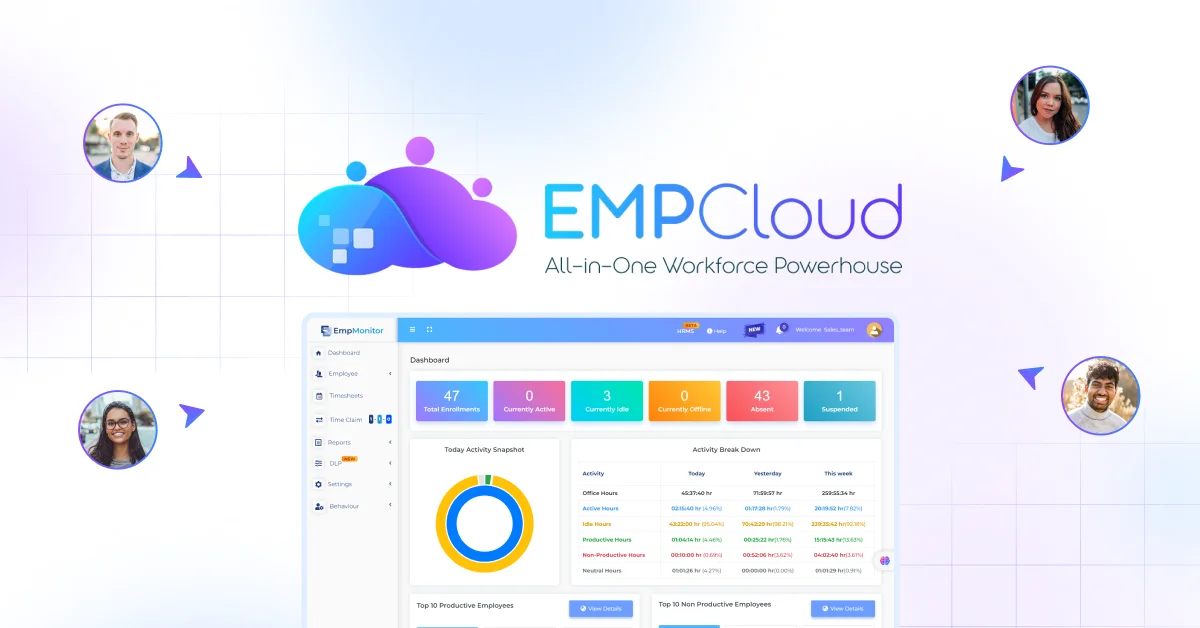
EMPCloud is built around this idea. The face recognition biometric attendance module, geo-location tracking for field workers, leave management, and payroll processing share a single data layer — no export, no column mapping, no manual reconciliation. The platform’s OAuth2/OIDC authorization layer with SSO, RBAC, and multi-tenant isolation means the same employee record that captures an attendance event is the one that feeds the payroll run, with no intermediate file to corrupt the handoff.
The 41 AI tools across 7 providers include a Smart SQL natural-language analytics tool that lets HR ask plain-English questions pulling simultaneously from attendance, leave, payroll, and performance data. A payroll manager can ask “show me everyone whose leave wasn’t approved before this cycle’s cut-off” in the same interface they use to run payroll — before the run executes, not after.
Teams using disconnected tools at 200-person sites report dozens of disputes per month traced directly to manual attendance reconciliation. The disputes aren’t about the payroll engine getting the math wrong. They’re about the data that fed the engine being wrong before calculation ever began.
A Practical Pre-Rollout Checklist
Before any attendance-to-payroll integration goes live, work through these specifically:
- Map the five columns. Confirm that employee name, date, check-in time, check-out time, and leave category all flow from the attendance system to payroll without a manual step.
- Test the leave approval gate. Verify that an unapproved leave request triggers a hold or alert before payroll cut-off — not a default “unpaid absent” coding discovered after the fact.
- Pilot for two to four weeks and measure exception volume. If manual exception fixes consume more than one hour per day during the pilot, the integration isn’t ready for full rollout. Resolve it before scaling.
- Audit field worker data paths. Every check-in method — terminal, mobile app, geo-location — must write to the same record that payroll reads. Any method that doesn’t is a future dispute in waiting.
- Check biometric vendor compliance documentation. Confirm SOC 2 certification, a documented data retention policy, and jurisdiction-specific consent mechanisms before deployment.
The payroll run at the end of the month is a symptom report. The health of the data pipeline feeding it is the actual subject. Fix the pipeline and the payroll run mostly takes care of itself. For more on how systematic prevention reduces recurring payroll errors, and how unified HRMS platforms handle payroll alongside performance reviews, those are the questions worth answering before the next cut-off date arrives.
EMPCloud currently manages 50,000+ employees across 200+ companies in 15+ countries. Pricing starts at $4.66/user/month and drops to $3/user/month at scale. There’s a 15-day free trial to evaluate attendance, payroll, and the AI tooling that connects them — before committing to anything.
Quick Search Our Blogs
Type in keywords and get instant access to related blog posts.

