
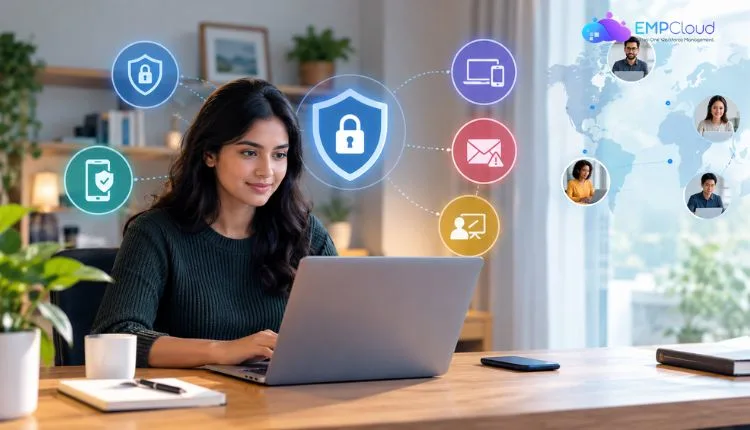
Remote work has moved from a temporary arrangement to a permanent fixture in how companies operate. Employees now log in from home offices, coffee shops, co-working spaces, and airport lounges, connecting to company systems through whatever network happens to be available. This shift has given workers flexibility, but it has also stretched the boundaries of what businesses need to protect. A company’s network used to end at the office walls. Now it extends to every laptop, phone, and home router an employee uses.
That expanded perimeter creates real exposure. Unsecured home networks, shared devices, and public Wi-Fi all present opportunities for data interception or unauthorized access. Businesses that once relied on office firewalls and physical security now have to think about protecting information across dozens or hundreds of separate locations they don’t control. Building a security strategy for this reality requires a combination of tools, policies, and habits that work together rather than any single fix.
Establishing Secure Connections for Distributed Teams
The first and most practical step for protecting remote employees is encrypting the connection between their devices and company systems. A business vpn creates a private, encrypted tunnel that shields data as it travels across the internet, making it far harder for anyone monitoring a network to read what’s being sent. This matters most when employees connect from networks the company has no control over, such as home internet or public hotspots at cafes and airports.
Without this kind of protection, data sent over an open network can potentially be intercepted, especially on public Wi-Fi where anyone else connected to the same network might be positioned to capture unencrypted traffic. A VPN addresses this by routing traffic through an encrypted channel before it reaches its destination, so even if someone intercepts the data, it appears as scrambled information rather than readable content. This is particularly relevant for employees who travel frequently or split their time between multiple locations.
Beyond encryption, business VPN services typically give IT administrators visibility and control that consumer VPN products don’t offer. Companies can manage which employees have access, set rules for which resources are reachable, and monitor connection activity across the organization. This level of control turns the VPN from a simple privacy tool into a piece of infrastructure that supports the company’s broader security policies.
Verifying Identity Beyond a Single Password
Passwords alone have never been a strong line of defense, and remote work makes their weaknesses more apparent. An employee’s password can be guessed, stolen through phishing, or reused across multiple accounts, and once compromised, it can give an attacker the same access as the legitimate user. Multi-factor authentication addresses this by requiring a second form of verification, such as a code sent to a phone or generated by an authentication app, in addition to the password itself.
This extra layer matters more for remote employees because there’s no office network or physical presence to serve as an implicit check. In a traditional office, someone attempting to access a system from an unfamiliar device might be noticed by IT staff or colleagues. Remote work removes those informal safeguards, so technical verification has to fill the gap. Many businesses now treat multi-factor authentication as a baseline requirement rather than an optional add-on.
Setting this up doesn’t require deep technical expertise from employees. Most authentication apps simply generate a rotating code every thirty seconds, and the login process takes only a few extra moments. The inconvenience is minor compared to the protection it provides, particularly for accounts tied to financial systems, customer data, or internal communications.
Managing the Devices Employees Actually Use
Remote work often means employees use their own laptops and phones for work tasks, blurring the line between personal and professional devices. This creates a challenge for IT teams, since a device that isn’t owned or fully controlled by the company can still hold sensitive files, saved passwords, and access to internal systems. Device management tools give businesses a way to enforce security settings even on equipment they don’t physically possess.
These tools can require encryption on hard drives, enforce automatic screen locks, and push software updates that patch known vulnerabilities before they can be exploited. Outdated software is one of the more common entry points for attackers, since unpatched systems often contain flaws that have already been publicly documented. Keeping devices current closes those gaps without requiring constant manual oversight from employees themselves.
Device management also allows a company to remotely wipe data from a lost or stolen device, which matters more with remote work than it did when equipment rarely left the office. A misplaced laptop in a coffee shop or a phone left in a taxi can expose far more than the physical hardware. Having the ability to remove company data immediately once a loss is reported limits how much damage that single incident can cause.
Also Read
Smart Remote Work Policy Framework for Today’s Workforce
How to Choose the Best Remote Collaboration Tools (Without Drowning in Options)
Training Employees to Recognize Common Threats
Technology alone cannot cover every risk, since many security incidents begin with a person clicking a link or entering credentials into a fake login page. Phishing emails have grown more convincing over time, often mimicking real colleagues, vendors, or software notifications closely enough to fool someone moving quickly through their inbox. Remote employees, without a coworker nearby to double check a suspicious message, sometimes have to make that judgment call alone.
Regular training helps employees recognize the signs of a phishing attempt, such as mismatched sender addresses, urgent language pressuring quick action, or links that lead to unfamiliar domains. This training works best when it’s ongoing rather than a single onboarding session, since attackers constantly adjust their tactics and employees benefit from periodic reminders. Some companies run simulated phishing tests to see how staff respond, using the results to identify where additional guidance is needed.
Clear policies also help employees know what to do when something looks wrong. A simple, well-communicated process for reporting suspicious emails or unusual account activity means threats get flagged and addressed quickly rather than ignored out of uncertainty. This kind of preparedness reduces the window of time an attacker has to act once they’ve gained initial access.
Building a Security Culture That Lasts
Securing a remote workforce is not a project with a fixed endpoint. It’s an ongoing effort that combines encrypted connections, stronger identity verification, managed devices, and informed employees into a single approach. Each piece addresses a different point of vulnerability, and none of them work as well in isolation as they do together. Companies that treat remote security as a continuous practice, rather than a checklist completed once, are better positioned to adapt as new tools and new threats emerge.
Quick Search Our Blogs
Type in keywords and get instant access to related blog posts.

