
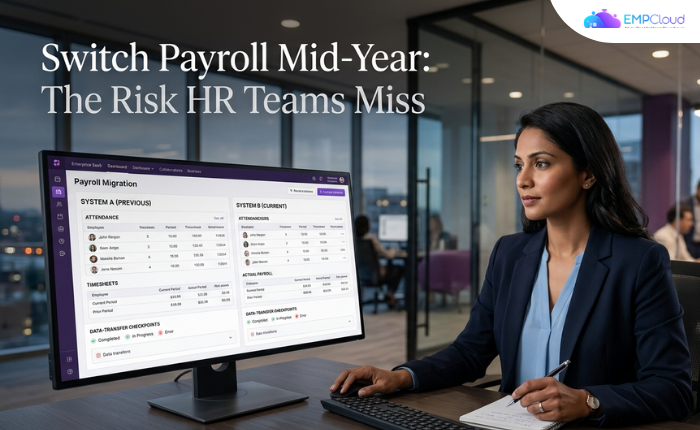
Most mid-year payroll switches fail before a single calculation runs. The new provider gets blamed. The real culprit is the data feeding it.
I’ve watched this play out enough times to call it a pattern. A company grows frustrated — limited reporting, manual spreadsheets patching integration gaps, compliance concerns nobody can fully answer. They find a better provider. They migrate in July or August. By October, they’re fielding agency notices and employee complaints about wrong paychecks. The gross-to-net engine is fine. The attendance records it ingested were garbage.
That’s the thing nobody tells you when you start evaluating payroll providers: the switch itself is the easy part. What you carry across is what kills you.
In a hurry? Listen to the blog instead!
Why Mid-Year Is a Minefield
Switching in January at least gives you a clean tax-year start. Mid-year doesn’t. A misapplied local tax rate, an outdated withholding form, or a missed state unemployment insurance rate change — none of these feel urgent in spring. By December they’ve compounded into W-2c corrections, penalty notices, and an HR team working through the holidays. Mid-year compliance gaps quietly become year-end disasters.
The four hardest challenges in mid-year payroll migrations are well-documented: data errors, multiple pay frequencies, complex processing rules, and tax compliance. Three of those four trace back to the same root cause — dirty upstream data.
A 2025 global payroll compliance report found that the most frequent root cause of cross-border payroll errors is upstream data change failures — joiners, leavers, and salary changes — rather than anything wrong inside the gross-to-net engine itself. The calculation layer took the blame for failures that started three steps earlier. Multi-state payroll errors rose 38% year-over-year in 2025, driven largely by remote work complexity.
The Six-Step Chain — and Where It Actually Breaks

Every payroll run follows the same logical sequence: load employee records → sync attendance daily → run salary checks → apply compliance updates → create final payout → employee payslip access. That second step — the daily attendance sync — is where the chain consistently breaks.
Each sync needs five clean data fields per employee per day: name, date, check-in time, check-out time, and leave category. Miss any one and the downstream calculation is wrong — not wrong by a rounding error, but wrong in a way that triggers disputes, corrections, and eventually regulatory exposure.
Time and attendance errors occur at a rate of 1,139 incidents per 1,000 employees — meaning the average company has more attendance errors than it has employees in any given period. Carry that into a new payroll system mid-year and you haven’t fixed your payroll problem. You’ve rehoused it.
Buddy punching alone costs U.S. employers roughly $11 billion a year. Manual timesheet processing for a 50-person team runs approximately $13,000 per year in admin time and error correction — more than 13× the annual cost of automated attendance software. These aren’t abstract figures. They’re the accumulated cost of attendance data that no payroll provider, however capable, can clean up on its own.
The Mistake: Fixing the Engine, Not the Fuel
When HR teams evaluate payroll providers, they compare calculation accuracy, tax table update frequency, reporting depth, and customer support response times. All legitimate. None of them address the attendance layer.
Here’s the uncomfortable truth: a best-in-class payroll engine fed bad attendance data will produce bad paychecks. A mid-tier engine fed clean, validated, automatically synced attendance data will produce correct ones. The fuel matters more than the engine’s horsepower.
This is why mid-market companies expanding internationally commonly end up running three to eight distinct payroll providers across countries, each requiring manual reconciliation. They solved the payroll problem in each market without solving the data-supply problem underneath it. The reconciliation overhead grows with every new provider they add.
Teams at 200-person sites without automated sync report dozens of disputes per month traced directly to manual attendance reconciliation. That’s not a payroll provider problem. That’s an architecture problem.
What the Pre-Switch Audit Actually Needs to Cover
Before you migrate — not after, before — audit your attendance data quality against these checkpoints:
- How are check-in and check-out times captured? Manual entry and badge swipes introduce different error types. Know which errors you’re carrying.
- How frequently does attendance sync to payroll? Daily automated sync is the baseline. Anything less creates reconciliation debt that compounds weekly.
- What happens when a record is missing? Is there an exception workflow, or does the gap silently propagate to the payroll run?
- Who resolves disputes, and how long does it take? If the answer is “the HR team, manually, over email,” that process will not improve by changing providers.
- Are leave categories correctly mapped? A half-day medical leave coded as absent in the attendance system becomes a deduction error in payroll. Mapping failures are invisible until they’re not.
If your biometric system is involved, add one more checkpoint. Face recognition terminal speed degrades from 0.6 seconds per person at 50 enrolled users to 1.8 seconds per person at 500 users on the same hardware — a 3× slowdown that creates real queue problems at shift changes. Hardware that worked fine at 80 employees may be your bottleneck at 300. Know this before the migration, not during it.
The Architectural Fix: One Data Layer, Not Two Systems
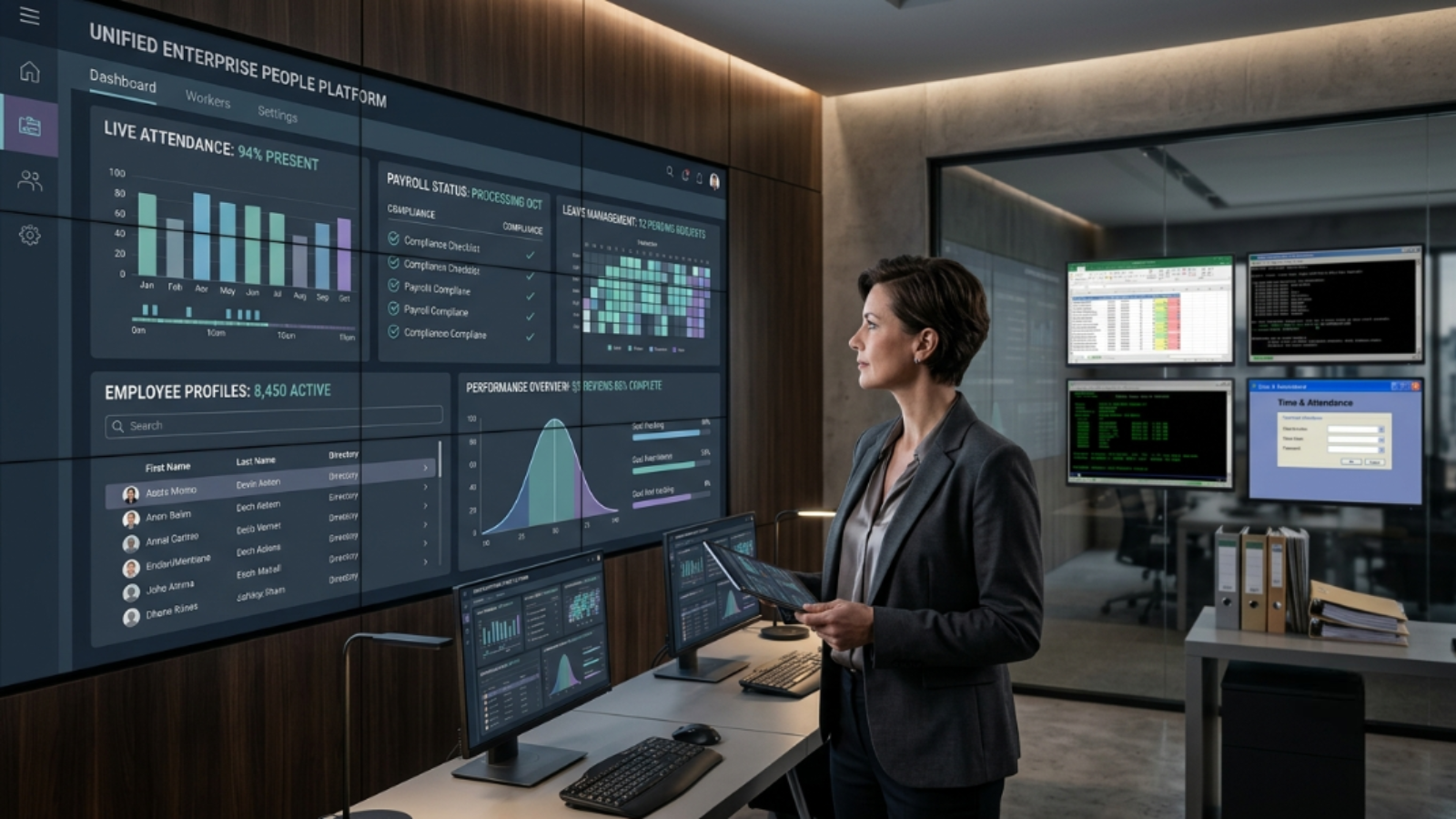
The cleanest solution to the mid-year migration problem is eliminating the integration point between attendance and payroll entirely. When both modules run on the same data layer, the sync step doesn’t fail because it doesn’t exist as a separate operation.
This is the practical case for unified HRMS over best-of-breed point solutions. Data from 50+ enterprises using AI-powered HRMS shows a 60% reduction in payroll processing time — from five to seven days down to under two hours. Statutory compliance accuracy reaches 95% on unified systems, versus 75–80% with manual processes. The gains aren’t from a better calculation engine. They’re from removing the data-handoff failure points.
EMPCloud is built on exactly this architecture — an OAuth2/OIDC authorization layer with SSO, RBAC, and multi-tenant isolation connecting attendance, leave, payroll, and performance on a single data layer. Face recognition biometric attendance, geo-location tracking for field workforces, and the payroll engine all read from the same record. There’s no export, no import, no manual reconciliation step where errors can enter. The Smart SQL natural-language analytics tool can pull data across attendance, leave, payroll, and performance in a single conversation — because the data was never siloed to begin with.
For sectors where this matters most — telecom companies managing field engineers across multiple regions, and NBFCs with distributed compliance requirements — the unified architecture isn’t optional. It’s the only way the data stays trustworthy across a distributed workforce.
If You Still Have to Switch Mid-Year
Sometimes the switch is unavoidable. The current provider is genuinely failing on compliance, or the contract window is now. If you’re committed, work through this sequence.
First, run a parallel payroll for at least one full cycle before cutover — two cycles if your pay frequencies are mixed. Discrepancies surface in parallel runs, not in production. Second, freeze your employee data on the day you begin migration and reconcile every leaver, joiner, and salary change against both systems before going live. Third, validate your tax year-to-date figures field by field. Prior payroll totals are the most common data loss point in migrations, and year-end W-2s are unforgiving.
If your attendance data quality fails the five-point audit above, fix that first. Run a one-to-four week pilot of automated attendance sync, with the benchmark that manual exception fixes should consume less than one hour per day. Payroll errors caught in a pilot cost a fraction of what they cost in production — especially mid-year, when every error has months of prior-period exposure attached to it.
The Honest Summary
Switching payroll providers mid-year is not inherently reckless. Switching without auditing the attendance layer first is. The calculation engines at reputable providers are largely reliable. The data you feed them is not. Fix the upstream source, or you’re not solving the payroll problem — you’re moving it to a new address.
The companies that get mid-year migrations right aren’t the ones with the most sophisticated new provider. They’re the ones who understood that payroll accuracy is an attendance data problem wearing payroll’s clothes.
If your team is evaluating whether a unified data architecture could eliminate the reconciliation risk entirely, start your free 15-day EMPCloud trial. See how attendance, leave, and payroll behave when they’ve never been separate systems to begin with.
Frequently Asked Questions: –
1. Can you switch payroll providers mid-year without causing tax or compliance problems?
Yes, but a mid-year payroll switch requires careful handling of year-to-date payroll data, employee records, tax information, and attendance history. The biggest risks often come from inaccurate or incomplete data entering the new system. A pre-migration audit and parallel payroll run can help identify problems before they affect employees or year-end reporting.
2. What payroll data needs to be migrated when switching providers mid-year?
A mid-year payroll migration typically needs employee information, salary and compensation data, tax details, year-to-date payroll totals, deductions, benefits, leave records, and other historical payroll information. Attendance and time data also need attention because incorrect check-in, check-out, or leave records can affect downstream payroll calculations.
3. Why does attendance data cause payroll errors after a provider switch?
Payroll systems calculate pay based on the data they receive. If attendance records contain incorrect hours, missing check-ins, incorrect leave categories, or other discrepancies, the new payroll system can produce inaccurate results even when its calculation engine works correctly. That makes the attendance layer an important part of any payroll migration audit.
4. What should HR audit before switching payroll providers mid-year?
HR should review how attendance is captured, how frequently it syncs with payroll, how missing records are handled, who resolves attendance disputes, and whether leave categories map correctly to payroll rules. HR should also validate employee records, salary changes, joiners, leavers, and year-to-date payroll figures before the migration goes live.
5. How can companies prevent payroll errors during a mid-year migration?
Companies can reduce migration risk by auditing upstream attendance data, validating year-to-date figures, freezing and reconciling employee data before cutover, and running at least one parallel payroll cycle. Automating the flow between attendance and payroll can further reduce manual reconciliation and data-transfer errors.
Quick Search Our Blogs
Type in keywords and get instant access to related blog posts.

