

Employee offboarding and exit management is the make-or-break moment for small teams in 2026. The right software pulls together knowledge transfer checklists, signed exit documents, and a clear audit trail so you can prove you did the right steps on the right dates. Start Free Offboarding Trial →
For context on the risk side, insider mistakes and misuse can lead to a data breach.
SHRM highlights the process gap, and federal guidance warns that smaller employers feel the pain because one oversight can affect a big chunk of the company. In short, the right tool pays for itself the first time it saves you from a miss. Final pay timing, device collection, HIPAA/PCI/privacy obligations for certain roles, and the sprawl of SaaS access mean even a single omission can cascade into fines, incident response, or costly rework, especially for lean teams without a full-time IT or HR staffer.

Why Small Businesses Can’t Afford to Wing the Offboarding Process
Offboarding software is a checklist with power. It lines up tasks across HR, IT, finance, and managers, then nudges each owner at the right time. For small teams, that matters because “someone will grab it” is not a plan. With employee offboarding and exit management in one place, you stop relying on memory and sticky notes.
Consider two real-world pain points. First, access creep. A 15-person startup misses one SSO app in the goodbye run. Two weeks later, that app still trusts the old login. As a result, you have both legal and security risk, and the fix now needs IT time you don’t have.
Second, pay compliance. A small retailer delays a final check by six days due to PTO payout math. The ex-employee files a complaint. Now you’re answering letters and paying a penalty.
In my experience, the hardest part is load-balancing the steps on a short runway. Once a resignation drops, you have about 10 business days to do it all. Therefore, the software must be practical. It should tie into your email suite, show who still owes a task, and lock sensitive access on a schedule you set.
Moreover, small teams need proof. You don’t want to dig through email to show “who did what, when.” A tool that logs each action protects you during audits and reduces back-and-forth.
- Access revocation with automatic integration for departures across Google Workspace or Microsoft 365 and your key apps
- Final pay calculation that handles benefits, remaining PTO, and reimbursements
- Protected record management with centralized storage and encryption
- Structured knowledge transfer with owners, review checkpoints, and publishing to a shared, searchable space
- Asset return workflows that track laptops, badges, credit cards, and peripherals with shipping labels and chain-of-custody notes
Pro tip: Use one standard exit sequence for resignations and terminations, then toggle the steps you don’t need. As a result, you gain speed and still cover the legal bases.
Ultimately, employee offboarding and exit management is risk control plus respect. You protect your systems and pay people right on time. You also leave the door open for boomerang hires, which matter a lot for small networks in 2026. Add a short, friendly goodbye script for managers and a 90-day alumni follow-up task to invite top performers to your talent community; the goodwill you bank now often returns as referrals or rehires.
To keep things grounded, many small teams follow a simple timeline:
- Day 0 (notice received): Launch the checklist; confirm last day; outline pay and benefits timelines.
- Day 1–3: Lock high-risk access; kick off knowledge handover; schedule exit interview; begin asset return steps.
- Day 4–7: Reassign responsibilities in your task/project tools; validate data ownership; prepare final pay details; draft separation docs.
- Last day: Collect remaining assets; capture signatures; disable remaining accounts; send a warm, clear wrap-up.
- Post-exit (Day 1–10): Confirm last payroll and benefits notices; revoke residual access in long-tail apps; archive records; update org charts and licenses.
Also Read!
Best Employee Offboarding Software for Small Businesses in 2026
How to Evaluate Offboarding Software in 6 Steps
You can tighten your process this week. Here’s a simple, honest framework I use. It keeps you focused on what small businesses need most from offboarding.
Step 1: Audit your current process
List every task that happens (or should happen) when someone leaves. For example, revoke email, remove SSO, turn in laptop, collect badges, pay out PTO, ship COBRA notices where relevant, reassign tasks, and run an exit interview. As a result, you’ll see the gaps fast. Add owners, SLAs, and proof required for each task so you know what “done” looks like.
Step 2: Define your non‑negotiables
For small teams, three must-haves are table stakes: automated access revocation, final paycheck calculation, and a compliance checklist with due dates. Therefore, any tool without these is a pass. If you handle sensitive data (health, finance, education), add role-based steps like data destruction attestations and confidentiality reaffirmations.
Step 3: Set a realistic budget
Most tools in this niche run about $0–$8 per user per month. Per-user pricing matters when you have 5–50 people because a $2 swing adds up across a year. In addition, check for a free tier if you’re under 10 employees. Ask about billing thresholds, implementation fees, and whether offboarding-only seats are discounted for contractors or seasonal staff.
Step 4: Check integrations
Your short list should work with your email suite (Google Workspace or Microsoft 365), payroll, and your task/project tools. Specifically, look for direct access controls plus SAML/SCIM or “directory sync,” so users come off everywhere with one action. Device management (MDM/EMM) links are a bonus if you issue laptops or phones, and webhooks help you trigger actions in your existing stack.
Step 5: Test the knowledge handover
Small teams can’t afford to lose “how to deploy X” or “where Client A’s files live.” Therefore, test how the tool prompts the leaver to document, assigns review owners, and tracks progress to done. Check that content is searchable, dated, and stored in the right space so the next person finds it in seconds, not days.
Step 6: Pilot on your next departure
Don’t lock into annual billing yet. Instead, run your next exit through the tool. Time each step. Then compare it to your last two exits. If you don’t save hours or reduce misses, keep looking. During the pilot, try a termination and a resignation scenario; you’ll learn where templates need branching and what approvals stall.
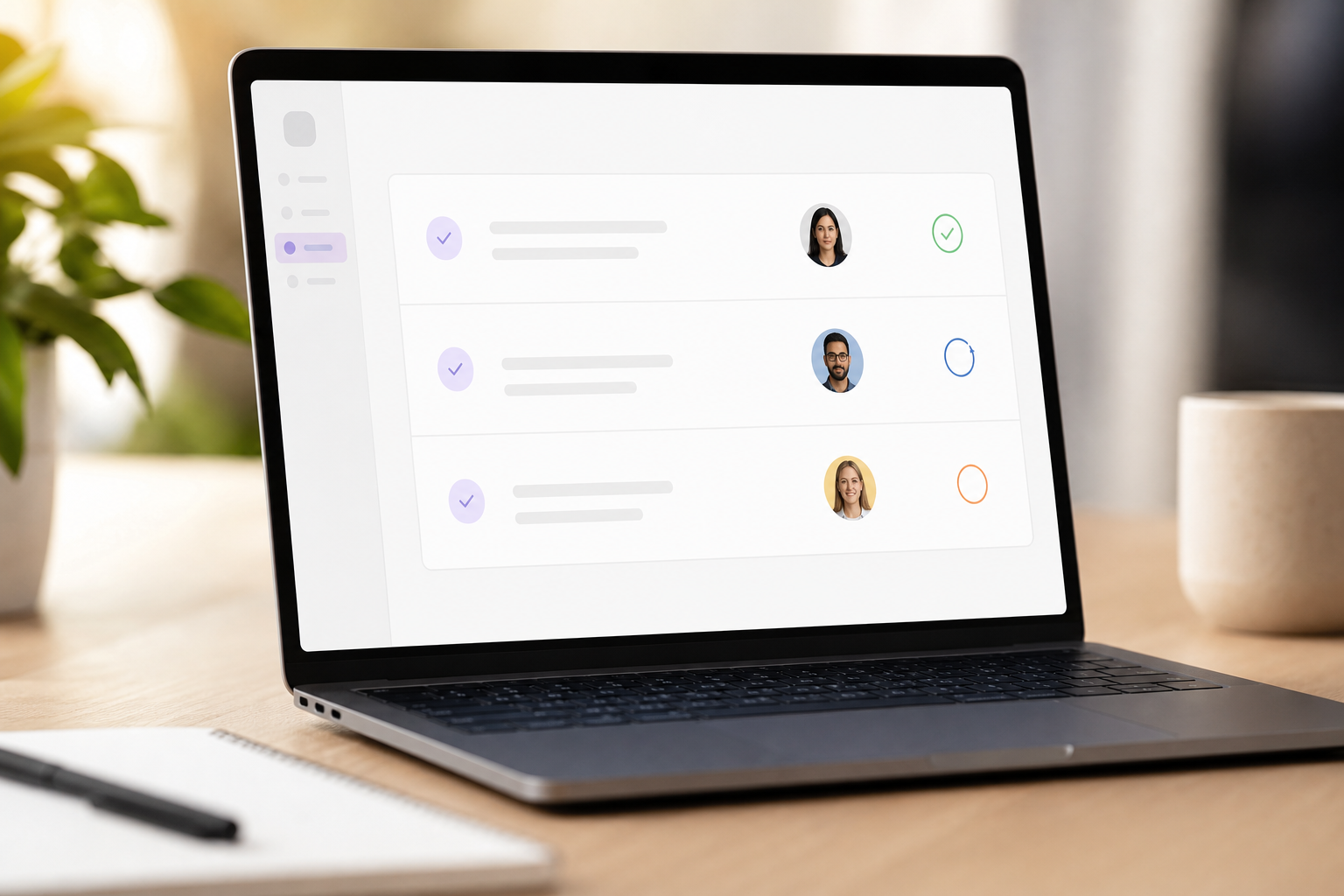 , due dates, and completion states; clean UI, accessible color palette)
Create a one-page comparison checklist you can print or screenshot:
- Works with Google Workspace or Microsoft 365
- One-click SSO/app access revocation
- Final pay calculations (PTO, benefits, reimbursements)
- Exit checklists you can create and manage
- Automated reminders to task owners
- Knowledge handover with progress tracking
- Asset return management (laptops, cards, keys)
- Document handling and secure storage
- SOC 2 compliant vendor
- Free tier or free trial available
- Configurable approval flows and e-signatures
- Exportable audit logs with timestamps and actor names
- Role-based templates (voluntary, involuntary, layoff, temp/contract)
Furthermore, remember your real goals: fewer misses, less manual work, and clean proof of compliance. In short, choose steady over flashy. You’ll thank yourself during a surprise exit. A reliable tool that enforces due dates and logs proof beats one with pretty dashboards but no deep integrations.
**Book a 15‑Minute Demo → in one place.
Mistake 5: Ignoring the departing employee’s experience
A rushed, messy exit hurts your brand and kills rehire chances.
Fix: Share a clear timeline, respect their time, and pay on time. In addition, use a short exit survey and store those results where you can find them.
Mistake 6: Overlooking device and data return details
Laptops, security keys, credit cards, and local files can slip through the cracks.
Fix: Record serial numbers, enable remote lock/wipe where lawful, provide return labels, and require a signed attestation for data deletion from personal devices.
To make these fixes stick, use features that do the heavy lifting:
- Create and manage checklists for exit processes across teams
- Automated reminders and notifications to keep due dates on track
- Generate detailed offboarding reports for your records
- Centralize templates for separation agreements, IP/Confidentiality reaffirmations, and benefits notices
- Surface blockers early with status dashboards (e. g.
Finally, treat exits like a mirror. They show how your systems work under stress in 2026. If you improve exits, you improve the business.
Also Read!
Offboarding Tools Worth Evaluating for Small Teams
You don’t need a giant suite to do this well. You need the right fit for your size, stack, and risk. Here’s a short list to start your research on employee offboarding and exit management. It’s not a ranking, just where I’d look first.
- BambooHR: Best if you want HR basics plus solid offboarding in one place. Fit: small teams that value a single system of record. Pricing: plan-based, per-employee; check vendor for details. Standout: good HR workflows and people data in one spot. Trade-off: exit depth can feel light if you have heavy IT needs.
- Rippling: Strong for IT-heavy exits with device and app deprovisioning. Fit: startups with many SaaS tools and managed devices. Pricing: modular and quote-based. Standout: tight link between HR data and IT control. Trade-off: may be more than you need if you only want checklists and final pay.
- Gusto: Payroll-first option that handles final checks well. Fit: small businesses where on-time, accurate final pay is the main risk. Pricing: plan-based; per-employee plus base fee. Standout: payroll compliance and contractor handling. Trade-off: lighter on knowledge handover and IT access depth.
- EmpCloud: Offboarding‑specific depth with a free tier. Fit: small teams that want dedicated exit features without buying a big suite. Pricing: Free tier available; Bronze at $4.66/user/month paid yearly for 1–10 users (with lower per‑user pricing at higher tiers). Standout: automated access revocation with integrations, final pay calculation (benefits and reimbursements), knowledge handover tracking, and offboarding reports. Security: SOC 2 compliant with secured document storage and encryption. Trade-off: if you need broad HR modules beyond exit and portfolios, you may still pair it with your HRIS.
- DIY to start: If you’re under 10 employees, a tight Notion or Google Sheets template plus calendar reminders can carry you for the next two exits. However, switch when the checklist gets more than 20 steps or you add devices/SSO.

As you compare, watch for three proof points: a live demo of one-click access removal across your apps, a final pay calculator that matches your policies, and a knowledge handover flow you’d actually use. If a tool nails those, it’s worth a pilot. Bonus points for audit log exports, granular permissions, and a way to archive exit packets securely for the retention period you need.
Get Pricing For Your Team →
What to Do This Week to Fix Your Offboarding Process
You don’t need a perfect process to sleep better by Friday. You need a repeatable one that covers the big risks in employee offboarding and exit management.
- Action 1: Pull up your last 3 departures. Create a simple sheet with columns for access revocation, final pay, asset return, knowledge transfer, and exit documentation. Then mark what went well and what you missed. Add an “evidence” column (screenshot, log entry, signed doc) so your next run builds a habit of proof.
- Action 2: Write your offboarding checklist, even if it’s on paper. Share it with the person who does payroll, the IT helper, and the hiring manager. As a result, you’ll prevent 80% of misses right there. Add due dates based on last-day timing and local final-pay rules so everyone knows what must happen when.
- Action 3: Sign up for a free trial or free tier of one offboarding tool. Then run your next exit through it and see if automation saves you hours and reduces stress. Capture the time saved and misses avoided; that mini case study helps you justify renewal and small upgrades later.
Remember, the goal is not perfection on day one. It’s a steady, documented process that protects your business and treats people with respect.
**Start Free Offboarding Trial → and extra documentation. Resignations usually allow staged access changes, more time for knowledge handover, and a fuller exit interview.
- How do we handle contractors or seasonal workers?
Use a lighter template that still covers access removal, asset return, and documentation. Keep retention policies in mind, store signed agreements and proof of deprovisioning for your standard period. Where possible, align end dates with billing cycles to simplify final payments. - What proof should we keep?
Time-stamped logs of who performed each step, copies of separation agreements and notices, evidence of access revocation (directory logs, MDM actions), asset chain-of-custody notes, final pay calculations, and exit interview summaries. Export these into a single exit packet. - How do we manage knowledge transfer effectively?
Assign named owners and due dates for documenting critical workflows, credentials handoff (where appropriate), and location of files. Require a reviewer to validate content, then publish to a shared space. Track completion and follow up post-exit to fill gaps. - What security standards should vendors meet?
For small teams, SOC 2 is a pragmatic baseline. Also ask how data is encrypted in transit and at rest, where it’s hosted, and how long they retain audit logs. If you have industry obligations (e. g., HIPAA, PCI), confirm specific features and BAAs where relevant. - Can we run offboarding with spreadsheets?
Yes, briefly. For very small teams and simple stacks, a spreadsheet plus calendar reminders can work for a couple of exits. But once you manage more than ~20 steps, multiple devices, or SSO, dedicated software reduces misses and time spent chasing tasks. - What if we don’t have internal IT?
Choose a tool that integrates directly with Google Workspace or Microsoft 365 and your core apps, offers simple one-click deprovisioning, and provides clear setup guides. You can still run a reliable process, with HR or operations owning the checklist and calling on outside help only when needed.
Quick Search Our Blogs
Type in keywords and get instant access to related blog posts.

