

Ever wonder where your day goes? You start the morning with grand plans, but by evening, you’re left wondering what you actually accomplished. If this sounds familiar, you need a daily activity log. This simple yet powerful tool can transform how you work, help you understand your habits, and boost your productivity in ways you never imagined, while also helping organizations Improve Efficiency With Real Time Employee Tracking.
Be it a busy professional, an entrepreneur, or someone who simply wants to use time more effectively, monitoring daily activities is the first step toward creating meaningful, lasting improvements in how you work and live.
The concept isn’t new, but its effectiveness is timeless. Successful people across industries have long understood a simple truth: you can’t improve what you don’t measure. By consistently recording how you spend your hours, you gain clear insights that can reshape your entire approach to work and life.
Listen To The Podcast Now!
What Is A Daily Activity Log?
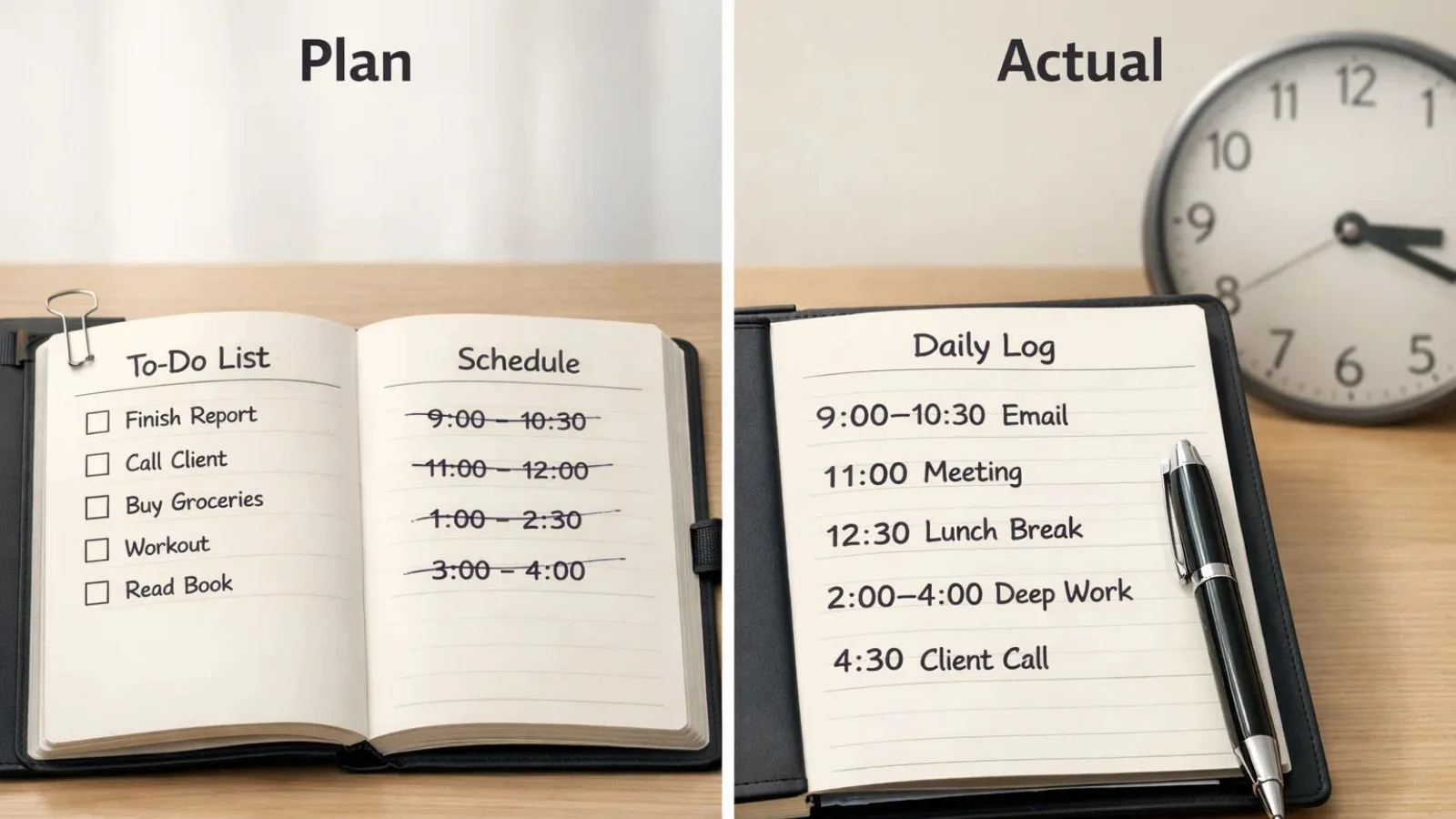
A daily activity log is a systematic record of tasks, activities, and events you complete throughout your day. Think of it as a diary focused specifically on what you do and how long it takes. Unlike a to-do list that shows what you plan to accomplish, a daily activity log captures what actually happened.
This documentation can be as simple as jotting down activities in a notebook or as sophisticated as using digital tools with timestamps and categories. The key is consistency and honesty. You’re not creating this log to impress anyone; you’re building a mirror that reflects your actual time usage.
Many people confuse activity logs with schedules or planners. The difference is crucial. A planner tells you what should happen. A daily activity log tells you what happened. This distinction makes all the difference when you’re trying to understand your productivity patterns.
Why Do You Need a Daily Activity Log?
1. Gain Clear Visibility Into Your Time:
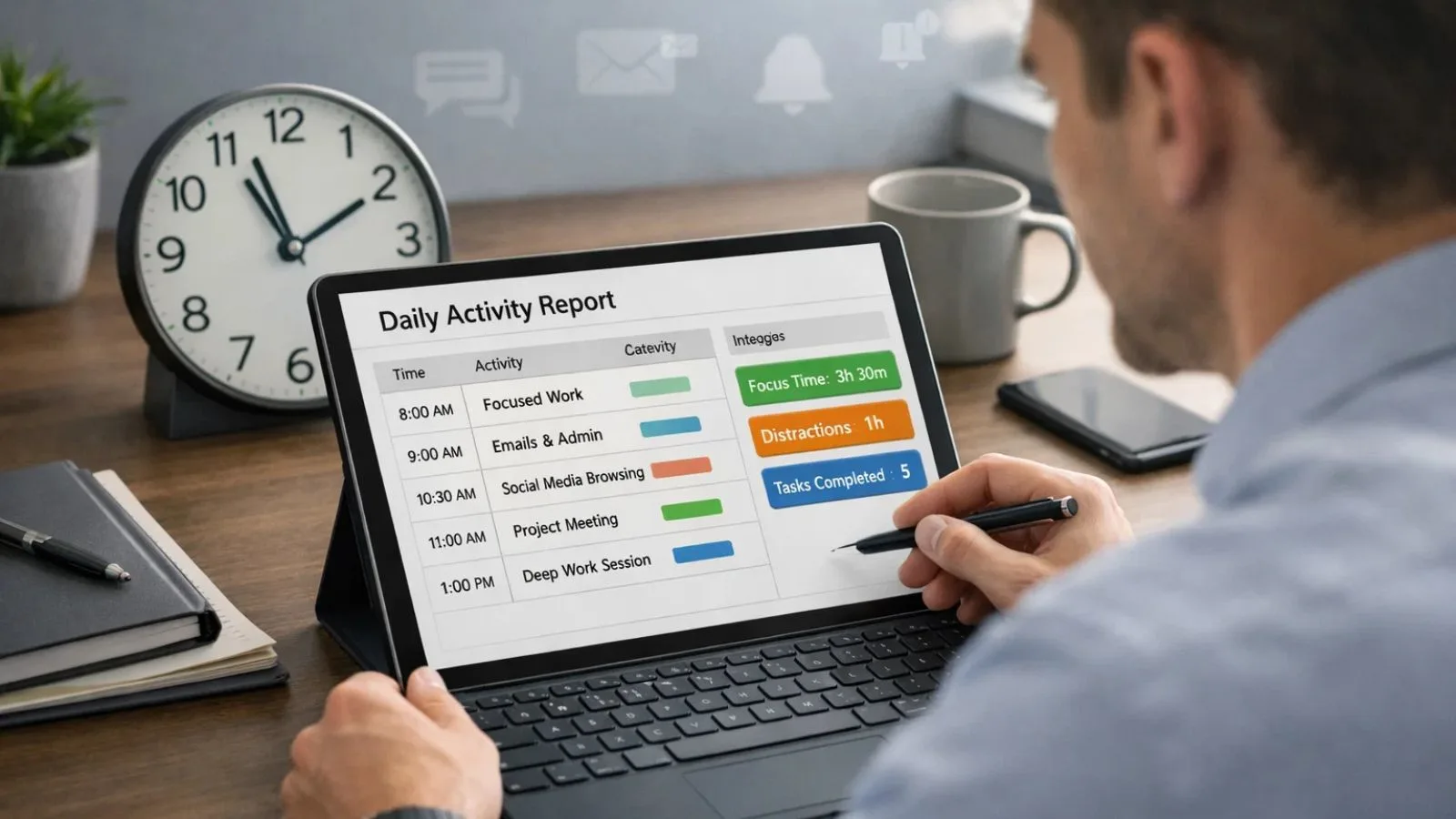
Most people dramatically overestimate how much time they spend on important tasks and underestimate time spent on distractions. A daily activity log provides concrete evidence of where your hours actually go. This awareness alone often triggers positive behavioural changes.
When you see that you spent three hours on emails but only 30 minutes on that crucial project, reality becomes impossible to ignore. This visibility helps you make informed decisions about how to restructure your day.
2. Identify Productivity Patterns:
Are you more creative in the morning? Do you hit an energy slump after lunch? Your daily activity log reveals these patterns over time. By tracking when you complete different types of tasks, you’ll discover your peak performance windows.
Understanding these rhythms allows you to schedule your most demanding work during high-energy periods and save routine tasks for when your focus naturally wanes. This alignment between task type and energy level can dramatically improve both productivity and work quality.
3. Eliminate Time-Wasters:
We all have productivity black holes, activities that consume time without delivering value. Social media scrolling, unnecessary meetings, perfectionist editing, and constant email checking are common culprits. Your daily activity log exposes these time-wasters in stark detail.
Once identified, you can take targeted action. Maybe you need to batch email checking to specific times, decline meetings without clear agendas, or use website blockers during focus hours. The log gives you the data to make these decisions confidently.
4. Create Accountability:
There’s something powerful about writing down what you’ve done. It creates a form of self-accountability that keeps you on track. When you know you’ll be logging your activities, you’re less likely to drift into unproductive behaviours.
This effect is even stronger if you share your log with an accountability partner, manager, or team. The simple act of documentation encourages better choices throughout the day.
5. Track Progress Toward Goals:
Whether you’re building a business, learning a new skill, or working on a major project, a daily activity log provides tangible evidence of progress. On days when you feel like you’re spinning your wheels, reviewing your log shows concrete achievements.
This record becomes especially valuable during performance reviews, client billing, or personal reflection. You’ll have specific examples of what you’ve accomplished rather than vague memories.
6. Improve Time Estimates:
How long does it really take you to write a report or prepare a presentation? Most people are terrible at estimating task duration. A daily activity log trains you to make better predictions by showing actual completion times.
Over weeks and months, patterns emerge. You learn that certain tasks consistently take longer than expected, allowing you to plan more realistic schedules and set achievable deadlines.
How to Start Your Daily Activity Log Today:
Step 1: Choose Your Format:
The best format is the one you’ll actually use consistently. Options include:
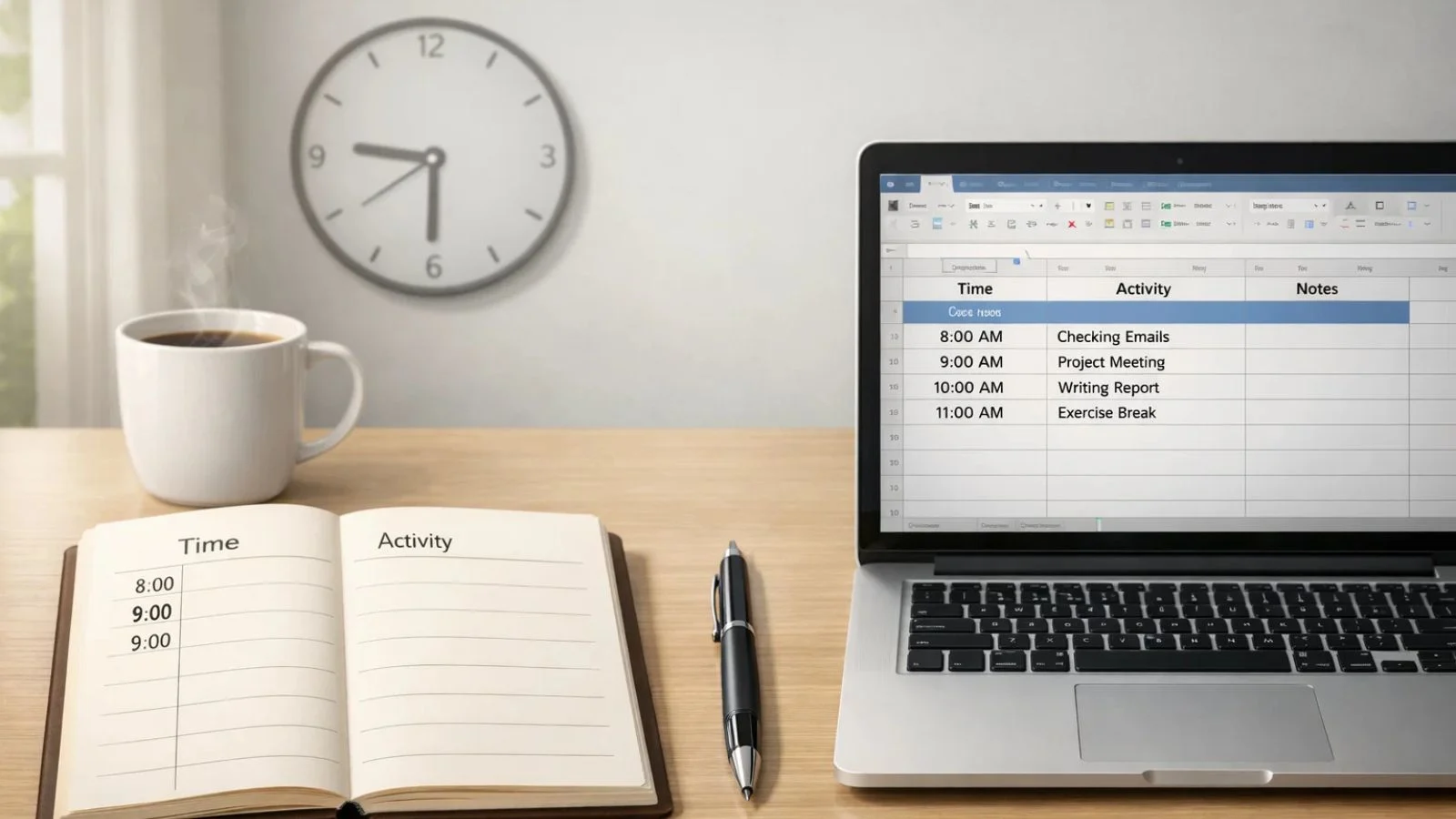
- Paper-Based Methods: A dedicated notebook, planner, or printed template offers simplicity and zero technical barriers. Many people find the physical act of writing helps them process and remember their activities better.
- Digital Solutions: Spreadsheets, note-taking apps, or specialized time-tracking software provide searchability, automatic calculations, and cloud backup. Digital options excel when you need to analyse data or share logs with others.
- Hybrid Approach: Some people capture activities quickly on paper throughout the day, then transfer them to a digital format for long-term storage and analysis.
Don’t overthink this decision. Start with whatever’s most convenient and adjust as needed. The important thing is to begin.
Step 2: Decide What to Track:
Your daily activity log should capture enough detail to be useful without becoming burdensome. At minimum, record:
- Activity description: What you did
- Time spent: Duration or start/end times
- Category: Work type or project name
- Notes: Brief observations about productivity, challenges, or outcomes
Avoid the temptation to track every minute detail initially. Start simple and add complexity only if you need it.
Step 3: Set Up Your Logging System:
Create a structure that’s easy to maintain. If using paper, designate a section for each day with columns for time, activity, and notes. Digital users might create a spreadsheet with similar fields or explore apps designed for activity tracking.
Consider including space for daily reflections. A few sentences about what went well, what didn’t, and what you’ll change tomorrow can multiply the log’s value.
Step 4: Establish Your Logging Rhythm:
Real-time logging, recording activities as you complete them, provides the most accurate data. However, this isn’t always practical. Alternatives include:
- Hourly check-ins: Brief updates every hour
- Task completion logging: Recording activities immediately after finishing them
- End-of-day review: Reconstructing your day before leaving work
Experiment to find what works for your workflow. Real-time is ideal, but consistent end-of-day logging beats inconsistent real-time tracking.
Step 5: Make It a Habit:
The first week is crucial. Set reminders, attach logging to existing habits (like with your morning coffee or end-of-day shutdown routine), and keep your logging tool always accessible.
Don’t aim for perfection. If you miss a day, simply resume the next day without guilt. The goal is developing a sustainable practice, not achieving a perfect record.
Step 6: Review and Adjust:
Weekly reviews are where insights emerge. Spend 15-20 minutes each week examining your daily activity log. Look for patterns, surprises, and opportunities. Ask yourself:
- Which activities consumed more time than expected?
- When was I most productive?
- What distracted me repeatedly?
- What would I change about next week’s time allocation?
Use these insights to refine your approach continually. Your daily activity log becomes more valuable as you learn to extract and apply lessons from the data.
Over time, this review process highlights an important truth: insight matters, but consistency and accuracy matter just as much. While manual logs work well for individuals, maintaining detailed, reliable records becomes increasingly challenging as workloads grow or teams expand. That’s where structured, automated support can strengthen the activity-tracking process without adding extra effort.
Also Read:
Streamline Your Activity Tracking with EmpCloud:

Manual activity tracking may work for individuals, but as teams grow, it becomes difficult to maintain consistency and clarity. This is where a unified workforce management platform like EmpCloud fits naturally into the workflow.
EmpCloud helps organizations manage time, attendance, tasks, projects, and productivity from a single system. Instead of relying on scattered logs or disconnected tools, it centralizes workforce data so managers and teams can operate with better structure and visibility.
Key ways EmpCloud supports activity and work tracking include:
1. Time & Attendance Tracking:
EmpCloud records work hours through accurate time tracking, automated timesheets, and leave management. This ensures attendance data stays organized and reliable without manual follow-ups.
2. Centralized Workforce Dashboard:
All workforce information, attendance, productivity, tasks, and projects, is available in one unified dashboard. Managers can review team activity and performance without micromanaging daily actions.
3. Task & Project Management:
Tasks can be assigned, monitored, and reviewed in real time. Project management features help teams stay aligned on deliverables while tracking progress across ongoing work.
4. Productivity & Performance Insights:
EmpCloud provides structured visibility into employee productivity and performance trends, helping managers make informed decisions based on real operational data. This also allows businesses to monitor employees remotely while maintaining transparency across teams.
5. Integrated Workforce Operations:
From HR processes like onboarding and exit management to payroll, policies, and employee requests, EmpCloud connects workforce operations into a single ecosystem, reducing fragmentation and manual effort.
For organizations managing multiple employees or field teams, EmpCloud brings structure to daily work tracking by unifying time, tasks, attendance, and performance data in one place,making workforce management more organized, transparent, and scalable.
Tips for Maintaining Your Daily Activity Log:
1. Be Honest:
The log only helps if it’s accurate. Don’t embellish or hide unproductive time. The goal is understanding reality, not creating flattering fiction.
2. Keep It Simple:
Resist the urge to create elaborate systems with dozens of categories and fields. Complexity kills consistency. Start minimal and add elements only when clearly needed.
3. Use Descriptive Activity Names:
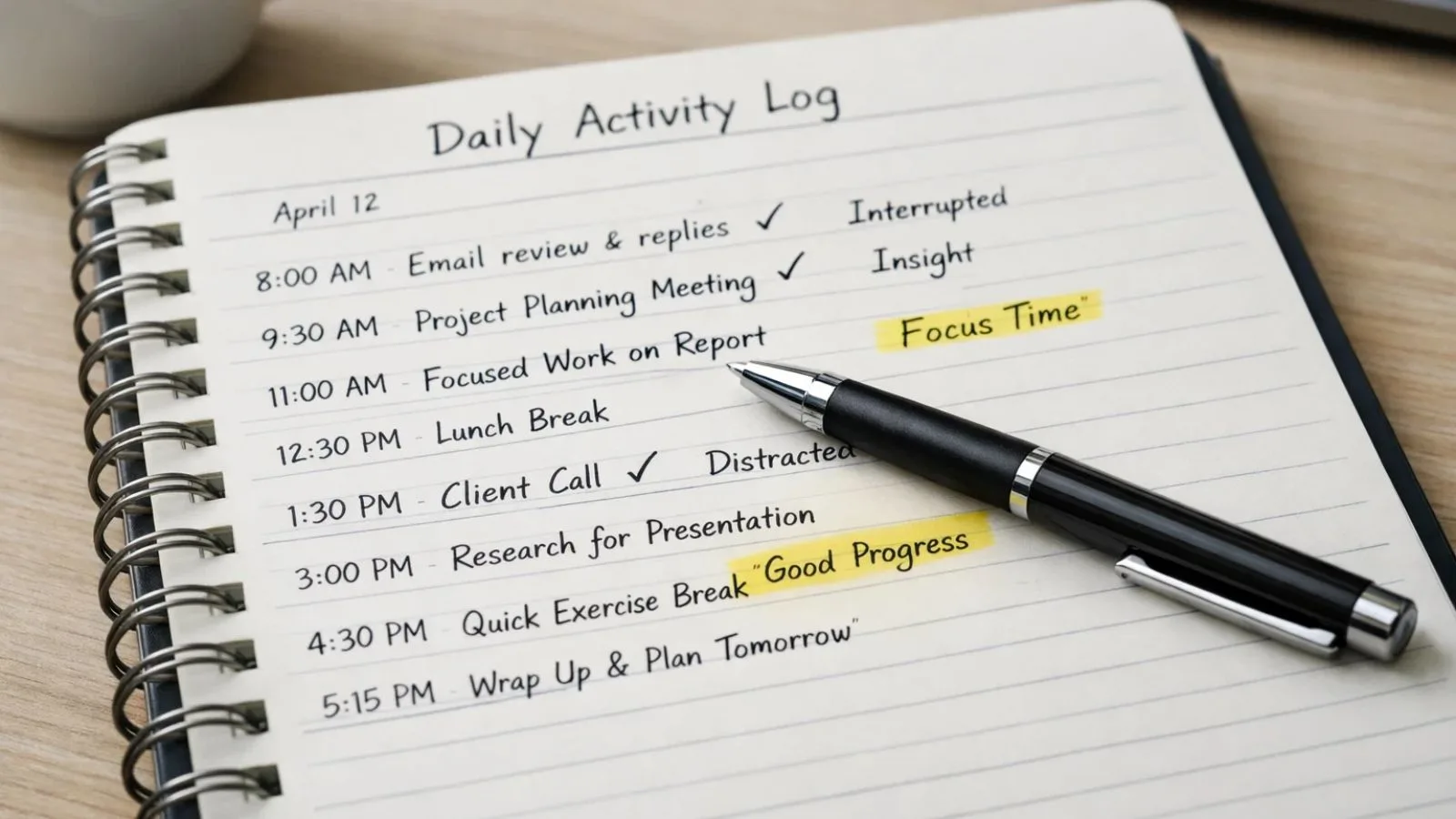
“Email” is vague. “Responding to client questions about Q2 deliverables” is specific. Detail helps when reviewing logs later.
4. Note Interruptions:
When unexpected interruptions derail your planned activity, make a note. Tracking these disruptions helps you identify patterns and develop strategies to minimize them.
5. Celebrate Insights:
When your daily activity log reveals something useful, whether it’s recognizing a time-waster or discovering your most productive hour, acknowledge it. These victories reinforce the habit.
Common Mistakes to Avoid:
Many people start strong with activity logging but abandon it within weeks. Avoid these common pitfalls:
1. Waiting for the Perfect System:
There’s no ideal format that works for everyone. Start with something simple today rather than researching options for weeks.
2. Overcomplicating the Process:
Elaborate tracking systems look impressive but rarely sustain. Simplicity wins over sophistication every time.
3. Judging Yourself Too Harshly:
Your log will reveal less-than-optimal time usage. That’s the point. Approach findings with curiosity rather than self-criticism.
4. Forgetting to Review:
Logging without reviewing is like collecting data you never analyze. The insights come from reflection, not just recording.
5. Giving Up After Missing Days:
Life happens. Missing entries doesn’t mean failure. Just restart where you left off and continue forward.
Conclusion:
A daily activity log is one of the simplest yet most powerful productivity tools available. By documenting how you actually spend your time, you gain the awareness needed to make meaningful improvements.
Whether you choose a simple notebook or sophisticated workforce management software, the key is starting today and maintaining consistency. The insights you’ll gain, about your productivity patterns, time-wasters, and progress toward goals, are worth far more than the few minutes daily logging requires.
Stop wondering where your time goes and start tracking it. Your future self will thank you for the clarity and control that comes from truly understanding your days.
FAQ’s:
Q1: How long should I spend on my daily activity log each day?
Ans: Realistically, 5-10 minutes is sufficient if you’re logging in real-time or shortly after completing tasks. End-of-day reconstruction might take 15 minutes initially but speeds up with practice. The key is consistency, not perfection.
Q2: What if I forget to log activities during the day?
Ans: Simply do your best to reconstruct your day during a quiet moment. While real-time logging is more accurate, even approximate records provide valuable insights. Over time, the habit becomes automatic and you’ll forget less frequently.
Q3: How long should I keep my activity logs?
Ans: Keep at least three months of records to identify meaningful patterns. Many people maintain digital archives indefinitely since they take minimal storage space and can provide valuable historical reference during performance reviews or project retrospectives.
Q4: Can a daily activity log work for irregular schedules?
Ans: Absolutely. The log simply captures what you actually do, regardless of schedule regularity. In fact, people with variable routines often benefit most because the log reveals patterns they wouldn’t otherwise notice in their seemingly chaotic days.
Quick Search Our Blogs
Type in keywords and get instant access to related blog posts.

