

Multi-state payroll errors jumped 38% year-over-year, driven almost entirely by remote work complexity. That figure comes from a 2026 global payroll compliance report. If you run payroll across more than one state, it should make you uncomfortable — errors that compose it rarely announce themselves until a penalty notice does.
Here is the counterintuitive part: most of those errors don’t originate in the payroll module. They start two steps earlier, in attendance and time data, and they compound by the time anyone looks.
In a hurry? Listen to the blog instead!
The Classification Trap Nobody Budgets For
The DOL’s mid-2025 suspension of its 2024 Independent Contractor Rule left a specific kind of chaos behind. Companies that had adjusted contractor classifications to match the new rule suddenly had no regulatory ground to stand on. For payroll, that collapses into one question with expensive downstream consequences: is this person a W-2 employee or a 1099 contractor this pay period, in this state?
Get that wrong and you are not just recalculating withholdings. You are potentially re-filing quarterly returns, correcting state registrations, and explaining the discrepancy during IRS scrutiny of quarterly filings. The regulatory environment right now is genuinely uncertain in a way it has not been in years. HR teams who assume their payroll software handles classification automatically are in for a bad quarter.
Layer on top of that: the 2025 Social Security wage base rose to $176,100. For higher earners who cross that threshold mid-year, withholdings must stop precisely at the cap. If your system doesn’t track this per employee, per jurisdiction, automatically, you are almost certainly over- or under-withholding for someone — every single pay cycle after the crossing point.
Where the Data Actually Breaks

I’ve watched companies invest in payroll automation and still generate errors at a rate that would embarrass a manual process. The reason is nearly always identical: the attendance data feeding the payroll engine is wrong, stale, or missing.
Buddy punching alone costs U.S. employers roughly $11 billion a year. For a 50-person team, manual timesheet processing — disputes, rework, error correction — runs approximately $13,000 per year in admin time. That is not a compliance risk estimate. That is operational waste you can count.
The more insidious problem is the gap between when attendance exceptions are flagged and when payroll runs. In a distributed team, a missed punch in one state might sit in a manager’s approval queue for days. If payroll locks before that exception resolves, the system either defaults to zero hours or carries forward last period’s data. Neither is defensible. And in a multi-state company, neither satisfies the IRS.
Payroll needs attendance. Attendance needs leave balances. Leave balances need HR records. If those data sources live in separate systems that sync on a schedule — or worse, require a manual export-import step — you have built a delay and an error vector into every pay cycle by design.
The Unified-Module Difference
The case for a genuinely integrated HRMS — not a payroll tool with a few HR add-ons bolted on — is straightforward. Payroll accuracy is a function of data freshness across every upstream module. You cannot guarantee freshness across disconnected systems.
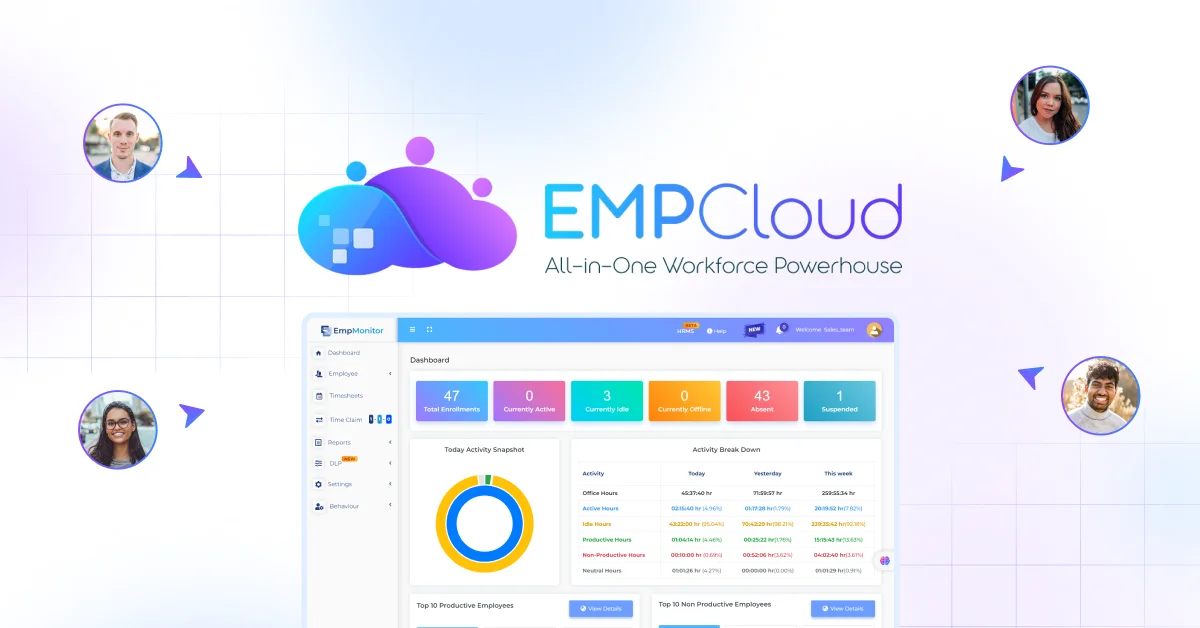
EMPCloud is built on this premise. Its face recognition biometric attendance feeds into the same data layer as leave management, payroll, and performance — so when a manager approves an exception, the payroll module sees it before the next run, not after. Geo-location tracking for field workers closes the same gap for distributed teams: clock-in data arrives in real time, not in a batch file someone remembers to export on Thursday afternoon.
The Smart SQL natural-language analytics tool is where this becomes practically useful for HR managers who are not data engineers. Instead of exporting four spreadsheets and spending an hour on formulas, a payroll lead can pull attendance, leave, payroll, and performance data in a single plain-English conversation. That cross-module query is what lets you catch anomalies before they become errors — employees whose leave balances don’t match attendance records, or whose overtime hours crossed a state threshold midway through the period.
For companies operating across multiple jurisdictions, the OAuth2/OIDC authorization layer with RBAC and multi-tenant isolation matters for a reason that has nothing to do with features. Payroll data for employees in one jurisdiction doesn’t bleed into another, and access is locked to the roles that should see it. Compliance audits in regulated sectors — telecom, NBFCs — often begin with “who saw this data and when.” A permission model built on OIDC standards answers that question cleanly, without a frantic search through access logs.
A Four-Step Audit for Multi-State Exposure

If you’re running payroll across two or more states right now, use this framework to find where you’re most exposed. Do it before the next pay cycle, not after.
- Map your classification risk. List every contractor who works in a state where you also have W-2 employees. The DOL rule suspension means your prior classification rationale may no longer hold. Get legal review on the highest-paid ones first — the exposure scales with compensation.
- Measure your attendance lag. How many hours pass, on average, between an employee clocking out and that data appearing in your payroll system? Anything over 24 hours is a risk in a fast pay cycle. If you’re running biometrics but reconciling attendance manually afterward, you have bought hardware without buying the fix. The link between attendance data and payroll errors is direct and measurable — start there.
- Count your exception backlog. On the day before your last payroll run, how many attendance exceptions were still pending approval? If that number is non-zero, payroll ran on incomplete data. If it’s consistently in double digits, you have a process problem that no tool will fix without changing the approval workflow upstream.
- Check your wage base tracking. The 2025 Social Security wage base is $176,100. Confirm your system tracks this per employee, per state, automatically — and flags the crossing point before the pay period closes, not during a year-end reconciliation that nobody wants to have.
The goal of this audit is not to produce a number for a leadership presentation. It is to find the specific point where your data breaks down. That is the only place where fixing the system actually helps.
What Actually Moves the Needle
Data from 50+ enterprises using AI-powered HRMS shows a 60% reduction in payroll processing time and 95% accuracy in statutory compliance, compared to 75–80% with manual systems. Hold onto those numbers — not because they are universal, but because they show the ceiling you leave untouched when you run a disconnected stack.
The companies that close that gap are not the ones who buy the most sophisticated payroll engine in isolation. They are the ones who fix the upstream data: attendance that flows automatically, leave that reconciles without manual steps, and a reporting layer that lets HR ask the right questions before payroll locks. Most payroll errors are attendance problems in disguise — the fix starts there, not in the payroll module.
Multi-state payroll compliance is not going to simplify. The regulatory environment is in flux. The workforce is distributed. The data pipelines connecting attendance to payroll in most HR stacks were designed for a single-office world. Running that mismatch on spreadsheets and Tuesday-morning reconciliation calls is how you get to 38% error growth, year over year.
The fix is unglamorous: integrated data, real-time attendance, and a reporting tool that works without a SQL degree. Start there, before the next penalty notice does.
Want to close the gap between attendance data and payroll accuracy before your next run? Start your free 15-day EMPCloud trial — the full platform, no credit card required.
FAQs: –
1. What are the most common multi-state payroll errors?
Common multi-state payroll errors include incorrect tax withholding, employee misclassification, outdated wage data, missed attendance records, and failure to apply state-specific payroll rules correctly.
2. Why do multi-state payroll errors happen?
Multi-state payroll errors often happen because attendance, leave, employee, and payroll data are stored across disconnected systems. Small data gaps can become costly errors when payroll is processed.
3. How can businesses prevent multi-state payroll errors?
Businesses can reduce errors by integrating attendance, leave, HR, and payroll data, monitoring exceptions before payroll runs, and regularly auditing employee classifications and state-specific requirements.
4. Can attendance data cause payroll errors?
Yes. Missing punches, incorrect work hours, unapproved attendance exceptions, and delayed data synchronization can all affect payroll calculations and create downstream errors.
5. How do you audit multi-state payroll for errors?
Start by reviewing employee classifications, measuring attendance-to-payroll data delays, checking pending attendance exceptions, and verifying wage-base tracking across jurisdictions.
Quick Search Our Blogs
Type in keywords and get instant access to related blog posts.

