
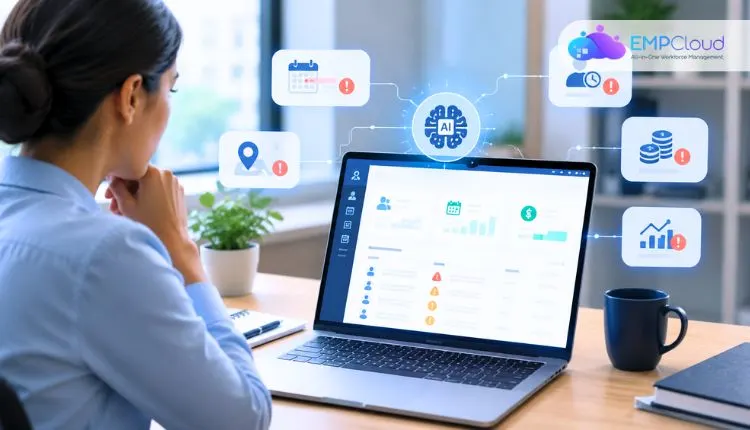
Ask anyone who has run payroll for a mid-sized company, and they’ll tell you the same thing. The numbers are never quite clean. Somebody’s overtime looks odd. A new joiner got paid for a full month on day twelve. Two people in the same role draw different allowances, and nobody remembers why.
Most of it turns out to be harmless. Some of it isn’t. The trouble is that you can’t tell which is which until you’ve dug, and digging takes time HR teams rarely have in the last two days before payroll closes.
That’s the gap AI is starting to fill. Not by running payroll on its own (please don’t), but by doing the tedious part first: reading every record and pointing at the ones that look wrong.
Why These Errors Slip Through
Attendance lives in one system. Leave sits in another. Payroll is a third, and there’s usually a spreadsheet somewhere holding it all together with hope. A manager changes a punch time on Friday evening, a note goes into a chat thread, and the payroll team never sees it.
People are also predictable in how they check. You look where you’ve been burned before. A pattern that stretches across four months and three departments? Nobody’s scanning for that. Not because they’re lazy. There are just too many rows.
What Counts as an Anomaly
Broadly, anything that doesn’t fit the usual pattern. On the attendance side, think of someone clocking in from a site they’ve never been assigned to. Or punch times that land on the exact same minute every single day (real people are messier than that). Or a person marked present on a day their leave was approved.
Payroll has its own list. Overtime that rises with no extra work to explain it. Payments to someone who left in March. A salary change that never went through approval. Two colleagues doing identical jobs with different deductions.
Some are plain mistakes. Some are gaps in policy. And a few are deliberate, which is where the real money goes.
How AI Spots Them
Nobody has to explain to the system what a normal month looks like, because it works that out by reading old records. Feed it a year or so of attendance and payroll, and it starts to notice things a person would only half register. The night shift at one plant runs longer than the day shift, and that’s fine.
The sales team racks up overtime in the last week of every quarter. Half the staff vanishes around Diwali, so a pile of leave in late October is expected, not suspicious. Once it has a feel for all that, odd entries stand out on their own.
Someone with forty hours of overtime in a week when their team averages six. A salary credit that doesn’t match the contract on file.
Picture a warehouse with around 200 people. One supervisor’s team logs a little more overtime than everyone else. Every week. For half a year. No single payslip looks suspicious, so a person reading them one by one wouldn’t think twice. A model comparing teams across time sees it straight away.
It also connects data that humans tend to keep apart. If someone’s on approved leave and also has a punch record, the system notices the clash without being asked. If a manager’s edit note says “fixed” and nothing else, that gets noticed too.
Where It Helps Most
Overtime is the big one. It’s where payroll surprises usually come from, and comparing claims against scheduled shifts and past behaviour is exactly the kind of job a model does well.
Buddy punching is another.
When one person clocks in for a friend, the data tends to give it away: identical timings, locations that don’t make sense, biometric mismatches. HR can then have an actual conversation instead of acting on a hunch.
Then there are ghost employees and duplicate payments. A payment heading to an account that matches someone else’s, or to a person with no recent attendance, can be paused before the money goes out. Getting it back afterwards is a miserable job. Anyone who has done it will agree.
Compliance counts too. Missed breaks, too many days worked in a row, wage rules that vary by state. These pile up quietly until an audit finds them.
Starting Small
There’s no need for a giant project. Pick one problem, say overtime or duplicate payments, and begin there. Clean the data first. It’s dull advice, but it matters more than any model. Inconsistent formats and missing fields will wreck the results.
The harder part is connecting the systems, because the model needs attendance, leave, and payroll in one view. Companies already have HRMS and payroll tools they aren’t going to throw away, which is where AI integration services come in.
The idea is that the AI works alongside the HRMS and payroll tool the team already uses, so nobody has to rip anything out and start over. In the first few months, it’s best kept on a short leash.
Let it raise alerts and nothing else, with someone from HR looking at each one before any action is taken. A fair number of those alerts will turn out to be nothing, like a shift swap nobody logged or a public holiday the system didn’t know about.
Don’t be surprised if the early alerts are mostly noise. Plenty of them will be dull explanations, like a late punch because the biometric machine froze, or someone covering a colleague’s shift. HR marks those as fine and moves on, and the system stops raising the same thing.
It takes a while. A few months, maybe longer if the data is messy. Only after the team has stopped rolling its eyes at the alerts does it make sense to hand over the routine checks.
Then there’s the question of build or buy. Plenty of companies go with a ready-made tool, and for a straightforward setup with standard shifts and a simple salary structure, that’s usually enough. When pay gets complicated, with allowances that vary by site, layered approval chains, or rules that change from state to state, a generic product starts to struggle.
That’s when many firms bring in a partner offering AI development services to build something around their own pay rules and approval flows. It costs more upfront, though it often saves money in the long run because it stops guessing at things the business could have simply told it.
Things to Watch Out For
Privacy comes first. Payroll and attendance data is sensitive, so decide who sees flagged records and how long they’re kept. Tell employees why the checks exist. People accept monitoring far more readily when nobody’s hiding it.
Bias is real too. If past data over-flagged night-shift staff, a model can learn to keep doing it. Audit now and then. And remember that an alert isn’t a verdict. Someone working odd hours may have a perfectly good reason. Nobody should be penalised because software raised an eyebrow.
Where this is heading is fairly obvious. Instead of reviewing payroll after it has gone out, HR will work with tools that watch in real time and explain themselves. “Why did overtime jump at the northern plant last month?” will get an answer in seconds, not a week.
Which leaves HR free for the work that needs a person. Disputes. Policy. Looking after people who are stretched thin.
Final Thoughts
Attendance and payroll mistakes rarely announce themselves. They build up a little at a time until somebody notices. AI won’t replace careful HR work, but it does point that care at the right rows. For a team that’s tired of spreadsheets, that’s a real relief.
Quick Search Our Blogs
Type in keywords and get instant access to related blog posts.

