
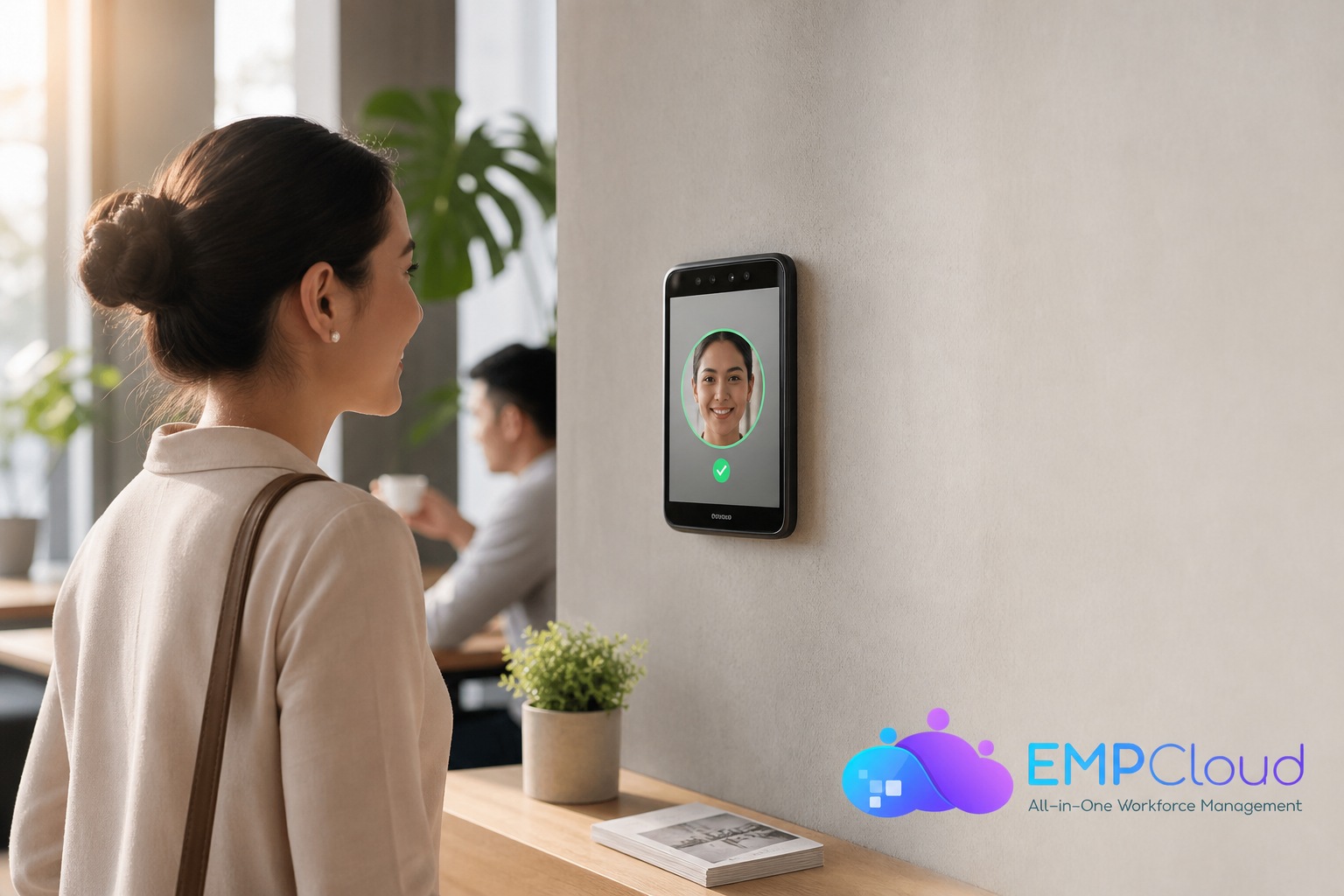
Face recognition attendance and access control is no longer a nice-to-have in 2026, it’s how small teams cut queues, stop buddy punching, and keep payroll accurate without buying expensive hardware up front.
**Start free trial, test biometrics today →, and clean links to payroll. You also need a bill that makes sense for five people, not five hundred.
- At a glance, the must-haves:
- Real-world accuracy in varied lighting, with or without masks and glasses
- Liveness/anti-spoofing to stop photo/video attacks and buddy punching
- Quick setup on devices you already own (phones/tablets) without forced kiosks
- Clear per-user pricing that won’t punish teams under 10 users
- One-click or native integrations to payroll, leave, and approvals
Crucially, face recognition attendance and access control should not force you to buy a kiosk unless you truly need one. First, accuracy and speed matter every single day. If the camera takes 8–10 seconds to match a face or fails when someone wears a mask, you get lines at the door and missed punches.
For context, public benchmarks like the NIST FRVT evaluate matching accuracy across vendors, which underscores why the underlying engine matters more than UI polish. See: https://www.nist.gov/programs-projects/face-recognition-vendor-test-frvt.
Second, setup should be simple. Some systems only run on dedicated wall-mounted terminals. Others work on phones or tablets you already own.
Accuracy, setup, and daily reliability
For a 10-person shop, that difference can swing the total cost by hundreds of dollars up front. Third, anti-spoofing is not optional. A photo held up to a camera should fail.
Liveness checks and presentation attack defenses reduce buddy punching and fraud. If your staff can clock in for each other, the reports look clean but pay is wrong. Fourth, pricing must be clear at 1–50 users.
A flat monthly base fee can feel steep for a team of five. A free tier or a true per-user model is friendlier while you test the fit. Fifth, integrations should be built-in or one-click.
- Quick on-site test plan (15 minutes):
- Test three lighting conditions: bright sun/backlight at entry, indoor ambient, and low-light dusk or early morning.
- Have staff attempt check-in while wearing glasses, masks, caps/hoods, and with facial hair variations.
- Attempt obvious spoofs: printed photo, phone screen image, and a paused video—each should fail liveness checks.
- Time the full flow (open app → recognition → confirmation). Target sub-2 seconds recognition on modern mobile devices.
- Export a payroll-ready report to verify totals, overtime flags, and exceptions flow cleanly.
Integrations, budget clarity, and growth
Attendance that doesn’t flow to leave and payroll adds manual work and errors. For a small business, manual imports on payday are a tax you can’t afford. Sixth, scalability matters.
You don’t want a forklift upgrade when you grow to 50 or 200 users. A tool that starts on mobile and later supports access control, job sites, and advanced rules gives you a clean growth path.
If attendance doesn’t auto-sync to payroll with correct shifts, overtime, and leave, you’re just moving the bottleneck from the door to payday.
Why small businesses choose differently than enterprises
- You have tighter budgets and can’t hide a ₹6,999 base fee inside a big payroll line item.
- You don’t have a full-time admin to maintain kiosks or debug network ports.
- You need fast ROI in weeks, not a year-long rollout.
- You want face recognition attendance and access control that runs on devices you already own.
Key gotcha: plenty of “face recognition” tools still require a pricey kiosk. If the site never shows a phone or tablet option, ask before you buy.
Also Read!
Remote Team’s Guide to Choosing Employee Monitoring Software
Small Business Guide to Choosing a Face Recognition Attendance System
EmpCloud Overview: Strengths and Weaknesses for Small Business Attendance

EmpCloud builds face recognition attendance into a full HRMS, so punches feed payroll, leave, and performance without third-party connectors. For small teams, that means fewer moving parts and no “ETL” steps between tools. The platform is SOC 2 compliant and offers protected record management with centralized storage and encryption, which helps with audits and client trust.
Pricing is small-team friendly. There’s a free tier to try the biometric workflow before you commit. The Bronze plan is $4.66 per user per month for 1–10 users (yearly billing). For 11–50 users, Silver is $3.83 per user per month. That structure scales down costs as you grow and avoids a steep fixed base fee in the early months.
Moreover, EmpCloud adds features many small teams grow into:
- Advanced biometric attendance and access
- OAuth2/OIDC with SSO, RBAC, and multi-tenant isolation for clean role boundaries
- Geo-location tracking for field workers with live location, distance tracking, and geo-verified visits
- Employee productivity monitoring (automatic time tracking, screenshots, URL/app tracking, stealth/un-stealth modes)
- 41 AI tools across 7 providers to query HR data and assist with tasks
“With EmpCloud, managing attendance and access has never been easier. Its lightning-fast face detection and reliable role-based access control ensure smooth and secure operations.” — Chen Wei, Operations Director
Where EmpCloud fits small teams
- You want face recognition attendance and access control with built-in payroll and leave.
- You need to support on-site staff and a field team with geo-verified check-ins.
- You prefer SOC 2 compliance and encrypted records without add-ons.
- You value proof points: trusted by 1,500+ businesses, operating in 15+ countries.
Trade-offs to weigh
EmpCloud is a full workforce suite (HRMS, monitoring, project management, exit management). If you need only attendance right now, the menu can feel large. The learning curve is steeper than a single-purpose app. In addition, as a newer entrant compared to Keka, there are fewer third-party reviews online. User quotes like Laura Thompson’s note “eliminating buddy punching,” but they are individual views, not lab tests.
Still, for a small business that wants a biometric system with a free way to try it, EmpCloud’s model is built for quick validation and scale.
Implementation notes for 2026 pilots
- Start with mobile devices you already own to validate lighting, masks, and throughput at shift changes before buying any fixed terminals.
- Enable RBAC early so supervisors can resolve exceptions without full admin access, keeping audit trails clean.
- If you plan door access later, confirm controller compatibility and test liveness thresholds against printed photos and high-resolution screens.
- Map HR policies to system rules: shift differentials, grace periods, and OT rounding to reduce manual adjustments later.
- Pilot with a representative subset (front desk, field reps, and a manager) for 2 weeks, then roll out to the rest with lessons learned.
Keka Overview: Strengths and Weaknesses for Small Business Attendance
Keka is an established India-based HRMS with strong payroll compliance for the Indian market and a user interface HR teams praise. Based on publicly available feature lists as of 2026, Keka supports attendance, GPS-based mobile check-ins, shift scheduling, overtime calculations, and integrations with biometric devices. Its payroll module is a clear strength if your entity runs in India with local tax and labor rules.
Furthermore, Keka has a large base of public reviews on sites like G2 and Capterra. That volume of third-party feedback can help you judge day-to-day use cases such as leave rules, shift swaps, and approvals. If your HR team values a polished UI and deep India payroll support, Keka’s track record is an advantage.
However, facial recognition is not Keka’s core engine. As of 2026, its approach to “face” is usually tied to app-based photo or GPS punches, not dedicated liveness detection or anti-spoofing biometrics. That can be fine for teams where GPS and a selfie are enough verification. But for high-trust sites or access control to doors or labs, a purpose-built biometric engine can reduce spoof risks.
Pricing and fit for small teams
Based on Keka’s publicly listed pricing, plans generally start with a base platform fee around ₹6,999 per month plus per-employee charges. For very small teams under 10, that base fee can outweigh the per-user math. The free trial is time-limited, which gives you a window to test but not a permanent free tier. If you operate outside India, Keka’s strong India compliance may be less relevant compared to global needs.
“Keka’s payroll compliance and clean UI make it easy for our HR team to manage monthly cycles,” is a common theme across public reviews, highlighting its strength as an HR-first platform for India-based organizations.
Where Keka fits small teams
- You want an HRMS with a clean UI and strong India payroll compliance.
- Your attendance needs are GPS and photo-based rather than door access or liveness checks.
- You value a large review base and established market presence.
If you need face recognition attendance and access control with dedicated anti-spoofing, plan to validate device support and any add-ons for biometric terminals before you commit.
Also Read!
Best Employee Monitoring Software for Remote Teams in 2026
EmpCloud vs Hubstaff for Small Businesses: Which Is Better for Employee Monitoring?
Feature-by-Feature Comparison: EmpCloud vs Keka for Face Recognition Attendance
This section calls winners per category so you can match features to your needs. Where the call is close, we name a tie and explain why.
| Category | EmpCloud | Keka | Winner |
|---|---|---|---|
| Face Recognition Tech | Dedicated biometric engine with anti-spoofing; used for attendance and access | App-based photo/GPS check-ins; biometric device integrations available | EmpCloud |
| Liveness/Anti-Spoofing | Active and passive liveness, presentation attack detection | Not a core focus; selfie/photo verification common | EmpCloud |
| Ease of Setup | Runs on phones/tablets; no kiosk required to start; fast team rollout | Mobile app setup is simple; dedicated biometric hardware may add steps | Tie (setup is easy; hardware adds work on both) |
| Access Control Hardware | Supports door access via compatible controllers; start mobile, add hardware later | Typically relies on third-party biometric terminals for access | EmpCloud |
| Payroll Integration | Attendance, leave, and payroll in one suite; automated payroll with taxes/accounts | Strong HR/payroll suite; especially strong India compliance | Tie |
| Mobile/Remote Check-In | Geo-location tracking, live location, distance, geo-verified visits for field force | GPS punch via mobile app; solid for in-country teams | EmpCloud |
| Monitoring Beyond Attendance | Productivity monitoring: screenshots, URL/app tracking, stealth modes | Focused on HR/payroll; less on monitoring | Depends on need (EmpCloud if you want monitoring) |
| Trial Model | Permanent free tier to validate | Time-limited free trial | EmpCloud |
| Scalability Path | Free tier; Bronze/Silver/Gold tiers ($4.66 → $3.83 → $3) up to 200; Enterprise beyond | Base fee + per-employee; add modules as you grow | EmpCloud for per-user math at small sizes |
| Security & Compliance | SOC 2 compliant; OAuth2/OIDC SSO; RBAC; multi-tenant isolation; encrypted records | Enterprise-grade HR vendor; security posture not centrally marketed as SOC 2 | EmpCloud |
Specifically, for face recognition attendance and access control with anti-spoofing, EmpCloud wins due to its dedicated biometric system. For payroll integration, both deliver end-to-end flows, though Keka brings deep India compliance while EmpCloud stresses automation with taxes and accounts.
Notes by dimension
- Face recognition: If you need liveness checks to stop spoofing, a dedicated engine is the safer bet.
- Setup: Both support quick mobile rollout. Kiosk-only paths add cost and time regardless of vendor.
- Remote work: EmpCloud’s live location, timelines, and distance tools suit sales and service teams with geo-verified stops.
- Monitoring: If you need screenshots and app/URL tracking for output audits, EmpCloud includes this; if not, Keka’s simpler scope can be easier for HR-only workflows.
- Security: EmpCloud’s SOC 2, RBAC, and SSO help satisfy client audits and procurement checks.
“The facial recognition feature is both secure and reliable, eliminating buddy punching with accurate attendance tracking.” — Laura Thompson, COO of Precision Manufacturing
Pricing Comparison: What Small Businesses Actually Pay
Transparent math helps you project a year of costs, not just the first month.
EmpCloud pricing:
- Free tier: test attendance, explore the HRMS, and validate fit before you pay.
- Bronze: $4.66 per user per month (billed yearly) for 1–10 users.
- Silver: $3.83 per user per month (billed yearly) for 11–50 users.
- Gold: $3 per user per month (billed yearly) for 51–200 users.
- Enterprise: tailored pricing beyond 200 users.
Example costs:
- A 5-person team on Bronze pays about $23.30 per month or $279.60 per year.
- A 25-person team on Silver pays about $95.75 per month or $1,149 per year.
Keka pricing:
Based on publicly available pricing as of 2026, Keka plans usually include a base platform fee around ₹6,999 per month plus per-employee charges. Exact totals vary by modules (attendance, payroll, performance) and location. For teams under 10, that base fee can exceed EmpCloud’s total by itself. The free trial is limited in time, which means no permanent free tier for long pilots.
Value for money:
- EmpCloud bundles biometric attendance, access control, payroll, monitoring, project management, and field force tools in a single per-user price. For small teams that want face recognition attendance and access control plus growth headroom, that’s strong value.
- Keka can be good value if you need polished HR and India payroll and don’t require a dedicated biometric engine. If you add biometric hardware, factor device costs and rollout time.
Contract terms and fees:
-
EmpCloud: clear per-user yearly billing with tiers; start free to validate.
-
Keka: base fee + per-employee; confirm any setup/implementation fees and minimum terms with sales.
-
Hidden costs to consider (both vendors):
-
Hardware: wall-mounted terminals, access controllers, turnstiles, and replacement cameras if you choose kiosk routes later.
-
Network: PoE switches, secure Wi-Fi segmentation, and data plans for field devices.
-
Change management: briefings, training time, and manager hours to resolve early exceptions.
-
Compliance: legal review of biometric consent flows and data retention, especially if you operate in multiple jurisdictions.
-
Integration maintenance: if you rely on CSV or API bridges, budget time to maintain mappings and resolve schema changes.
Winner for small-team total cost: EmpCloud, thanks to the free tier, per-user math at 1–50, and no required kiosk to start.
**See pricing, plan your first year → to maintain sub-2s recognition.
- Do we still need a kiosk? Not to start. Many small teams prove value with existing devices. Kiosks are useful in high-traffic lobbies or secure labs, but they add cost and maintenance.
- Will this reduce payroll errors? Yes, if attendance flows automatically into leave and payroll with clear rules (rounding, grace periods, OT). Always run a parallel payroll for one cycle to validate before going live.
Quick Search Our Blogs
Type in keywords and get instant access to related blog posts.

