
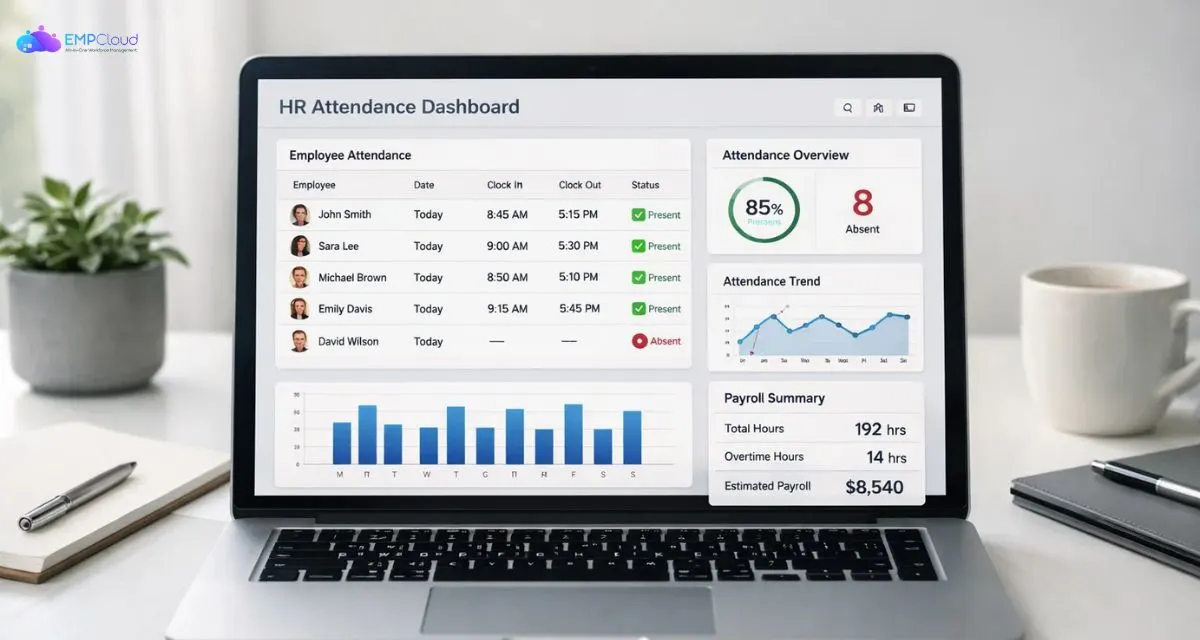
Attendance tracking is more than just taking daily roll calls. For businesses of all sizes, an attendance tracker keeps accurate records of when employees start and finish work, helps you understand workforce patterns, improves payroll accuracy, and boosts accountability.
Whether you’re a small startup or a large enterprise, the right system ensures transparency, minimises time theft, and improves productivity. In a world where hybrid work, flexible hours, and remote employees are becoming the norm, relying on manual attendance logs can quickly become cumbersome and error-prone.
You can listen to this Blog here.
Types of Attendance Trackers
When choosing the right attendance tracker, it’s important to understand the different options available. Not every business needs advanced automation. Some may benefit from simple systems, while others require detailed monitoring and reporting.
Let’s break down the main types.
Manual Methods
The most basic form of tracking includes paper registers or manual logbooks. While easy to start with, they are prone to errors, buddy punching, and time manipulation. For growing teams, manual systems quickly become inefficient.
They also make payroll processing slower since data must be entered manually into another system.
Attendance Tracker Excel
Many small businesses begin with an attendance tracker excel sheet. It’s affordable, customizable, and relatively easy to manage for small teams.
With Excel, you can:
- Track daily attendance
- Calculate total working hours
- Monitor leave balances
- Generate simple monthly reports
If you’re wondering how to create an attendance tracker in Excel, it typically involves creating columns for dates, employee names, check-in/check-out times, and formulas for calculating total hours.
However, Excel-based systems require manual updates and may not scale well as your team grows.
Google Sheets-Based Tracking
For remote teams, Google Sheets offers real-time collaboration. Many businesses search for how to create an attendance tracker in Google Sheets because it allows managers and HR teams to access data from anywhere.
While it’s more flexible than offline spreadsheets, it still depends on manual data entry unless integrated with automation tools.
Attendance Tracker App
Modern businesses increasingly prefer an attendance tracker app. These tools automate time logging, track remote employees, and generate instant reports.
Most apps offer:
- Real-time clock-in/clock-out
- GPS or IP-based tracking
- Automated payroll reports
- Leave management
- Integration with HR systems
For medium- to large-sized teams, a digital employee attendance tracker provides greater accuracy and reduces administrative workload.
Pros and Cons of Different Solutions
Choosing the right attendance tracker depends on your business size, budget, and operational complexity. Each method comes with advantages and limitations.
Let’s compare them clearly.
1️⃣ Manual Tracking
Pros:
- No setup cost
- Simple for very small teams
Cons:
- High risk of human error
- No real-time visibility
- Time-consuming payroll processing
- Easy manipulation
Manual systems quickly become inefficient once your team grows beyond 5–10 employees.
2️⃣ Excel or Google Sheets
Using an attendance tracker excel template is often the first upgrade from manual logs.
Pros:
- Low cost
- Customizable formulas
- Easy monthly summaries
- No special software required
Cons:
- Manual data entry
- Limited automation
- Risk of accidental data edits
- Difficult to manage for remote teams
While learning how to create an attendance tracker in excel is useful, spreadsheets are not ideal for scaling businesses.
Google Sheets adds collaboration benefits, especially for teams researching how to create attendance tracker in google sheets. However, automation remains limited without integrations.
3️⃣ Attendance Tracker App
A dedicated attendance tracker app offers automation and advanced features.
Pros:
- Real-time tracking
- Automatic calculations
- Reduced payroll errors
- Remote and hybrid support
- Data analytics and reporting
Cons:
- Monthly subscription cost
- Initial onboarding required
For companies with distributed teams, a digital employee attendance tracker significantly improves transparency and efficiency.
How to Create an Attendance Tracker in Excel
If you’re not ready to invest in software yet, building an attendance tracker excel sheet is a practical starting point. It works well for small teams and businesses with fixed working hours.
Here’s a simple step-by-step guide on how to create an attendance tracker in excel
Step 1: Set Up Basic Columns
Open a new Excel sheet and create the following columns:
- Employee Name
- Employee ID
- Date
- Check-In Time
- Check-Out Time
- Total Hours
- Status (Present, Absent, Leave
Step 2: Add Date Rows
Create rows for each working day of the month. If you manage multiple employees, you can either:
- Create separate sheets for each employee
- Or maintain a master sheet with daily entries
Step 3: Add Time Calculation Formula
In the “Total Hours” column, use a formula like:
= (Check-Out Time – Check-In Time) * 24
This converts time into total working hours.
Step 4: Create Attendance Status Logic
You can add a simple IF formula:
=IF(Total Hours>=8,”Present”,”Half Day”)
Customize the logic to align with your company’s policy.
Step 5: Add Monthly Summary
At the bottom of the sheet, use COUNTIF formulas to calculate:
- Total Present Days
- Total Absences
- Total Leaves
While this method helps you understand how an attendance tracker works internally, it requires manual data entry and regular maintenance. As your team grows, updating spreadsheets daily can become time-consuming.
How to Create an Attendance Tracker in Google Sheets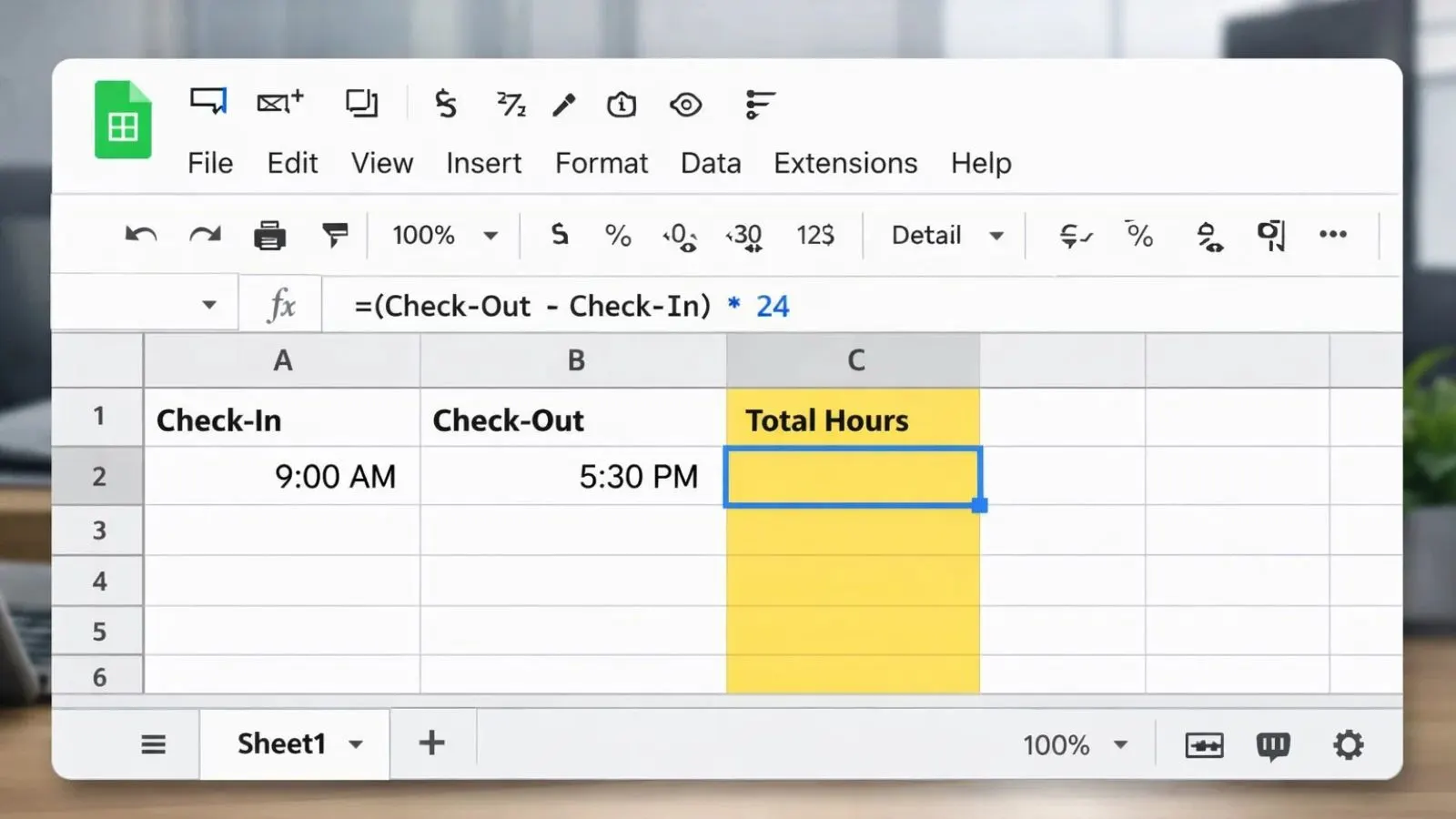
For businesses with remote or hybrid teams, Google Sheets offers a flexible alternative to Excel. If you’re searching for how to create attendance tracker in google sheets, the process is very similar but with added collaboration benefits.
Here’s how to set it up.
Step 1: Create a New Sheet
Go to Google Sheets and start a blank document. Add the following columns:
- Employee Name
- Date
- Check-In Time
- Check-Out Time
- Total Hours
- Attendance Status
Step 2: Use Built-In Formulas
Just like Excel, you can calculate total hours using:
=(Check-Out – Check-In) * 24
Google Sheets supports the same time formulas, making it easy to build a functional attendance tracker.
Step 3: Add Data Validation
Use dropdown menus for Attendance Status:
- Present
- Absent
- Leave
- Half Day
This reduces manual typing errors.
Step 4: Share With Your Team
One major advantage of Google Sheets is real-time collaboration. HR managers and supervisors can update attendance instantly, and business owners can monitor from anywhere.
Limitations to Consider
Although Sheets improves accessibility, it still requires manual entries unless connected to automation tools. As your workforce grows, managing a spreadsheet-based employee attendance tracker becomes more complex.
For businesses needing automation, real-time insights, and payroll integration, a dedicated attendance tracker app often becomes the smarter choice.
Important Features to Look For
Not all attendance tracker solutions are created equal. Whether you’re using spreadsheets or a full-scale attendance tracker app, certain features make a big difference in efficiency and accuracy.
Here’s what you should prioritize.
Real-Time Tracking
A modern employee attendance tracker should allow employees to clock in and out in real time. This eliminates manual entry errors and provides instant visibility into who is working.
Automated Hour Calculation
Manual calculations increase payroll mistakes. A reliable attendance tracker should automatically compute:
- Total working hours
- Overtime
- Break deductions
- Late entries
Automation reduces administrative workload significantly.
Leave Management Integration
Look for systems that track:
- Paid leave
- Sick leave
- Casual leave
- Holiday calendars
Integrated leave management keeps everything centralized instead of using separate spreadsheets.
Remote & Hybrid Support
If your team works remotely, choose a tool that offers:
- GPS tracking
- IP-based login verification
- Remote monitoring
This is where a dedicated attendance tracker app outperforms basic Excel sheets.
Reporting & Analytics
Advanced systems generate:
- Monthly attendance summaries
- Overtime reports
- Productivity insights
- Department-wise attendance data
These reports help management make informed workforce decisions.
Integration with Payroll
A good attendance tracker should connect with payroll software to reduce manual calculations and avoid salary disputes.
Choosing features based on your business size and work model ensures you invest in the right solution instead of overpaying for unnecessary tools.
Choosing Between Free Tools and Paid Software
When evaluating an attendance tracker for your business, one key decision is whether to stick with free options like spreadsheets or invest in paid software. Both have their place, depending on your needs and growth stage.
💡 Free Tools: Excel & Google Sheets
Best for:
- Small teams (1–10 employees)
- Businesses just getting started
- Tight budgets
Benefits:
- No subscription cost
- Full control over structure
- Easy setup for basic tracking
Limitations:
- Manual data entry
- No automation
- Limited reporting
- Not ideal for remote or hybrid work
Free tools help you understand fundamental attendance management. But if accuracy, speed, and scalability matter to you, manual systems can quickly become inefficient.
💼 Paid Attendance Tracker Software
Best for:
- Medium to large teams
- Remote and hybrid work environments
- Companies needing automated reporting
Benefits:
- Real-time clock-in/out
- Automated hour calculations
- Built-in leave and overtime tracking
- Advanced analytics
Drawbacks:
- Monthly or annual cost
- Initial setup and onboarding
Paid systems justify their cost by reducing administrative burden, eliminating errors, and providing valuable insights into workforce behavior.
Common Challenges and How to Solve Them
No matter which attendance tracker you choose, businesses often face similar challenges. Understanding these problems in advance helps you select a solution that prevents them.
1️⃣ Inaccurate Time Entries
Manual systems often lead to incorrect check-in and check-out times. Employees may forget to log hours, or data may be entered incorrectly.
Solution:
Switch to an automated attendance tracker app with real-time clock-in and automatic calculations. This reduces human error significantly.
2️⃣ Buddy Punching
In physical office setups, one employee may clock in for another.
Solution:
Use tools with biometric, GPS, or IP-based tracking features. A modern employee attendance tracker can verify authenticity.
3️⃣ Payroll Disputes
Incorrect attendance records often result in salary calculation errors and employee dissatisfaction.
Solution:
Choose a system that integrates attendance directly with payroll, reducing manual calculation mistakes.
4️⃣ Managing Remote Teams
Spreadsheets don’t provide visibility into remote employees’ work hours.
Solution:
Use cloud-based solutions that allow managers to monitor attendance in real time from any location.
5️⃣ Data Security Risks
Spreadsheets shared across teams may get accidentally edited or deleted.
Solution:
Select secure systems with controlled access, admin permissions, and cloud backups.
Most attendance-related problems stem from outdated methods. Upgrading to a reliable, automated system prevents these issues before they impact productivity.
How EmpCloud Simplifies Attendance Tracking
If you’re looking for a smarter alternative to spreadsheets, EmpCloud offers a powerful, cloud-based attendance tracker designed for modern businesses. Instead of relying on manual entries, this platform transforms your attendance tracker into a fully automated and scalable system.
Here’s how EmpCloud helps.
✅ Real-Time Attendance Monitoring
EmpCloud allows employees to clock in and out digitally from anywhere. Managers get instant visibility into working hours without chasing updates or checking multiple Excel sheets.
Whether your team works onsite, remotely, or in a hybrid setup, EmpCloud ensures complete transparency.
✅ Automated Reports & Payroll Accuracy
The system automatically calculates:
- Total working hours
- Overtime
- Break times
- Leave balances
This significantly reduces payroll disputes and administrative workload while improving overall accuracy.
✅ Remote & Hybrid Work Support
For businesses managing distributed teams, EmpCloud functions as a reliable attendance tracker app with cloud-based accessibility.
It provides:
- Real-time attendance tracking
- Location-based verification options
- Centralized employee monitoring
- Secure cloud data storage
This ensures accountability without micromanagement.
✅ Centralized Dashboard
Instead of juggling multiple attendance tracker Excel files or repeatedly searching for how to create an attendance tracker in Excel or Google Sheets, everything is managed from one unified dashboard.
Reports, analytics, and employee data are organized in one secure platform.
✅ Scalable for Growing Teams
As your business expands, spreadsheet-based employee attendance trackers become difficult to manage.
EmpCloud scales effortlessly, supporting:
- Small startups
- Medium-sized businesses
- Large enterprises
Automation ensures your system grows alongside your workforce.
Best Practices for Accurate Attendance Management
Choosing the right attendance tracker is only part of the solution. To get consistent and reliable results, you need clear policies and proper implementation.
Here are some proven best practices.
1️⃣ Set Clear Attendance Policies
Define:
- Working hours
- Grace periods
- Overtime rules
- Leave approval process
When your attendance policy clearly explains how attendance is recorded and managed within your attendance tracker, employees are more likely to follow the system correctly and maintain consistent attendance habits.
2️⃣ Automate Whenever Possible
Manual systems increase errors. If you’re using spreadsheets, consider upgrading to an automated attendance tracker app as your team grows.
Automation improves:
- Accuracy
- Transparency
- Time savings
3️⃣ Train Employees Properly
Even the best employee attendance tracker won’t work if employees don’t understand how to use it. Conduct short training sessions to ensure smooth adoption.
4️⃣ Monitor Reports Regularly
Don’t just collect attendance data, analyze it. Look for:
- Frequent late arrivals
- Overtime patterns
- Absentee trends
Insights help you improve workforce planning.
5️⃣ Keep Data Secure
Restrict editing access and ensure backups are maintained. A secure attendance tracker protects sensitive employee information.
6️⃣ Review and Upgrade When Needed
What works for 10 employees may not work for 100. Regularly evaluate whether your system still supports your operational needs.
Conclusion
Choosing the right attendance tracker is not just about tracking clock-in and clock-out times. It’s about improving accountability, ensuring payroll accuracy, and gaining visibility into workforce productivity.
For small teams, tools like an attendance tracker excel or Google Sheets may work in the beginning. Learning how to create an attendance tracker in Google Sheets or Excel can help you understand the basics of attendance management. However, as your business grows, manual systems often become time-consuming and error-prone.
Modern businesses benefit more from automated solutions. A dedicated employee attendance tracker provides real-time insights, reduces administrative workload, and minimizes payroll disputes. If you manage remote or hybrid teams, an advanced attendance tracker app becomes even more essential.
Platforms like EmpCloud combine automation, reporting, real-time monitoring, and scalability into one centralized cloud system, making attendance tracking simpler, smarter, and more efficient.
Also Read,
How To Formulate A Fair And Transparent Attendance Policy
Why Is Time Attendance Software Crucial For Efficient Business?
FAQs
1. Is Excel good for attendance tracking?
Yes, small businesses often use attendance tracker Excel sheets. However, they require manual updates and may not scale well.
2. How do I create an attendance tracker in Google Sheets?
Create columns for employee names, dates, check-in/out times, and use formulas to calculate total hours. Add dropdowns for attendance status to reduce errors.
3. What is the best attendance tracker for remote teams?
An automated attendance tracker app with real-time monitoring and reporting features is ideal for remote or hybrid teams.
Quick Search Our Blogs
Type in keywords and get instant access to related blog posts.

