
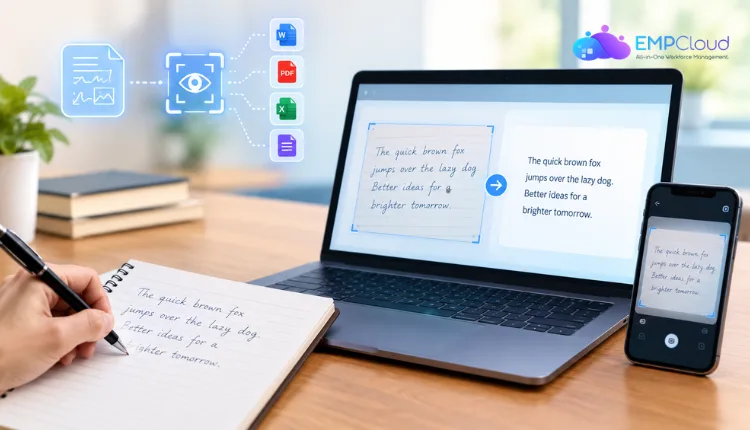
The best OCR software for handwriting recognition in 2027 spans free consumer tools (Google Keep, Apple Live Text, Microsoft OneNote), desktop software (ABBYY, Adobe Acrobat), and specialist paid platforms built specifically for cursive and multi-page documents (Handwriting OCR, Transkribus, MyScript). Which one fits depends on your handwriting, your volume, and whether you need a quick photo capture or full document processing.
Most people searching for handwriting OCR aren’t trying to automate a business process — they’re trying to read an old letter, digitize class notes, or make a scanned form searchable. The right tool depends heavily on what you’re starting with: a tidy printed note is a different problem than a page of fast cursive or a faded historical document.
How we evaluated
Each platform was assessed against the same core factors: accuracy on real-world handwriting (including cursive, mixed-format pages, and lower-quality scans), structure preservation, deployment fit, language and document coverage, and integration with downstream systems. No single platform scored highest across every factor, so the right choice depends on the specific type of handwriting and workflow described in each entry.
- Accuracy on real-world handwriting: We tested each tool against cursive, mixed-format pages, and lower-quality scans, not just clean printed samples, since that is where most platforms diverge.
- Structure preservation: We assessed whether each tool keeps handwritten values correctly linked to their table cells, form fields, or document sections, rather than returning a flat block of text that loses that context.
- Deployment fit: We considered whether the platform suits developers integrating an API, operations teams needing a lower-code interface, or individuals wanting a ready-to-use app, since the right tool depends heavily on who is using it.
- Language and document coverage: We evaluated how many languages and document types each platform reliably supports, which matters most for global workflows, historical records, and document archiving solutions.
- Integration and output format: We checked whether extracted handwriting flows directly into downstream systems as structured output, or requires manual export and reformatting before it can be used.
No single platform scored highest across every factor. The right choice depends on the specific type of handwriting you are working with, the workflow you need to support, and who will be using the tool day to day. Use the criteria above as a lens when reading each entry, and focus on the factors that matter most for your situation, whether that is real-time data capture, a document archiving solution, or something in between, rather than looking for one universal answer.
1. ABBYY
ABBYY brings the company’s intelligent character recognition (ICR) technology to a desktop application built for everyday document work rather than enterprise integration. As a handwriting recognition software, it reads handwritten text alongside printed content in the same document, preserving formatting like tables and layout when converting scanned pages into editable, searchable files.
- Best for: Individuals and small teams converting handwritten and printed documents into editable, searchable PDFs without building a custom workflow.
- Standout feature: Recognizes handwriting in over 200 languages while keeping the original document’s structure and formatting intact during conversion.
- Cost model: One-time or subscription desktop license.
2. Handwriting OCR
Handwriting OCR is built specifically for the handwriting general-purpose tools struggle with cursive, messy, faded, or multi-page documents rather than treating handwriting as an OCR afterthought.
- Best For: Genealogy research, legal documents, and personal archives involving cursive or historical handwriting.
- Standout Feature: Processes entire multi-page documents in one pass with exports to Word, PDF, or Excel.
- Cost Model: Free trial credits, then paid plans.
3. Google Keep
Google Keep’s built-in “Grab image text” feature extracts text from a photo of a handwritten note directly on a phone, with no setup required.
- Best For: Quick, occasional capture of short, clearly printed notes.
- Standout Feature: Completely free and built into an app most Android users already have installed.
- Cost Model: Free.
4. Apple Live Text
On iPhone, iPad, and Mac, Live Text lets users select and copy text directly out of a photo, including handwritten notes with clear block printing.
- Best For: Apple users who want to copy text out of a photo without a separate app.
- Standout Feature: Built into the operating system, so there’s nothing to install or configure.
- Cost Model: Free on supported Apple devices.
5. Microsoft OneNote
OneNote’s “Ink to Text” feature converts handwriting written directly into the app with a stylus into typed text — distinct from photo-based OCR.
- Best For: Tablet users who take notes with a stylus and want to convert their own ink to text.
- Standout Feature: Works entirely within the note-taking app, so conversion happens without exporting or uploading anything.
- Cost Model: Free with Microsoft 365 or OneNote.
6. Adobe Acrobat
Adobe Acrobat’s OCR feature converts scanned documents, including some handwritten content, into searchable and editable PDFs as part of its broader document editing toolset.
- Best For: Users already working in Acrobat who want basic OCR alongside PDF editing.
- Standout Feature: Integrates directly into a PDF workflow many businesses already use for other document tasks.
- Cost Model: Subscription (Acrobat Pro).
7. Transkribus
Transkribus is built for large-scale transcription of historical handwritten documents, widely used by archives, libraries, and research institutions.
- Best For: Academic and archival projects transcribing large volumes of historical handwritten manuscripts.
- Standout Feature: Trainable models that can be customized to a specific historical handwriting style or document collection.
- Cost Model: Free tier plus paid credits for larger transcription volumes.
8. MyScript
MyScript specializes in real-time handwriting recognition, primarily for digital ink written on tablets and styluses rather than photographed paper documents.
- Best For: Developers building note-taking or education apps that need real-time ink-to-text conversion.
- Standout Feature: Recognizes handwriting as it’s being written, rather than processing a completed page afterward.
- Cost Model: SDK licensing for developers.
Conclusion
The landscape of handwriting recognition solutions continues to evolve, offering diverse tools tailored to specific needs, from document transcription to real-time ink conversion. Whether you’re a developer creating education apps or an enterprise in need of scalable automation, choosing the right platform depends on understanding your use case, technical requirements, and desired outcomes. By evaluating features, pricing, and scalability, you can select a solution that not only fits your needs today but also supports your growth and innovation tomorrow.
Quick Search Our Blogs
Type in keywords and get instant access to related blog posts.

