
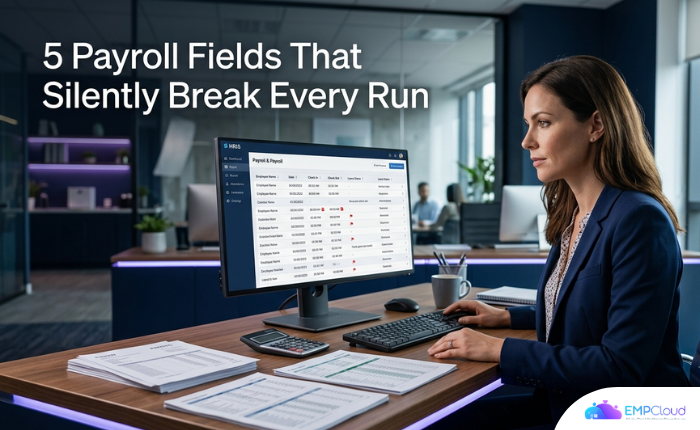
Enterprises that switch to an AI-powered HRMS cut payroll processing time by 60% — from five to seven days per cycle down to under two hours, according to an analysis of 50+ enterprises. Most of that time isn’t spent calculating. It’s spent hunting down corrupted inputs. And the inputs that break are almost always the same five.
Most HR teams know something is off each cycle. They just can’t pinpoint where. The answer, almost always, lives in five data fields.
In a hurry? Listen to the blog instead!
The Five Fields That Decide Whether a Payroll Run Is Clean

Five specific data points determine the integrity of any individual payroll record: employee name, date, check-in time, check-out time, and leave category. A blank value, a default placeholder, or a fat-finger error in any one of those five — and you have a silent error waiting to become a payroll dispute.
None of this is complicated in isolation. The problem is what happens between systems.
Attendance capture and payroll calculation almost universally sit on two different platforms in mid-sized companies. They connect through a manual export-import handoff: someone emails a spreadsheet once or twice a month, usually under deadline pressure. Every time that handoff happens, each of those five fields is an opportunity for truncation, mis-mapping, or outright omission. Scale that across hundreds of employees and data-sync errors between attendance and payroll platforms become permanent structural features rather than one-off mistakes.
That word — permanent — is the one that should alarm you.
The Leave Category Problem Nobody Talks About
Of the five fields, leave category is the one that bites companies hardest and gets examined least. Most teams treat leave as a binary: present or absent. But the leave category field carries downstream tax and compliance consequences that the other four fields don’t.
Take state-level PTO policy. California treats accrued vacation as earned compensation that cannot be forfeited. Massachusetts requires payout of unused vacation on termination. Applying a single PTO policy uniformly across states creates payroll compliance exposure that most growing companies don’t discover until an audit or a departing employee’s final paycheck triggers a dispute.
If your leave category field isn’t capturing the right leave type with the right state-level rule applied, you aren’t just looking at a payroll error. You’re looking at a compliance liability.
Regulatory pressure is tightening the margin for error further. California’s pay data reporting framework now requires employers to report total weeks worked in aggregate by employee group, including weeks where an employee was paid but not actively working — paid leave included. That kind of granularity requires your leave category field to be accurate and jurisdiction-aware, not a catch-all code that one team lead filled in on a Friday afternoon.
Where Buddy Punching Enters the Equation
The five-field framework assumes your input data is at least honest, if not perfectly accurate. Manual attendance systems remove even that assumption.
Buddy punching — one employee clocking in for another — corrupts the check-in time and employee name fields that drive tax withholding calculations. The error doesn’t announce itself. It registers as a legitimate clock-in from a legitimate employee ID, then flows clean through every downstream process. Until someone notices hours that don’t add up against a project log, or an overtime claim that doesn’t match badge access records.
Compliance exposure from misclassified time traces back, more often than not, not to deliberate fraud. It traces to check-in or check-out fields that someone entered incorrectly — either with inaccurate details or under the wrong employee’s name. The Payroll Podcast’s five-pillar payroll risk framework puts key-person dependency and data integrity at the top of that list for exactly this reason.
What Fixing This Actually Looks Like in Practice
The fix isn’t a process change. Process changes fail because the humans executing them are operating under deadline pressure and the errors are invisible until payday. The fix is removing human handoffs from the five critical fields entirely.
EMPCloud addresses the root cause at the data-capture layer. Face recognition biometric attendance tracking eliminates buddy punching at the source — a biometric match records the check-in time and employee name instead of relying on manual keyboard entry. For field workforces where office-based biometrics aren’t feasible, geo-location tracking captures attendance against a verified physical location, so the date and time fields arrive with a coordinate stamp rather than a manual entry.
That matters because field workers represent a disproportionate share of payroll errors. Telecom companies managing field engineers across multiple regions and NBFC environments carry the most structural payroll error risk of any sector. Their attendance data travels the furthest from source to payroll system, crossing the most manual handoffs along the way.
Biometric and geo-location capture alone won’t close the gap if the data still gets exported to a separate payroll platform via spreadsheet. The five fields need to flow without a handoff. When attendance, leave, and payroll run in a single integrated system, the leave category field is populated from the same record that informs the payroll calculation — no translation layer, no export, no opportunity for mis-mapping.
Auditing the Five Fields Before They Audit You
If you’re not ready to change systems today, you can still reduce exposure by auditing the five fields systematically before each payroll cycle rather than after errors surface. Here’s what that looks like:

- Employee name: Cross-reference against your HR master record, not just the attendance system’s display name. Nickname mismatches and legal-name discrepancies create W-2 filing problems. Catching these before year-end is far cheaper than correcting them after.
- Date: Check for off-by-one errors around pay period boundaries, public holidays, and daylight savings transitions. These cluster predictably; look for them.
- Check-in time: Flag any default values — midnight entries, noon entries, anything that looks like a system placeholder rather than a real clock-in.
- Check-out time: Missing check-outs are the single most common field error. An automated alert that fires at shift-end plus two hours catches most of them before they reach payroll.
- Leave category: Verify state-specific rules apply. A uniform leave category code that doesn’t differentiate by jurisdiction is a compliance gap masquerading as a process simplification.
This is manageable at small scale. Beyond a few dozen employees, it isn’t — not manually. That’s the threshold at which the structural fix becomes necessary rather than optional.
Querying the Data You Already Have
One underused lever: understanding your current error rate before deciding on a fix. Most HR teams don’t know how many blank check-out times they’re carrying, which leave categories are being applied incorrectly, or where attendance-to-payroll discrepancies cluster by department or location.
EmpCloud’s Smart SQL natural-language analytics tool lets you pull that data in plain English across attendance, leave, and payroll in a single query — no query language, no waiting for a BI team to build a report. Ask it how many employees had missing check-out times last cycle. Ask it which departments show the widest gap between scheduled and recorded hours. The answers exist in your data already; the question is whether your tooling surfaces them before or after a payroll dispute does.
The same 50+ enterprise analysis cited earlier found 95% accuracy in statutory compliance (EPF, ESI, TDS) among AI-powered HRMS users versus 75–80% with manual systems. That delta reflects what happens when the five fields arrive at payroll already clean — not what happens when teams spend two days before payday hunting down missing entries.
Small Fields. Large Penalties.
The payroll errors that trigger audits, back-wage recoveries, and penalties rarely start with complex compliance failures. They start with a blank check-out time nobody noticed, a leave category that defaulted to “absent” instead of “approved PTO,” or a name field that didn’t match a Social Security record. And they compound: replacing a skilled employee costs 50–200% of their annual salary — so when payroll errors erode trust and push attrition up, the cost doesn’t stay in the payroll budget.
When you’re ready to see those five fields captured correctly from the first clock-in, start your free 15-day EMPCloud trial. No spreadsheet handoff. No manual export between systems. No silent errors building up to a payday dispute.
Quick Search Our Blogs
Type in keywords and get instant access to related blog posts.

